
Tool Information
Overview of Diffusion Wallpaper
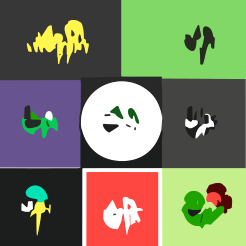
Diffusion Wallpaper is a web-based tool that enables users to create unique desktop wallpapers using advanced AI diffusion models. This tool is designed for individuals looking to personalize their digital workspace with custom visuals that reflect their style and preferences.
Core Features
The primary functionality of Diffusion Wallpaper lies in its ability to generate high-quality wallpapers without any restrictions on the number of creations. Users can experiment with various designs and styles, allowing for a highly personalized experience. The tool operates locally, ensuring that users can generate wallpapers without the need for an internet connection after the initial setup.
User Privacy and Data Security
One of the standout features of Diffusion Wallpaper is its commitment to user privacy. The tool does not collect any personal data from its users, which enhances the sense of security and confidentiality. This aspect is particularly appealing to those who are cautious about their online privacy.
System Requirements and Accessibility
To use Diffusion Wallpaper, users need a device running macOS 13.1 or later. This makes the tool accessible to a wide range of users who have updated their operating systems. The requirement for a relatively recent version of macOS ensures that users can take advantage of the latest features and improvements.
Pricing and Availability
Diffusion Wallpaper is available for free, making it an attractive option for users who want to enhance their desktop environment without incurring costs. However, users are advised to verify this information on the Mac App Store to ensure there are no hidden fees or changes in pricing.
F.A.Q (18)
Pros and Cons
Pros
- Unlimited wallpaper creation
- Locally-run tool
- No data collection
- MacOS 13.1 compatibility
- Practical utility
- Family Sharing support
- Localized diffusion models
- Small size (2.5 MB)
- Desktop wallpapers generation
- Available on Mac App Store
- Age restriction (17+)
- Available in English
- Developer support available
- Data privacy prioritized
Cons
- Only available on macOS
- Requires macOS 13.1 or later
- Not available in other languages
- No multiplayer support
- Limited to desktop wallpapers
- No custom size options
- App size is 2.5MB
- No user data collection
- Only suitable for ages 17+
- No data sharing options
Reviews
You must be logged in to submit a review.
No reviews yet. Be the first to review!