
Menu Close
Face Swap AI Photo Reface
☆☆☆☆☆
Face swap (34)

Face Swap AI Photo Reface Verified Tool

Swap faces with AI-powered precision.

Monthly visits: 6,987

Visit Tool

Starting price Free + from $3.99

Tool Information

Overview of Face Swap AI Photo Reface

Face Swap AI Photo Reface is a web-based application that specializes in face-swapping technology. This tool allows users to interchange faces in photos with a high degree of accuracy and realism, making it suitable for both casual entertainment and more serious creative projects. Its intuitive interface is designed to be accessible, enabling users of all skill levels to engage with the technology effortlessly.

Key Features

The application offers several notable features that enhance the user experience. Users can upload their own images or select from a library of photos to swap faces. The AI technology employed ensures that the swaps are seamless, maintaining the natural expressions and lighting of the original images. Additionally, the platform supports a variety of image formats, allowing for flexibility in the types of photos that can be used.

User Experience

Face Swap AI Photo Reface is designed with user-friendliness in mind. The straightforward interface guides users through the face-swapping process, making it easy to achieve desired results without requiring advanced technical skills. Users can quickly navigate through the features, making it a convenient option for those looking to create fun or professional images without a steep learning curve.

Target Audience

This tool is ideal for a diverse range of users, including social media enthusiasts looking to create engaging content, marketers needing unique visuals for campaigns, and individuals wanting to have fun with their photos. Its accessibility and ease of use make it appealing to both casual users and professionals in creative fields.

Limitations and Considerations

While Face Swap AI Photo Reface offers impressive capabilities, users should be aware of potential limitations. The quality of the face swap can vary depending on the original images used, and results may not always be perfect. Additionally, as a web-based tool, users will need a stable internet connection to access its features. It's also important to consider privacy and copyright issues when using images that are not personally owned.

F.A.Q (20)

Face Swap AI Photo Reface is an iOS application that uses AI technology to swap faces in photos with high accuracy and realism. It provides innovative tools for altering images for both entertainment and professional uses. The application is available for download on the App Store.

Face Swap AI Photo Reface works by leveraging AI technology to reface or swap faces in images. Users upload a selfie, choose a style, and the app processes the image in seconds to produce the face-swapped output.

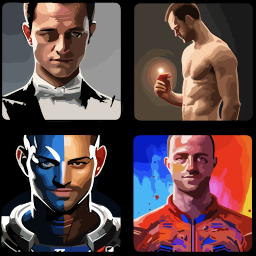
Face Swap AI Photo Reface provides various features for face-swapping, including options to try on different hairstyles, swap your face onto different style templates, and personalize your content with face swaps. Pre-defined styles available on the app include AI Halloween Costumes, 90s AI Yearbook Photos, AI Business Portraits, LinkedIn Headshots, and Miami 80s among others.

Yes, Face Swap AI Photo Reface is very user-friendly, making it easy for users with varying technological or art skills to use. The process of swapping faces involves simple steps, namely uploading a selfie, choosing a style, and getting the output in seconds.

Yes, you can experiment with different images on Face Swap AI Photo Reface. The app allows you to upload different selfies and apply various style templates to your photo, facilitating a fun and innovative experience.

Users can read reviews and compare ratings of Face Swap AI Photo Reface on the App Store, where the application is available for download.

The performance of Face Swap AI Photo Reface may vary depending on the device and iOS version. While the app has been specifically optimized for iOS devices, some features and the overall user experience may vary across different device models and iOS versions.

Yes, Face Swap AI Photo Reface is designed specifically for iOS devices. Users can download the application from the App Store and use it on their iPhone, iPad, and iPod touch.

Face Swap AI Photo Reface uses AI technology to achieve face swapping with precision. This involves applying complex algorithms capable of recognizing and processing facial features to seamlessly superimpose one face onto another in an image.

Yes, Face Swap AI Photo Reface can be used for both entertainment and professional purposes. By leveraging AI technology, the app provides a fun tool for those looking to experiment with different looks, while also offering a useful solution for professionals needing to alter images for work-related needs.

Reface' in Face Swap AI Photo Reface implies the app's ability to replace the face in an image with another. This process is accomplished with high accuracy and realism, offering a seamless face-swapping experience for users.

You can download the Face Swap AI Photo Reface app for your iOS device from the App Store.

The face swapping feature in Face Swap AI Photo Reface is highly realistic due to the app's utilization of AI technology. The complex algorithms are capable of recognizing and accurately processing facial features, leading to remarkable results in the swapped output.

Yes, screenshots of Face Swap AI Photo Reface are available on the App Store for viewing before downloading the application.

You do not need any specific skills to use Face Swap AI Photo Reface. The app's interface is user-friendly and the process of swapping faces is simple and straightforward, making it accessible to users with varying technological or art skills.

Face Swap AI Photo Reface requires 14.3 MB of storage space on your device, which is relatively modest compared to many other iOS applications.

The Face Swap AI Photo Reface app itself is free. However, there are in-app purchases available.

Yes, Face Swap AI Photo Reface offers in-app purchases. Options listed include 'Premium' subscriptions priced at $3.99 and $17.99.

The developer of Face Swap AI Photo Reface is Deux Choixpres.

Yes, with Face Swap AI Photo Reface, you can swap your face instantly into any style. The app offers different style templates for this purpose, allowing you to see how you'd look with different styles and share the results on social media.

Pros and Cons

Pros

  • Optimized for iOS devices
  • High accuracy and realism
  • Ideal for entertainment and professional use
  • User-friendly interface
  • Allows experimentation with different images
  • Compatible with iPhone
  • iPad
  • iPod touch
  • Features vary by device
  • Facilitates photo editing and reface
  • Ratings and reviews available
  • Crafted for both art skills and technological abilities
  • Weekly release of new styles
  • Requires only one selfie for function
  • Quick result generation
  • Privacy-oriented
  • does not collect data
  • Easy shareability on social media
  • Facilitates hairstyle experimentation
  • Supports various languages
  • Regular bug fixes for smooth operation
  • Premium features available via In-App Purchases

Cons

  • iOS exclusivity
  • Varied features by device
  • Different user experiences
  • In-app purchases required
  • Limited language (English)
  • Requires IOS 16.0 or later
  • Specific Mac requirements
  • No data collection (limited personalization)
  • Manual style selection
  • Requires separate premium purchases

Reviews

You must be logged in to submit a review.

No reviews yet. Be the first to review!

Quick actions
Visit Tool