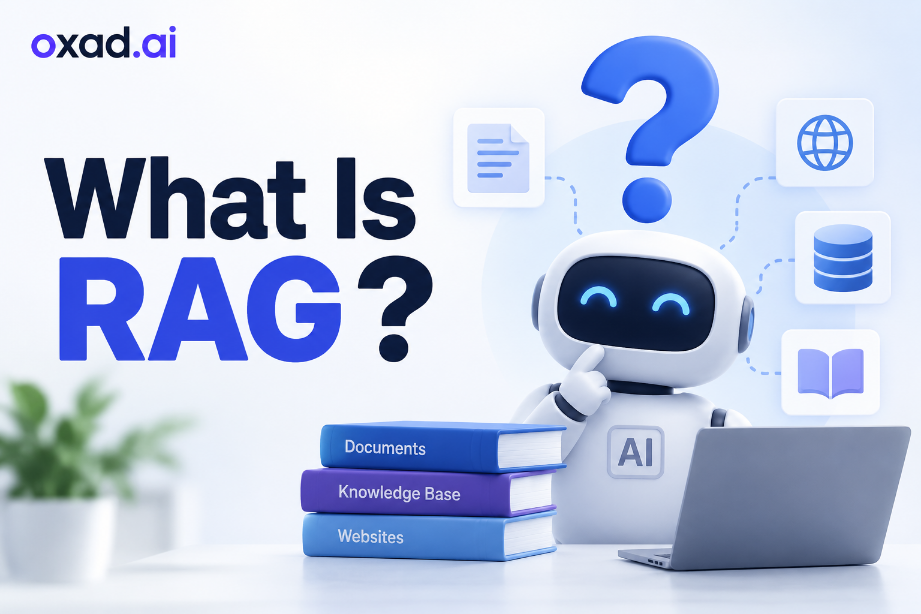
If you have been learning about artificial intelligence, you may have come across the term RAG. It is used in many AI applications that need to work with documents, company information, websites, or other sources of knowledge.
So, what does it actually mean?
RAG stands for Retrieval-Augmented Generation. It is a way of giving an AI system access to relevant information from an external source before it generates a response.
The idea is easier than the name sounds. Imagine asking an assistant a question and giving them access to a library at the same time. Instead of relying only on what they already know, they can look up the relevant information first and then use it to answer you.
What Does RAG Stand For?
The term Retrieval-Augmented Generation describes three parts of the process:
Retrieval: The system searches for information that may help answer the question.
Augmented: The useful information is added to the context available to the AI model.
Generation: The model uses the question and the retrieved information to create a response.
In simple terms, it connects an AI model with a source of information that the model can search when it needs additional context.
Why Do AI Systems Need RAG?
An AI model can be very knowledgeable, but that does not mean it automatically knows everything about a particular organization or information source.
For example, an AI model may know what a refund policy is in general. However, it will not automatically know the exact refund policy of a company unless that information is made available to it.
This is where retrieval can help. A business could connect its AI assistant to product documentation, internal policies, support articles, or another approved knowledge source. When someone asks a question, the system can look for relevant information before producing the answer.
This approach is particularly useful when the information is private, specialized, frequently updated, or specific to a particular organization.
How Does RAG Work?
The technical implementation can involve several components, but the basic workflow is straightforward.
1. The User Asks a Question
Everything starts with a question from the user.
For example:
“How long do I have to return a product?”
2. The System Looks for Relevant Information
The application searches a connected knowledge source for information related to the question.
This source could contain company documents, PDF files, product manuals, help center articles, web pages, or other structured and unstructured information.
3. Useful Content Is Retrieved
The system identifies the sections that are most relevant to the user’s question.
There is usually no need to send every available document to the AI. Retrieving useful sections helps provide the model with focused context.
4. The AI Receives the Context
The retrieved information is supplied to the AI model along with the user’s question.
The model can then use that context when preparing its response.
5. The Answer Is Generated
The AI generates a response based on the question and the information provided to it.
To the user, the process can look like a normal conversation, even though a search step is happening behind the scenes.
What Is a Simple Example?
Imagine that a company gives an AI assistant access to its employee handbook.
An employee asks:
“How many vacation days do new employees receive?”
The system can search the handbook, find the section about vacation policies, and provide that information to the AI. The assistant can then explain the policy in a conversational way.
Without access to the handbook, the AI would not automatically know the company’s specific rules.
This example shows the main idea: the AI can use information from a specific source instead of relying only on its general knowledge.
What Can RAG Be Used For?
This approach can be useful whenever an AI application needs to answer questions using a particular collection of information.
Customer support: Answer questions using product documentation and support content.
Company knowledge: Help employees find information in internal documents.
Document assistants: Let users ask questions about large collections of files.
AI search: Combine information retrieval with conversational answers.
Education: Create assistants that work with textbooks and learning materials.
Research: Help users explore information from selected sources.
Product support: Provide answers based on manuals, specifications, and product information.
What Are the Benefits?
It Can Use External Information
A retrieval-based system can give an AI model access to information that is not part of its general knowledge.
It Can Work With Private Knowledge
Organizations can build applications around their own documents and approved information sources.
Information Can Be Updated
When the underlying knowledge source changes, it may be possible to update that source without retraining the entire AI model.
It Can Make Answers More Relevant
Providing useful context can help the model focus its response on the information that matters to the user’s question.
It Makes Large Collections Easier to Use
Instead of manually searching through hundreds of documents, users can ask questions in natural language.
What Are the Limitations?
RAG is useful, but it does not automatically make an AI system accurate.
The quality of the answer depends partly on the quality of the information that the system retrieves. If the search finds irrelevant, incomplete, or outdated content, the final response may also be unreliable.
The documents and knowledge sources also need to be prepared properly. A poorly organized information source can make it harder for the system to find the right content.
There is another important limitation: the AI can still make mistakes even when relevant information has been retrieved. For this reason, important applications should include appropriate testing, monitoring, and evaluation.
Is RAG the Same as Fine-Tuning?
No. They solve different problems.
RAG provides information to the model when it is answering a question. Fine-tuning involves additional training that changes how a model behaves or responds.
A simple analogy is:
RAG: Give the AI a reference book and let it look up information when needed.
Fine-tuning: Give the AI additional training to change or improve particular behaviors.
In some applications, developers may use both approaches together.
Is RAG the Same as an AI Chatbot?
No. RAG is not a chatbot.
A chatbot is an application that communicates with users. RAG is a technique that can be used inside that application to provide access to relevant information.
For example, a customer service chatbot could use a company’s documentation as a knowledge source. When a customer asks a question, the system can retrieve relevant information before generating the response.
Do You Need Coding Skills to Use It?
It depends on what you want to build.
Creating a custom system from scratch generally requires technical knowledge. Developers may need to work with AI models, databases, search systems, document processing, and other components.
However, some modern AI platforms provide ready-made features for connecting documents or knowledge bases to AI assistants. These tools can make the technology more accessible to people without advanced programming skills.
What Information Can It Work With?
A system can be designed to retrieve information from many different sources, depending on its implementation.
PDF documents
Company files
Web pages
Product documentation
Knowledge bases
Databases
Help center articles
Frequently asked questions
The important part is not the file type itself. What matters is whether the application can process the information and retrieve useful content when it is needed.
Why Are Vector Databases Often Used?
If you explore the technical side of RAG, you will often encounter the term vector database.
Vector databases can help applications search information based on meaning rather than relying only on exact keyword matches.
For example, a user might ask:
“How can I get my money back?”
A search system may recognize that the question is related to a document section titled “Refund Policy”, even though the wording is different.
This type of meaning-based search can help a retrieval system find information that is relevant to the user’s intent.
How Is RAG Different From Traditional Search?
Traditional search usually returns a list of documents, pages, or other results for the user to review.
A retrieval-augmented AI application can take the process a step further. It can search for relevant information and then give that information to an AI model to help generate a conversational response.
For example, a traditional search engine might show several pages containing a company’s refund policy. An AI assistant using retrieval could find the relevant section and explain it directly to the user.
Neither approach is automatically better. The right choice depends on the task and how the information needs to be used.
Can RAG Reduce AI Hallucinations?
It can help reduce some types of hallucinations by giving the AI relevant information from a selected source.
However, it does not eliminate hallucinations completely.
If the retrieved information is incorrect, incomplete, or unrelated to the question, the model may still produce a poor answer. A reliable system therefore needs good source material and effective retrieval in addition to a capable AI model.
Who Uses This Technology?
RAG can be useful for businesses, developers, educational organizations, and anyone building an AI application that needs access to specialized information.
A company might use it for an internal knowledge assistant. A software team might use it to build an AI application around technical documentation. An educational platform might use it to help students search learning materials.
The common idea is simple: the AI needs to work with information that comes from a particular source.
Are There Tools for Building RAG Applications?
Yes. Many AI platforms and developer tools now provide features for building applications that can retrieve information and use it with AI models.
Some are designed for developers who want full control over the application, while others offer simpler interfaces for connecting documents and knowledge sources to an AI assistant.
You can explore AI tools on OXAD.AI to discover tools related to AI assistants, document processing, knowledge bases, and other AI applications.
Frequently Asked Questions
What is RAG in simple terms?
It is a way for an AI application to retrieve useful information from an external source and use that information when generating a response.
What does RAG stand for?
It stands for Retrieval-Augmented Generation.
Is RAG an AI model?
No. It is a technique or system architecture that can be used with AI models.
Can RAG use private company information?
Yes. It can be designed to retrieve information from approved private sources such as internal documents and company knowledge bases.
Can it work with PDF files?
Yes. Many applications can process PDF content and retrieve relevant sections when users ask questions about the documents.
Is RAG better than fine-tuning?
Not necessarily. They are designed for different purposes. Retrieval is useful for providing external information, while fine-tuning is used to adapt a model’s behavior or responses.
Does RAG guarantee accurate answers?
No. It can provide useful context, but the quality of the answer still depends on the retrieved information and the AI model.
Can beginners use RAG?
Yes. Building a custom system can be technical, but some AI tools make retrieval-based features accessible without requiring advanced programming knowledge.
Final Thoughts
RAG may sound like a complicated AI term, but the basic idea is simple.
It allows an AI application to find relevant information from a connected source and use that information when answering a question.
This can be especially useful for documents, company knowledge, customer support, research, education, and other applications where general AI knowledge is not enough.
The easiest way to remember it is to think of an AI assistant with access to a reference library. Instead of answering only from what it already knows, it can look up useful information first and then use it to help create the answer.