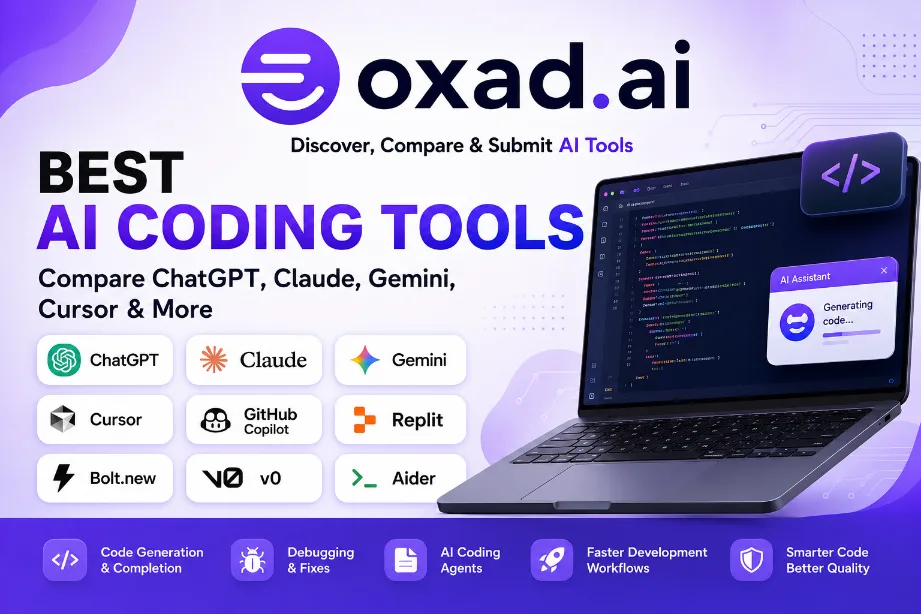
Best AI Coding Tools: Compare ChatGPT, Claude, Gemini, Cursor & More
AI has changed the way developers build software. What once required hours of searching documentation, writing repetitive code, and debugging line by line can now be supported by an AI coding assistant or coding agent.
But choosing the right tool is not as simple as asking which AI “writes the best code.” Different tools are designed for different workflows. Some work mainly inside an IDE, some operate directly with repositories and terminals, while others can help turn a natural-language idea into a working application.
In this guide, we compare 15 AI coding tools across code generation, debugging, repository work, AI agents, development environments, ease of use, and practical use cases. The goal is not to declare one permanent winner, but to help developers find the tool that fits the way they actually work.
Quick Take
There is no single AI coding tool that is ideal for everyone. ChatGPT Codex and Claude are strong choices for broader software-engineering workflows, Cursor is particularly attractive for AI-native coding inside an editor, while GitHub Copilot fits naturally into established development environments. Tools such as Replit, Bolt.new, and v0 are especially useful when the goal is to move quickly from an idea to a working application or interface.
15 Best AI Coding Tools Compared
The AI coding landscape has become much broader than traditional code completion. Today’s tools can help with everything from a single function to multi-file application development, testing, debugging, documentation, and autonomous engineering tasks.
AI coding tools are software-development applications that use artificial intelligence to help programmers write, understand, modify, test, and improve code.
At the simplest level, an AI coding tool might suggest the next line while you type. More advanced systems can explain an unfamiliar function, identify a bug, generate tests, refactor several files, or help plan an entire feature.
The important difference is how much of the development workflow the tool can understand and participate in.
For example, asking an AI to write a JavaScript function is a relatively small task. Asking it to inspect an existing application, understand its architecture, modify several components, update tests, and investigate a failing test is a much more demanding workflow.
That is why modern AI coding tools should be evaluated by their ability to work with context, repositories, development environments, tools, and iterative tasks rather than by code generation alone.
AI Coding Assistants vs AI Coding Agents
One of the most useful distinctions when comparing these products is the difference between an AI coding assistant and an AI coding agent.
What Is an AI Coding Assistant?
An AI coding assistant generally helps the developer while the developer remains directly responsible for each step. It may suggest code, explain an error, generate documentation, or provide an implementation that the developer then reviews and integrates.
This approach works particularly well when you already know what you want to build and simply want to reduce repetitive work.
What Is an AI Coding Agent?
An AI coding agent takes a more active role in the development process. Depending on the product and permissions available, it may inspect a repository, reason about a task, create a plan, modify multiple files, use development tools, run tests, analyze failures, and iterate on its changes.
The difference is similar to having an AI explain how to fix a problem versus asking it to investigate the problem and prepare a possible fix itself.
Why This Difference Matters
If you mainly need autocomplete and quick explanations, a lightweight coding assistant may be enough. If you regularly work on multi-file changes, debugging, testing, refactoring, or larger repositories, an agentic workflow can provide a much bigger productivity advantage.
How We Compare These AI Coding Tools
A fair comparison should go beyond marketing claims and isolated benchmark scores. Developers use these tools in very different ways, so this guide focuses on practical software-development workflows.
Code Generation
We consider how effectively a tool can generate useful code, from small functions and scripts to larger implementation tasks.
Code Understanding
Generating new code is only part of development. A useful AI tool should also help explain existing code, identify relationships between components, and understand the intent behind an implementation.
Repository-Level Development
Modern applications are rarely contained in a single file. We therefore consider how suitable each tool is for projects involving multiple files, dependencies, configuration, tests, and established coding conventions.
Debugging and Testing
AI can be particularly useful when investigating errors. We look at how tools can help identify potential causes, suggest changes, create tests, and iterate after a test fails.
Agentic Workflows
Some developers want an AI that simply suggests code, while others want an agent that can carry out a larger engineering task. Both approaches have value, depending on the project.
Developer Experience
The best model on paper is not necessarily the best tool in practice. Editor integration, terminal access, repository workflows, usability, speed, and the amount of manual intervention required can have a major effect on productivity.
Who the Tool Is Actually For
A beginner building a first website has very different needs from an experienced engineer maintaining a large production application. Throughout this comparison, we therefore consider the type of developer who is most likely to benefit from each tool.
What Should You Look for in an AI Coding Tool?
Before choosing a platform, think about the work you actually do. This simple step can prevent you from choosing a tool because it is popular rather than because it solves your specific problems.
Programming languages: Does it work well with the languages and frameworks you use?
Development environment: Does it fit your IDE, editor, terminal, or browser workflow?
Repository access: Can it understand the project rather than isolated snippets?
Agent capabilities: Can it perform multi-step engineering tasks when needed?
Testing: Can it help create, run, and troubleshoot tests?
Context handling: Can it maintain enough project context for your workflow?
Privacy: How does the provider handle source code and other sensitive information?
Cost: Is the amount of useful work worth the subscription or usage cost?
Human control: Can you review and approve changes before they become part of your project?
A Practical Rule
Don’t choose an AI coding tool because it claims to be the smartest. Choose the one that helps you complete your real development tasks with less repetitive work, fewer corrections, and a workflow you are comfortable reviewing.
What Comes Next?
The tools in this comparison cover very different approaches to AI-assisted development. Some are designed around general-purpose AI agents, some are deeply integrated into coding environments, and others focus on rapidly building applications from natural-language instructions.
In the next part, we will look more closely at the first group of tools: ChatGPT Codex, Claude, Kimi K3, The Coder, and Gemini, including what each one does well, who should use it, and where it may not be the best choice.
ChatGPT Codex, Claude, Kimi K3, The Coder, and Gemini
The first group in our comparison represents some of the most interesting approaches to AI-assisted software development. Although these tools share many capabilities, they are not identical in the way they approach coding.
Some are built around powerful general-purpose AI models, while others place more emphasis on autonomous coding, repository understanding, reasoning, or integration with a larger developer ecosystem.
Rather than simply assigning a winner to each category, the sections below explain where each tool can make the most practical difference for developers.
ChatGPT Codex represents the shift from conversational AI toward agentic software engineering. Instead of only asking an AI to generate a piece of code, developers can use Codex-oriented workflows for larger engineering tasks involving implementation, debugging, refactoring, testing, and code review.
What makes this approach interesting is the ability to move from “write this function” toward tasks such as “understand this project, make the required changes, test them, and prepare the result for review.”
Where ChatGPT Codex Stands Out
Software Engineering Tasks
Codex can assist with practical development work including feature implementation, bug fixing, refactoring, testing, migrations, and code review.
Agentic Development
Instead of requiring the developer to guide every individual coding step, an agentic workflow can break a larger task into smaller actions and work through them sequentially.
Beyond Coding
One advantage of the ChatGPT ecosystem is that development work can be combined with research, technical writing, documentation, analysis, and planning. This can be useful when a project involves more than writing source code.
Who Should Consider ChatGPT Codex?
Professional software developers
Developers working on multi-step engineering tasks
Teams exploring AI coding agents
Developers who combine coding with research and documentation
Users looking for a broader AI productivity ecosystem
Practical view: ChatGPT Codex is most interesting when you want AI assistance to extend beyond code generation into a broader software-engineering workflow.
Claude has developed a strong reputation among developers who use AI for complex reasoning and software engineering. Its coding experience is particularly relevant when the task involves understanding existing code rather than simply generating something from scratch.
Through Claude Code and related workflows, developers can work with repositories, inspect files, reason about implementation details, make changes, and iterate on engineering tasks.
Where Claude Stands Out
Repository-Level Thinking
Software projects rarely consist of isolated functions. Claude can be particularly useful when a task requires understanding how different files and components interact.
Refactoring
Developers can use Claude to analyze existing implementations, identify opportunities for improvement, and plan or perform changes across multiple parts of a project.
Debugging
When a problem involves several components, configuration files, dependencies, or application behavior, repository-aware AI assistance can be more useful than a simple code-generation prompt.
Complex Engineering Tasks
Claude is a strong candidate for developers who frequently work on existing applications and need an AI that can reason through a problem before modifying the implementation.
Who Should Consider Claude?
Software engineers
Developers working with existing repositories
Teams performing refactoring
Developers handling complex debugging tasks
Users interested in repository-aware AI coding
Practical view: Claude is particularly appealing when your development work involves understanding and changing an existing codebase rather than simply generating new snippets.
Kimi K3 is an AI model focused on advanced reasoning, coding, and agent-oriented workflows. It is an interesting option for developers who want to explore alternatives to the largest mainstream AI coding ecosystems.
For coding tasks, reasoning quality can matter just as much as raw code generation. A useful model should be able to understand requirements, work through problems, identify mistakes, and adapt its approach when the first solution is not sufficient.
Where Kimi K3 Can Be Useful
Reasoning-Heavy Coding
Kimi K3 can be considered for programming tasks where the developer needs more than straightforward code completion and wants assistance with reasoning through a technical problem.
Longer Technical Context
Large-context workflows can be useful when working with extensive documentation, project requirements, or larger amounts of code-related information.
AI Agent Workflows
Agent-oriented capabilities make Kimi interesting for developers experimenting with more autonomous approaches to software development.
Who Should Consider Kimi K3?
Developers exploring alternative AI models
Technical users interested in advanced reasoning
Developers working on coding and research tasks
AI enthusiasts experimenting with agentic workflows
Users who need support for complex technical problems
Practical view: Kimi K3 is worth considering when reasoning and technical context are important parts of your coding workflow.
The Coder is positioned around AI-assisted programming and developer productivity. Tools in this category are designed to reduce repetitive coding work while allowing developers to remain involved in the development process.
For developers who do not necessarily need a highly autonomous agent for every task, an AI coding tool can provide a useful middle ground between manual programming and full automation.
Where The Coder Can Help
Code Generation
AI-assisted generation can speed up the creation of functions, components, scripts, and other common programming tasks.
Development Assistance
Developers can use AI assistance to explore implementation approaches, understand technical problems, and accelerate repetitive parts of the development process.
Learning and Experimentation
AI coding tools can also be useful for developers who want explanations alongside generated code, making them valuable for experimentation and learning.
Who Should Consider The Coder?
Developers looking for AI-assisted programming
Programmers handling repetitive coding tasks
Developers experimenting with AI development tools
Users who want coding assistance without changing their entire workflow
Practical view: The Coder can be useful for developers who want to add AI assistance to their programming workflow without making AI autonomy the entire focus of development.
Gemini takes a particularly interesting position because coding is only one part of Google’s broader AI ecosystem. Developers can combine Gemini’s coding capabilities with Google’s developer services, cloud technologies, Android ecosystem, multimodal capabilities, and AI development tools.
This makes Gemini particularly relevant for developers whose projects already depend heavily on Google technologies.
Where Gemini Stands Out
Multimodal Development
Modern software projects can involve screenshots, diagrams, documents, images, and other forms of information alongside source code. Gemini’s multimodal capabilities can be useful in these workflows.
Google Technologies
Developers working with Android, Firebase, Google Cloud, Google APIs, and other Google services may find Gemini especially relevant because it fits naturally into the broader Google developer ecosystem.
AI Development Tools
Google provides several ways for developers to work with Gemini, ranging from consumer experiences to developer platforms and APIs.
Agentic Development
Google is also investing heavily in agentic development, making Gemini relevant to developers interested in moving beyond traditional AI coding assistance.
Who Should Consider Gemini?
Android developers
Firebase developers
Google Cloud developers
Developers using Google APIs
Teams building multimodal applications
Developers exploring AI agents
Practical view: Gemini becomes particularly attractive when your coding workflow is already connected to Google’s ecosystem or when your project benefits from multimodal AI.
First Five Tools: Side-by-Side Comparison
The following comparison is intentionally practical. It does not attempt to assign a permanent numerical ranking because AI models, tools, integrations, and usage policies can change.
Tool
Main Strength
Agentic Workflows
Ideal User
ChatGPT Codex
Broad AI + software engineering
Advanced
Developers and teams
Claude
Repository reasoning
Advanced
Software engineers
Kimi K3
Reasoning and coding
Advanced
Technical users
The Coder
AI programming assistance
Workflow dependent
Developers
Gemini
Google ecosystem + multimodal AI
Advanced
Google-focused developers
Which of These Tools Is Right for You?
If you are trying to choose between these five, start with the type of work you actually do.
Choose ChatGPT Codex If You Want…
A broad AI ecosystem alongside coding
Agentic software-engineering workflows
Help with coding, research, documentation, and planning
A general-purpose AI assistant that can also support development
Choose Claude If You Want…
Strong repository-oriented assistance
Complex coding and reasoning workflows
Help with refactoring and debugging
An AI coding workflow centered around software engineering
Choose Kimi K3 If You Want…
Advanced reasoning for technical tasks
An alternative to the most established AI ecosystems
Support for coding and longer technical workflows
To experiment with agent-oriented AI development
Choose The Coder If You Want…
AI assistance for everyday programming
Help reducing repetitive coding work
A practical AI-assisted development workflow
Choose Gemini If You Want…
Strong connections to Google’s ecosystem
Android, Firebase, or Google Cloud development
Multimodal development capabilities
Access to Google’s broader AI developer ecosystem
One Important Point
You do not necessarily have to choose only one. Many developers use different AI tools for different stages of a project—for example, one tool for implementation, another for debugging or code review, and another for specialized work.
Continue the Comparison
These first five tools cover general-purpose AI development, repository-level engineering, reasoning-focused coding, and Google’s developer ecosystem. The next group takes a different approach.
Part 3 will compare Cursor, GitHub Copilot, Replit, Bolt.new, and v0—five tools that are particularly interesting for AI-native development, IDE workflows, rapid prototyping, web development, and building applications from natural-language instructions.
Cursor, GitHub Copilot, Replit, Bolt.new, and v0
The next group of AI coding tools takes a different approach from general-purpose AI assistants. These platforms are designed to become part of the development environment itself, helping developers write code, understand projects, build interfaces, and move from an idea to a working application more quickly.
This group is particularly interesting for developers who want AI to become part of their everyday workflow rather than switching between a traditional chatbot and a separate coding environment.
Cursor is an AI-powered code editor designed around the idea that AI should be deeply integrated into the programming environment. Instead of treating AI as a separate chatbot, Cursor puts AI assistance directly alongside the developer’s code and project.
This makes it particularly useful for developers who spend most of their time inside an editor and want AI assistance while creating, modifying, understanding, and debugging software.
Where Cursor Stands Out
AI-Native Code Editing
Cursor is built around AI-assisted programming rather than simply adding an AI chatbot to an existing editor. Developers can use natural-language instructions to work with code and make changes within their projects.
Codebase Context
One of the most important advantages of an AI-native editor is the ability to work with the broader context of a project. This can make AI assistance more useful when a task involves several files or existing application architecture.
Multi-File Changes
Developers can use Cursor for changes that go beyond a single function or file. This is especially useful for feature development, refactoring, and maintaining existing applications.
AI-Assisted Debugging
Cursor can help developers investigate errors, understand unfamiliar implementations, and iterate on changes without leaving the development environment.
Who Should Consider Cursor?
Developers who spend significant time in an AI-enabled code editor
Frontend and full-stack developers
Developers working with existing codebases
Programmers who frequently refactor or modify multiple files
Teams interested in AI-native development workflows
Practical view: Cursor is particularly attractive if you want AI to become a natural part of your coding environment rather than a separate tool you open only when you get stuck.
GitHub Copilot is one of the most established AI coding assistants and has become deeply connected to the GitHub and developer ecosystem. It can assist developers while they work in supported development environments, helping with code generation, explanations, debugging, and other software-development tasks.
Its biggest strength is familiarity. Many developers already work with GitHub, IDEs, pull requests, repositories, and collaborative development workflows, making Copilot a natural addition to an existing process.
Where GitHub Copilot Stands Out
IDE Assistance
Copilot can provide AI assistance directly inside supported development environments, reducing the need to repeatedly copy code into a separate chatbot.
Code Completion
Developers can use AI-powered suggestions while writing code, making it useful for repetitive programming tasks and common implementation patterns.
GitHub Integration
The connection with GitHub provides a natural fit for developers already managing repositories, branches, pull requests, and collaborative software projects through GitHub.
Broader Coding Assistance
Modern AI coding assistants have expanded beyond autocomplete. Depending on the available product and configuration, developers can use Copilot for explanations, code changes, debugging, and more agent-oriented workflows.
Who Should Consider GitHub Copilot?
Developers already using GitHub
Professional software teams
Developers who prefer IDE-based assistance
Programmers who want AI-powered code completion
Teams looking for AI assistance within established development workflows
Practical view: GitHub Copilot makes the most sense when you want AI assistance without completely changing the development workflow your team already understands.
Replit takes a different approach by combining development, AI assistance, collaboration, and deployment within a browser-based environment. This makes it particularly interesting for beginners, rapid prototyping, educators, and developers who want to build without setting up a traditional local development environment.
Instead of installing a complete development stack before starting, users can work within the Replit environment and use AI assistance as part of the development process.
Where Replit Stands Out
Browser-Based Development
Replit allows developers to work on projects through a browser-based development environment, which can make getting started significantly easier.
Rapid Prototyping
AI-assisted development can help users turn an idea into an early prototype quickly, making Replit particularly useful for experimentation.
Learning and Education
The accessible development environment can be useful for people learning programming because the barrier between an idea and a working project is relatively low.
Building and Deployment
Replit brings development and deployment closer together, allowing users to move from writing code toward sharing or deploying projects without managing every part of a traditional infrastructure setup.
Who Should Consider Replit?
Programming beginners
Students and educators
Entrepreneurs building prototypes
Developers who prefer browser-based development
Users who want to move quickly from an idea to a working project
Practical view: Replit is particularly appealing when simplicity and speed matter more than configuring a traditional local development environment.
Bolt.new is designed to make software creation more accessible through natural-language instructions. Instead of starting with an empty code editor, users can describe what they want to build and use AI to help generate and modify the application.
This makes Bolt.new especially interesting for rapid prototyping and for people who have a clear product idea but do not want to manually write every part of the initial implementation.
Where Bolt.new Stands Out
Natural-Language Development
Users can describe an application or feature in ordinary language and let the AI translate those requirements into a development workflow.
Rapid Web Development
Bolt.new can be useful for quickly creating web application prototypes, landing pages, interfaces, and early product concepts.
Iterative Building
Rather than generating a project once and stopping, users can continue giving instructions to refine the application and change its functionality.
Useful for Non-Traditional Developers
Bolt.new can lower the technical barrier for entrepreneurs, designers, product managers, and other users who want to experiment with software ideas.
Who Should Consider Bolt.new?
Entrepreneurs
Product designers
Rapid prototypers
Developers testing product ideas
Users with limited programming experience
Practical view: Bolt.new is particularly useful when the priority is turning an idea into a functional web prototype quickly, while still allowing developers to work with the generated project.
v0 focuses heavily on interface and web development. It is particularly useful for turning natural-language descriptions into frontend concepts and application interfaces, helping developers and designers move quickly from an idea to something visual and interactive.
This makes v0 different from tools that focus primarily on traditional code completion. Its strength is especially visible when the developer starts with a user interface idea rather than a backend engineering problem.
Where v0 Stands Out
UI Generation
Users can describe an interface in natural language and use AI to generate an initial visual implementation.
Frontend Development
v0 can be particularly useful for developers working on web interfaces, components, dashboards, landing pages, and application frontends.
Rapid Iteration
Developers can refine an interface through additional instructions rather than manually rebuilding every design element from scratch.
Design-to-Code Workflows
For teams where design and development overlap, AI-generated interfaces can provide a useful starting point for experimentation and implementation.
Who Should Consider v0?
Frontend developers
Web designers
UI/UX professionals
Product designers
Developers building web interfaces
Teams creating rapid interface prototypes
Practical view: v0 is especially compelling when the interface is the starting point of the project and you want to explore several design and implementation ideas quickly.
Cursor vs GitHub Copilot vs Replit vs Bolt.new vs v0
These five tools can overlap, but they are designed around different development experiences. The table below focuses on their practical positioning rather than treating them as identical products.
Tool
Primary Focus
Ideal Starting Point
Best For
Cursor
AI-native code editor
Existing codebase
Developers
GitHub Copilot
IDE coding assistance
Existing development workflow
Professional teams
Replit
Browser-based development
Idea or prototype
Beginners and builders
Bolt.new
AI web app creation
Natural-language idea
Rapid prototyping
v0
AI UI and web development
Interface concept
Frontend and product teams
Which Tool Should You Choose?
Choose Cursor If…
You want an AI-native coding environment.
You work with existing repositories.
You frequently make multi-file changes.
You want AI integrated directly into your editor.
Choose GitHub Copilot If…
You already use GitHub extensively.
You prefer your existing IDE workflow.
You want AI-powered code suggestions and assistance.
You work within a collaborative development team.
Choose Replit If…
You want to code directly in the browser.
You are learning programming.
You want to prototype quickly.
You prefer a more integrated development and deployment experience.
Choose Bolt.new If…
You want to turn natural-language ideas into web applications.
You are rapidly testing product concepts.
You want to prototype without starting from an empty project.
You are a designer, entrepreneur, or product builder working with AI.
Choose v0 If…
Your project is heavily focused on the user interface.
You want to generate frontend concepts quickly.
You are experimenting with web application designs.
You want to move quickly from a visual idea toward implementation.
AI Coding Tools Are Not All Trying to Solve the Same Problem
One of the biggest mistakes when comparing AI coding platforms is treating every product as if it were competing for exactly the same job.
Cursor and GitHub Copilot are closely connected to the developer’s existing coding workflow. Replit combines development with a browser-based environment and rapid building. Bolt.new focuses heavily on turning natural-language ideas into web applications, while v0 is particularly oriented toward interfaces and frontend development.
That means the “best” tool depends heavily on where you are starting.
If You Start With…
Tools Worth Exploring
An existing codebase
Cursor, GitHub Copilot
A new application idea
Replit, Bolt.new
A UI concept
v0
Everyday IDE coding
GitHub Copilot, Cursor
Browser-based development
Replit
What This Means for Developers
The growing variety of AI coding tools is actually good news for developers. You no longer have to force every project into the same workflow.
A professional engineer may prefer an AI-native editor for daily development, while using a general AI model for architecture discussions. A startup founder might use an AI app builder to validate an idea before bringing in an engineering team. A designer might use a UI generation tool to explore interfaces before development begins.
The most productive workflow is often the one that combines human judgment with the right level of AI assistance.
AI can accelerate implementation, but developers still need to understand requirements, review changes, test software, protect sensitive information, and make the final engineering decisions.
Coming Next
In Part 4, we move to a more developer-focused group: Aider, Tabnine, SuperCoder 2.0, StableCode, and Magnet. These tools offer different approaches to AI-assisted programming, terminal workflows, code generation, and developer productivity.
Aider, Tabnine, SuperCoder 2.0, StableCode, and Magnet
The final group in this comparison highlights another important side of AI-assisted programming: tools designed to help developers write, understand, transform, and maintain code in more specialized workflows.
These platforms are especially interesting because they demonstrate that AI coding does not have to follow one single model. Some tools focus on terminal-based development, some on coding assistance, others on code generation, and others on helping developers work more efficiently with existing projects.
If the previous tools showed how AI can become an entire development environment, this group shows how AI can also work as a specialized developer companion.
Aider is an AI coding assistant designed around a developer’s existing codebase and terminal workflow. Instead of requiring developers to move their project into a completely different environment, Aider can be used alongside familiar development tools.
This makes it particularly interesting for developers who prefer command-line workflows and want AI assistance while retaining direct control over their repository.
Where Aider Stands Out
Terminal-Based Development
Aider is designed for developers who are comfortable working from the command line. This can make it a natural addition to workflows built around Git, terminals, editors, and development tools.
Working With Existing Code
Rather than focusing only on generating isolated snippets, Aider can help developers make changes to existing source files and work through coding tasks within a repository.
Git-Friendly Workflow
Version control is an important part of professional software development. Aider’s workflow is particularly relevant to developers who want AI assistance while continuing to use Git as part of their normal development process.
Model Flexibility
Aider can work with different AI models, giving developers flexibility when choosing the model that best fits a particular task, cost requirement, or workflow.
Who Should Consider Aider?
Developers comfortable with the terminal
Git-focused software engineers
Developers working with existing repositories
Programmers who want flexible model choices
Technical users who prefer control over their development workflow
Practical view: Aider is particularly appealing to developers who want AI assistance without giving up the flexibility and control of a traditional terminal and Git-based workflow.
Tabnine is an AI coding assistant focused on helping developers write code more efficiently. Its approach is closely connected to the developer’s existing coding environment, making AI assistance available while programming rather than requiring a separate conversational workflow.
Tabnine is also notable for its focus on enterprise development requirements, where privacy, security, governance, and control over AI-assisted coding can be important considerations.
Where Tabnine Stands Out
AI Code Assistance
Tabnine can help developers generate code and receive suggestions while working inside supported development environments.
Developer Productivity
AI assistance can reduce repetitive coding work and help developers move more quickly through common programming tasks.
Enterprise Considerations
For organizations adopting AI coding tools, questions about privacy, security, governance, and control can be just as important as code-generation quality.
Existing Development Environments
Tabnine is designed to fit into established developer workflows rather than requiring every team to completely change how it develops software.
Who Should Consider Tabnine?
Professional developers
Development teams evaluating AI coding assistants
Organizations with security and privacy requirements
Developers looking for IDE-based AI assistance
Teams wanting to improve repetitive coding workflows
Practical view: Tabnine is worth considering when AI coding assistance needs to fit within an established development environment and organizational requirements.
SuperCoder 2.0 represents the growing category of AI tools designed specifically around software development. Rather than positioning AI only as a general conversational assistant, specialized coding models and platforms aim to improve the developer’s ability to generate, understand, and modify software.
For developers exploring alternatives to the largest AI ecosystems, specialized coding tools can be worth investigating because their interfaces and workflows may be designed specifically around programming tasks.
Where SuperCoder 2.0 Can Be Useful
Programming Assistance
AI coding systems can help generate implementations, explain code, and provide suggestions for common development problems.
Code Understanding
Understanding an unfamiliar codebase or implementation can take considerable time. AI assistance can help developers explore the purpose and behavior of existing code.
Development Productivity
Automating repetitive programming tasks can allow developers to spend more time on architecture, product decisions, testing, and other higher-level engineering work.
Who Should Consider SuperCoder 2.0?
Developers exploring specialized AI coding tools
Programmers interested in alternative coding models
Users experimenting with AI-assisted development
Developers looking for additional coding workflows
Practical view: Specialized coding tools such as SuperCoder 2.0 are worth exploring when you want to compare different approaches to AI-assisted programming rather than relying on a single AI ecosystem.
StableCode is associated with the growing effort to develop AI models specifically for programming and code-related tasks. Specialized coding models are important because software development has requirements that differ considerably from ordinary conversational AI.
Programming models need to understand syntax, programming patterns, dependencies, logic, and the relationship between different parts of a codebase.
Where StableCode Stands Out
Code-Focused AI
StableCode is designed around programming-related use cases, making it relevant to developers interested in specialized AI models for code.
Code Generation
Code-focused models can assist with generating programming solutions, completing implementations, and exploring different approaches to development problems.
Developer Experimentation
Specialized models can also be useful for developers and researchers who want to experiment with AI coding technology and evaluate different approaches to programming assistance.
Alternative AI Ecosystems
StableCode is interesting for users who want to explore coding models beyond the largest commercial AI platforms.
Who Should Consider StableCode?
Developers interested in specialized coding models
AI researchers and technical users
Developers exploring alternative AI technologies
Programmers experimenting with code-focused models
Practical view: StableCode is particularly interesting for developers and technical users who want to explore AI models built specifically around programming tasks.
Magnet is another example of the expanding AI developer-tool landscape. Rather than viewing AI coding as a single feature, modern development tools increasingly combine coding assistance with automation, project understanding, and productivity features.
For developers, this broader approach can be useful because the biggest productivity gains often come from reducing the number of repetitive steps involved in software development.
Where Magnet Can Be Useful
Developer Productivity
AI-powered development tools can reduce repetitive work and help programmers spend more time solving the parts of a project that require human judgment.
AI-Assisted Workflows
Modern developer tools increasingly use AI to support multiple stages of the development process rather than focusing exclusively on autocomplete.
Experimentation
Tools such as Magnet can be useful for developers who want to explore different approaches to integrating AI into their programming workflow.
Who Should Consider Magnet?
Developers exploring AI productivity tools
Programmers interested in alternative coding workflows
Technical users experimenting with AI-assisted development
Developers looking for additional tools to complement their main coding assistant
Practical view: Magnet is worth exploring as part of a broader search for AI tools that can complement an existing software-development workflow.
Aider vs Tabnine vs SuperCoder 2.0 vs StableCode vs Magnet
The five tools in this group serve somewhat different purposes. Instead of treating them as direct replacements for one another, it is more useful to understand where each one fits into an AI-assisted development workflow.
Tool
Primary Focus
Workflow
Best Suited For
Aider
AI-assisted coding
Terminal + Git
Technical developers
Tabnine
AI code assistance
IDE-based
Developers and teams
SuperCoder 2.0
Specialized AI coding
AI-assisted development
AI coding explorers
StableCode
Code-focused AI models
Model-oriented
Developers and researchers
Magnet
AI developer productivity
AI-assisted workflow
Technical users
Why Specialized AI Coding Tools Still Matter
With powerful general-purpose models available, it is reasonable to ask why developers would use specialized coding tools at all.
The answer is workflow.
A general AI model may be excellent at reasoning and explaining programming concepts, but a specialized developer tool can provide a more convenient interface, repository integration, terminal access, Git workflows, IDE integration, or other features designed around the way developers actually work.
In other words, the model is only one part of an AI coding experience.
The interface, integrations, context handling, tool access, privacy controls, and developer workflow can have a major effect on how useful an AI coding product becomes in practice.
Terminal vs IDE vs Browser: Where Should AI Coding Happen?
One of the most useful ways to compare AI coding tools is to consider where you prefer to work.
Development Environment
Tools to Explore
Why
Terminal
Aider
Fits command-line and Git workflows
IDE / Code Editor
Tabnine, Cursor, GitHub Copilot
AI assistance directly inside development
Browser
Replit, Bolt.new, v0
Fast prototyping and accessible development
General AI Environment
ChatGPT, Claude, Gemini
Reasoning, research, coding, and broader AI tasks
What Developers Should Look for in an AI Coding Tool
Choosing an AI coding platform should be based on the actual problems you want it to solve. A long list of features does not automatically mean that a tool will improve your productivity.
1. Context Understanding
Can the tool understand enough of the project to make useful suggestions? The more complex the repository, the more important context becomes.
2. Editing Capabilities
Can the AI simply suggest code, or can it safely modify multiple files and work through a larger task?
3. Tool Access
Some development workflows benefit from terminal commands, tests, package managers, Git operations, or other development tools.
4. Human Control
A useful AI coding system should make it easy for developers to inspect, reject, modify, or revert AI-generated changes.
5. Privacy and Security
Source code can contain sensitive information. Before using an AI coding service with professional or proprietary projects, developers should understand how code and prompts are handled.
6. Cost and Usage
The cheapest subscription is not always the least expensive workflow. A tool that completes useful engineering tasks more efficiently can provide better value even if its subscription price is higher.
Final Perspective on These Five Tools
Aider is particularly interesting for developers who prefer terminal-based workflows and Git.
Tabnine is a strong candidate for developers and organizations looking for AI coding assistance integrated into established development environments.
SuperCoder 2.0 represents the growing category of specialized AI coding solutions that focus directly on programming workflows.
StableCode is interesting for users exploring code-focused AI models and alternative approaches to AI-assisted programming.
Magnet adds another option for developers exploring AI-powered productivity and development workflows.
None of these tools needs to replace every other AI platform. In many cases, the best setup is a combination of tools, with each one handling the part of the development process where it provides the greatest practical advantage.
The Bigger Picture
From general AI models to AI-native editors, browser-based builders, terminal assistants, and specialized coding models, the software-development landscape is becoming increasingly diverse. The important question is no longer simply “Which AI writes the best code?” but “Which workflow helps me build better software with less unnecessary effort?”
Complete AI Coding Tools Comparison
We have now covered all 15 tools in this comparison, from general-purpose AI platforms to specialized coding assistants and AI-native development environments.
Tool
Primary Strength
Best For
ChatGPT Codex
Agentic software engineering
General development
Claude
Repository reasoning
Software engineering
Kimi K3
Reasoning and coding
Technical workflows
The Coder
AI programming assistance
Everyday coding
Gemini
Google ecosystem
Google-focused development
Cursor
AI-native coding environment
Modern software development
GitHub Copilot
IDE and GitHub integration
Professional development
Replit
Browser-based building
Prototyping and learning
Bolt.new
Natural-language app creation
Rapid web prototyping
v0
AI UI generation
Frontend development
Aider
Terminal AI coding
Git and CLI workflows
Tabnine
AI code assistance
Teams and IDE workflows
SuperCoder 2.0
Specialized coding AI
AI coding exploration
StableCode
Code-focused models
Developers and researchers
Magnet
AI developer productivity
AI-assisted workflows
There is no single winner across every category. A developer building a production application, a student learning programming, a startup founder validating an idea, and a frontend designer may all benefit from completely different AI coding tools.
The strongest strategy is to identify your actual workflow first and then choose the AI tool that fits it.
Explore 12,000+ AI Tools
Looking beyond coding? Discover AI tools for development, productivity, writing, design, research, automation, business, education, and more.
The AI coding ecosystem has become much broader than traditional code completion. Developers can now choose between general AI assistants, autonomous coding agents, AI-native editors, browser-based development environments, UI generators, terminal tools, and specialized coding models.
The most important lesson from this comparison is that AI coding is becoming a workflow decision rather than simply a model decision.
ChatGPT Codex may be a strong fit for developers who want broad AI capabilities and agentic software engineering. Claude can be particularly useful for repository-focused engineering. Gemini is attractive for developers working within Google’s ecosystem. Cursor and GitHub Copilot bring AI directly into established coding workflows. Replit and Bolt.new can accelerate application creation, while v0 focuses strongly on interface generation.
Aider, Tabnine, SuperCoder 2.0, StableCode, and Magnet demonstrate that there is also a growing ecosystem of specialized tools designed around particular developer needs.
Ultimately, the best AI coding tool is not necessarily the one with the most impressive feature list. It is the one that fits naturally into your workflow, understands enough of your project, saves meaningful time, produces changes you can trust after review, and helps you build better software.
How to Choose the Right AI Coding Tool
After looking at 15 different AI coding tools, one thing becomes clear: there is no single platform that is perfect for every developer.
The right choice depends on what you are building, how you normally write code, how much control you want over AI-generated changes, and whether you prefer a traditional development environment or a more AI-native workflow.
Instead of asking “Which AI coding tool is the best?”, a better question is:
“Which AI coding tool fits the way I actually work?”
AI Coding Tools by Development Need
The easiest way to narrow down your options is to start with your main development objective.
Your Main Need
Tools to Consider
Why
General AI + coding
ChatGPT, Claude, Gemini
Broad reasoning and development capabilities
Repository-level engineering
Claude, ChatGPT Codex, Cursor
Designed for larger coding workflows
IDE-based coding
Cursor, GitHub Copilot, Tabnine
AI assistance directly inside development environments
Terminal development
Aider
Fits command-line and Git workflows
Rapid application building
Replit, Bolt.new
Quick transition from idea to application
UI generation
v0
Strong focus on interfaces and frontend concepts
Google development
Gemini
Strong connection to Google’s developer ecosystem
Best AI Coding Tools for Professional Developers
Professional developers usually have different priorities from beginners. Code quality matters, but so do repository context, testing, security, privacy, integrations, reliability, and the ability to review changes efficiently.
For a professional team, the best AI coding tool is the one that improves productivity without creating unnecessary technical or security problems.
For Existing Production Codebases
If you are maintaining a mature application, tools such as Claude, ChatGPT Codex, Cursor, GitHub Copilot, and Aider can be particularly interesting.
The important question is not how impressive the generated code looks in isolation. Instead, evaluate whether the AI can understand the existing architecture and make changes without breaking unrelated functionality.
For New Product Development
When starting a new product, the priorities can be different. Speed and experimentation may matter more than maintaining a complex legacy architecture.
Replit, Bolt.new, v0, and AI-assisted development environments can help reduce the distance between an idea and an early working prototype.
For Enterprise Teams
Enterprise organizations should evaluate AI coding platforms more carefully. Security, data handling, access controls, governance, compliance requirements, and administrative controls can become as important as coding performance.
Before introducing an AI coding tool into a production environment, teams should review the provider’s current documentation and policies rather than relying on general assumptions about how AI services handle code.
Best AI Coding Tools for Beginners
Beginners have a different challenge: learning how software works while also learning how to use AI effectively.
An AI coding assistant should therefore be treated as a learning partner, not simply a machine that writes assignments or entire applications.
ChatGPT
ChatGPT can be useful for explaining programming concepts, debugging beginner mistakes, creating examples, and answering questions in natural language.
Claude
Claude can help learners understand existing code and ask questions about why particular implementation choices were made.
Gemini
Gemini can be particularly relevant to learners working with Android, Firebase, Google Cloud, and other Google technologies.
Replit
Replit can reduce the setup required to begin programming, which can make experimentation easier for new developers.
Bolt.new
Bolt.new can help beginners understand the relationship between natural-language requirements and working web applications.
Learning tip: Ask the AI to explain the solution before accepting it. Understanding why code works is much more valuable in the long term than simply obtaining a working answer.
AI Coding for Web Developers
Web development is one of the areas where AI coding tools can have a particularly visible impact.
Developers can use AI to create frontend components, generate CSS, build APIs, debug JavaScript, explain frameworks, create tests, and prototype complete interfaces.
Frontend Development
v0, Cursor, GitHub Copilot, ChatGPT, Claude, and Gemini can all be relevant to frontend development, although their workflows differ.
v0 is particularly interesting when the starting point is a visual interface. Cursor and GitHub Copilot are more naturally suited to developers working directly within a codebase.
Full-Stack Development
For full-stack applications, repository context becomes increasingly important. Developers may need an AI to understand frontend components, backend services, databases, authentication, APIs, configuration, and deployment.
This is where repository-oriented and agentic tools can provide more value than simple code completion.
Rapid Web Prototyping
If the goal is to test a product idea rather than immediately build a production system, Bolt.new and Replit can be particularly useful starting points.
AI Coding for Mobile Developers
Mobile development introduces platform-specific frameworks, APIs, build systems, permissions, device constraints, and testing requirements.
Developers working with Android may want to evaluate Gemini because of its connection to Google’s broader Android ecosystem.
However, general-purpose coding tools such as ChatGPT, Claude, Cursor, and GitHub Copilot can also assist with mobile development, including debugging, architecture, code generation, and testing.
AI Coding for Startups and Entrepreneurs
Startups often need to move quickly while working with limited engineering resources. For this audience, AI coding tools can be useful not only for programming but also for validating product ideas.
A founder might begin with a natural-language description of a product, generate an early prototype, test the concept with users, and only then invest in a more structured engineering implementation.
Tools such as Bolt.new, Replit, v0, ChatGPT, and Claude can each play different roles in this process.
A Practical Startup Workflow
Describe the product: Clearly define the problem and target users.
Create a prototype: Use AI to build an initial version.
Test the idea: Get feedback from real users.
Improve the prototype: Use AI to iterate quickly.
Plan the architecture: Define the technical structure before scaling.
Build systematically: Move toward maintainable production code.
Add testing: Introduce automated tests as the product becomes more important.
Review security: Validate authentication, permissions, data handling, and dependencies.
AI Coding and Human Developers
One of the most important misconceptions about AI coding is that developers are becoming unnecessary.
In practice, AI changes the role of the developer rather than simply eliminating it.
When AI handles repetitive implementation, developers can spend more time thinking about architecture, product requirements, edge cases, security, performance, testing, and user experience.
But this only works when developers remain actively involved.
What Humans Still Need to Do
Define the actual requirements
Choose the appropriate architecture
Review AI-generated code
Validate assumptions
Test important functionality
Check security issues
Manage dependencies
Evaluate performance
Protect sensitive information
Make final engineering decisions
Human + AI: The strongest development workflow is usually not “AI instead of developer.” It is developer judgment combined with AI acceleration.
How to Evaluate an AI Coding Tool Yourself
Marketing pages and benchmark results can be useful, but nothing replaces testing a tool against your own work.
A practical evaluation can be completed using the same repository and the same engineering tasks across several platforms.
Test 1: Code Generation
Give each tool a clearly defined programming task and compare the quality of the resulting implementation.
Test 2: Existing Code Understanding
Give the AI an unfamiliar part of your project and ask it to explain how it works before asking for modifications.
Test 3: Bug Fixing
Use a real but controlled bug and evaluate whether the AI can identify the cause rather than simply guessing at a fix.
Test 4: Multi-File Changes
Ask the tool to implement a feature that requires changes across multiple files.
Test 5: Testing
Ask the AI to create or update tests and then verify whether the implementation actually passes them.
Test 6: Recovery
Introduce a failed test or an incorrect assumption and see whether the AI can recognize the problem and recover.
Test 7: Human Effort
Measure how much supervision is required. A tool that generates more code but requires constant correction may not actually save time.
A Practical AI Coding Evaluation Scorecard
Evaluation Area
What to Measure
Importance
Code quality
Correctness, readability, maintainability
Very High
Context understanding
Ability to understand project structure
Very High
Agent reliability
Ability to complete multi-step tasks
High
Testing
Test creation and failure recovery
Very High
Developer experience
Ease of integration into daily work
High
Security
Data and source-code handling
Very High
Cost efficiency
Useful work delivered per unit of cost
High
Common Mistakes When Using AI for Coding
AI coding tools can dramatically increase productivity, but poor usage can also create technical debt.
1. Accepting Code Without Understanding It
Generated code can look convincing while containing subtle bugs or incorrect assumptions.
2. Giving Vague Requirements
AI systems perform better when requirements, constraints, expected behavior, and acceptance criteria are clearly defined.
3. Making Huge Changes at Once
Large uncontrolled changes can make debugging and code review much harder.
4. Skipping Tests
Passing a conversational review is not the same as passing real automated tests.
5. Sharing Sensitive Information
Developers should understand the privacy and data-handling policies of the AI service before sharing proprietary source code, credentials, private documents, or other sensitive information.
6. Treating AI as the Final Authority
An AI assistant can provide suggestions, but the developer remains responsible for deciding whether those suggestions are correct and appropriate.
How AI Coding Changes the Software Development Workflow
Traditional development often follows a relatively linear process: understand the requirement, design the solution, write code, test it, debug it, and deploy it.
AI introduces additional feedback loops.
A developer can now ask an AI to analyze the requirement, suggest an architecture, generate an implementation, create tests, investigate failures, and review the resulting changes.
This does not remove the traditional development process. Instead, it can make some stages faster and more interactive.
Development Stage
How AI Can Help
Human Role
Requirements
Clarify and organize requirements
Define the actual product need
Architecture
Suggest approaches and trade-offs
Choose the architecture
Implementation
Generate and modify code
Review and guide changes
Testing
Generate and analyze tests
Validate coverage and behavior
Debugging
Investigate possible causes
Confirm the diagnosis
Code review
Identify potential issues
Make final approval decisions
Should You Use One AI Coding Tool or Several?
There is no rule that says a developer must use only one AI platform.
In fact, using different tools for different tasks can sometimes make more sense than expecting one system to do everything.
For example, a developer could use an AI-native editor for everyday programming, a general-purpose AI assistant for architecture discussions, a specialized UI generator for frontend exploration, and a terminal-based tool for repository maintenance.
The key is to avoid unnecessary complexity. If using five tools creates more friction than value, the additional tools are not improving the workflow.
A Simple Multi-Tool AI Coding Workflow
Plan: Use a general AI assistant to discuss requirements and architecture.
Prototype: Use a rapid development tool when you need to validate an idea quickly.
Implement: Use an AI-native editor or coding assistant for development.
Test: Run automated tests and ask AI to help investigate failures.
Review: Use AI to identify potential problems, followed by human review.
Maintain: Use repository-aware or terminal-based tools when working on ongoing projects.
Frequently Asked Questions About AI Coding Tools
What is the best AI coding tool?
There is no universal winner. The best AI coding tool depends on your programming workflow, project type, preferred environment, required integrations, and level of AI autonomy.
Is ChatGPT good for coding?
Yes. ChatGPT can support code generation, debugging, explanations, planning, research, and agentic software-development workflows through its coding capabilities.
Is Claude good for software development?
Yes. Claude is particularly useful for software engineering, repository analysis, debugging, refactoring, and complex coding workflows.
Is Gemini useful for developers?
Yes. Gemini can be particularly valuable for developers working with Google technologies, Android, Firebase, Google Cloud, APIs, and multimodal applications.
Is Cursor better than GitHub Copilot?
Neither is universally better. Cursor is particularly focused on an AI-native coding environment, while GitHub Copilot fits naturally into established GitHub and IDE workflows.
Is Replit good for beginners?
Replit can be a useful starting point for beginners because it provides an accessible development environment and reduces some of the setup required to begin programming.
What is Bolt.new used for?
Bolt.new is designed to help users turn natural-language ideas into working web applications and prototypes through AI-assisted development.
What is v0 used for?
v0 is particularly useful for generating and iterating on user interfaces and frontend applications from natural-language descriptions.
Is Aider good for professional developers?
Aider can be particularly useful for developers who are comfortable with terminal-based workflows and Git and want AI assistance while working directly with their repositories.
Should AI-generated code be reviewed?
Absolutely. AI-generated code should be reviewed, tested, and validated before being used in production, especially when security, reliability, or sensitive data is involved.
Can AI coding tools replace programmers?
AI coding tools can automate many programming tasks, but software development still requires human judgment around requirements, architecture, security, testing, product decisions, and reliability.
Final Verdict: Which AI Coding Tool Should You Choose?
After comparing these 15 AI coding tools, the most useful conclusion is not a simple ranking.
The tools are becoming increasingly specialized, and each one can provide value at a different point in the software-development process.
Developer Profile
Tools Worth Exploring
Main Reason
Professional software engineer
Claude, ChatGPT Codex, Cursor
Complex engineering and repository workflows
GitHub-focused developer
GitHub Copilot, Cursor
IDE and repository integration
Google developer
Gemini
Google ecosystem
Frontend developer
Cursor, v0, GitHub Copilot
Frontend and UI workflows
Startup founder
Bolt.new, Replit, v0
Rapid prototyping
Beginner
ChatGPT, Claude, Replit
Learning and accessible development
Terminal-focused developer
Aider
CLI and Git workflow
Our Practical Recommendation
If you are just starting with AI-assisted programming, do not subscribe to every tool on this list.
Choose one platform that fits your workflow and use it consistently for real projects. Once you understand its strengths and limitations, introduce another tool only when it solves a problem your current setup cannot handle efficiently.
For example:
General AI + coding: Start with ChatGPT, Claude, or Gemini.
AI-native development: Explore Cursor.
GitHub-centered workflow: Explore GitHub Copilot.
Fast prototyping: Try Replit or Bolt.new.
UI-focused development: Explore v0.
Terminal workflow: Explore Aider.
Specialized coding models: Explore Kimi K3, SuperCoder 2.0, or StableCode.
The important thing is not to collect AI tools. It is to build a development workflow in which AI genuinely saves time and improves the quality of your work.
Explore More AI Coding Tools
These 15 tools are only a small selection of the growing AI coding ecosystem.
Explore OXAD.AI to discover AI tools for coding, software development, automation, productivity, design, writing, research, business, education, and more.
AI has changed the way developers approach software development. The modern developer can choose from general-purpose AI assistants, autonomous coding agents, AI-native editors, browser-based development platforms, interface generators, terminal assistants, and specialized coding models.
But more options do not necessarily mean that developers need more tools.
The most effective approach is to identify the repetitive, time-consuming, or technically difficult parts of your workflow and choose AI assistance specifically for those areas.
ChatGPT Codex can be valuable for broad AI-assisted software engineering. Claude is particularly compelling for repository-focused development. Gemini can be a natural choice for developers working within Google’s ecosystem.
Cursor and GitHub Copilot bring AI directly into everyday coding environments. Replit and Bolt.new can shorten the path from an idea to a working prototype, while v0 is particularly useful for interface-driven development.
Aider, Tabnine, SuperCoder 2.0, StableCode, and Magnet demonstrate the growing range of specialized AI development workflows.
The future of AI coding is therefore unlikely to be about one tool replacing every other tool. It is more likely to be about developers building flexible workflows where AI handles appropriate tasks while humans remain responsible for architecture, quality, security, and the final engineering decisions.
Ultimately, the best AI coding tool is the one that fits your project, integrates naturally into your workflow, and helps you spend more time solving meaningful problems and less time on repetitive work.
Explore the Tools Featured in This Comparison
ChatGPT Codex
AI-assisted software engineering and coding agents.
Focus on code quality, context understanding, repository support, testing, integrations, privacy, security, reliability, and overall cost.
Should I use AI coding tools for production software?
AI coding tools can support production development, but generated changes should always be reviewed, tested, and validated by qualified developers.
Is an AI coding agent better than code completion?
Not necessarily. Agents can handle larger tasks, while traditional code assistance can be faster and more predictable for small programming changes.
Can one AI coding tool handle an entire project?
Some modern platforms can support many stages of development, but using specialized tools for specific tasks can sometimes produce a more efficient workflow.
How should I compare AI coding tools?
Use the same repository and realistic engineering tasks, then compare code quality, accuracy, human intervention, testing, reliability, workflow integration, and cost.
Are AI coding tools useful for non-programmers?
Some platforms, particularly AI application builders and UI-generation tools, can make software prototyping more accessible to people with limited programming experience.
Final Takeaway
The AI coding ecosystem is no longer a simple competition between a few chatbot models. It has become a broad collection of development environments, coding agents, assistants, application builders, UI generators, and specialized programming tools.
The best choice is the one that fits your actual needs.
Start small, test the tools against real work, measure the time they save, and keep human review at the center of the development process.
That is where AI coding becomes genuinely useful: not when AI writes the most code, but when it helps developers build better software more efficiently.
Security and Privacy When Using AI Coding Tools
As AI becomes part of everyday software development, security and privacy deserve the same attention as coding performance. Developers may provide AI systems with source code, project architecture, configuration files, logs, documentation, and sometimes sensitive business information.
This makes the way an AI coding platform handles developer data an important part of the selection process.
Protect Sensitive Source Code
Before connecting an AI coding tool to a private repository, developers should understand how the service handles submitted code, prompts, uploaded files, and generated content.
For professional projects, review the provider’s current documentation regarding data retention, training controls, administrative settings, access management, and enterprise protections.
Never Share Credentials With an AI Assistant
API keys, passwords, private tokens, database credentials, encryption keys, and other secrets should not be placed directly into prompts or exposed unnecessarily to an AI coding workflow.
Use appropriate environment variables, secret-management systems, and access controls instead.
Review AI-Generated Dependencies
AI can suggest packages, libraries, APIs, and dependencies that appear useful but may introduce security, maintenance, licensing, or compatibility concerns.
Developers should verify important dependencies before adding them to production projects.
Security Should Be Part of the Review Process
When an AI-generated feature touches authentication, payments, permissions, personal information, databases, or external APIs, security review should be treated as a mandatory development step.
Security principle: AI can accelerate implementation, but responsibility for protecting users, applications, credentials, and business data remains with the development team.
AI Coding Tools and Developer Productivity
The value of an AI coding tool should not be measured simply by how much code it generates.
A tool that produces thousands of lines of code but requires extensive debugging may create more work than it saves. Conversely, a tool that generates a smaller amount of highly useful code can have a much greater impact on productivity.
Measure Time Saved
Consider how long a task would normally take compared with the time required when AI assistance is used.
Measure Review Effort
Generated code still needs to be understood and reviewed. If reviewing AI output takes almost as long as writing the code manually, the productivity advantage may be limited.
Measure Rework
Pay attention to how often AI-generated changes need to be rewritten because of incorrect assumptions, incomplete requirements, or compatibility problems.
Measure the Complete Task
The most useful metric is often the time required to reach a tested and maintainable result, not the time required to generate the first version of the code.
Metric
What to Ask
Why It Matters
Generation speed
How quickly is a useful first version produced?
Shows initial acceleration
Accuracy
Does the implementation actually solve the problem?
Reduces debugging time
Review time
How much human review is necessary?
Determines practical productivity
Rework
How often must generated code be rewritten?
Reveals hidden costs
Final delivery time
How long until the tested feature is ready?
Best overall productivity indicator
AI Coding Tools for Different Programming Languages
Most modern AI coding platforms support multiple programming languages, but the quality of assistance can vary depending on the language, framework, libraries, and available training and documentation.
JavaScript and TypeScript
AI coding assistants are widely useful for JavaScript and TypeScript projects, including frontend frameworks, backend applications, APIs, and full-stack development.
Developers can explore Cursor, GitHub Copilot, ChatGPT Codex, Claude, Gemini, v0, and Bolt.new depending on their workflow.
Python
Python developers can use AI assistance for web development, automation, data processing, APIs, testing, scripting, and machine-learning projects.
General-purpose platforms such as ChatGPT, Claude, and Gemini can be combined with coding-focused tools such as Cursor, Aider, or GitHub Copilot.
Java and Kotlin
Developers working with Java and Kotlin can benefit from AI assistance for application logic, debugging, testing, refactoring, and Android development.
For Android-focused workflows, Gemini deserves particular attention because of its connection to Google’s developer ecosystem.
C and C++
AI can assist with C and C++ development, but developers should be especially careful when generated code involves memory management, concurrency, pointers, system resources, or performance-critical components.
Rust and Other Modern Languages
AI assistants can help developers learn syntax, generate examples, explain compiler errors, and work with modern languages such as Rust. However, developers should verify generated code carefully because language-specific correctness and idiomatic practices matter.
AI Coding for Testing and Quality Assurance
Writing code is only one part of software development. Testing is equally important, and AI can assist throughout the testing process.
Generating Unit Tests
AI coding assistants can create initial unit tests based on existing functions and expected behavior.
Finding Edge Cases
Developers can ask AI to identify scenarios that may not be covered by the initial implementation.
Explaining Test Failures
When a test fails, AI can help interpret the error, inspect the relevant code, and suggest possible causes.
Creating Test Data
AI can help generate representative test cases and sample data, provided that developers avoid exposing real sensitive information.
Testing AI-Generated Code
Every significant AI-generated change should be tested just like manually written code.
Best practice: Treat AI-generated code as a proposed implementation rather than a verified implementation. Tests provide an objective way to check whether the result behaves as expected.
AI Coding and Code Review
Code review is another area where AI can provide useful assistance.
An AI reviewer can examine changes and point out potential bugs, duplicated logic, missing tests, unclear naming, possible edge cases, or architectural concerns.
However, an AI review should not become an automatic approval mechanism.
A Useful AI Code Review Prompt
Instead of asking an AI simply to “review this code,” provide specific criteria:
Look for logic errors
Identify security risks
Check error handling
Look for unnecessary complexity
Identify possible performance problems
Check edge cases
Review test coverage
Identify breaking changes
Check compatibility with existing code
This produces a more structured review and makes it easier for the developer to evaluate the suggestions.
AI Coding Agents vs AI Coding Assistants
The distinction between assistants and agents is becoming increasingly important.
Capability
Coding Assistant
Coding Agent
Generate code
Yes
Yes
Explain code
Yes
Yes
Modify multiple files
Sometimes
Core capability
Use development tools
Limited or environment-dependent
Often central to workflow
Run tests
Depends on integration
Often supported
Iterate autonomously
Limited
Much stronger
This does not mean that agents are always better. For a quick function or a small code completion, a traditional assistant may actually be faster and easier to control.
Agents become more valuable when the task requires planning, multiple changes, tool use, testing, and iteration.
How to Get Better Results From AI Coding Tools
The quality of AI-generated code is heavily influenced by the quality of the instructions.
Give the AI Context
Explain the project, framework, relevant files, expected behavior, and constraints.
Define Acceptance Criteria
Tell the AI what must be true when the task is complete.
Specify What Should Not Change
If certain APIs, components, database structures, or behaviors must remain untouched, say so explicitly.
Ask for Small Changes
Breaking a large task into smaller steps generally makes the resulting changes easier to inspect and validate.
Request Tests
Ask the AI to create or update tests alongside important implementation changes.
Ask the AI to Explain Risky Changes
For database migrations, authentication, infrastructure, permissions, or other sensitive areas, request an explanation of the proposed changes before applying them.
Example AI Coding Workflow
From Idea to Tested Feature
Describe the problem.
Provide relevant project context.
Ask the AI to analyze the existing implementation.
Request an implementation plan.
Review the plan.
Allow the AI to implement the change.
Run tests and checks.
Investigate failures.
Review the final diff.
Deploy only after appropriate validation.
Where AI Coding Tools Are Most Valuable
AI tends to provide the greatest practical value when developers repeatedly perform tasks that are structured, explainable, and time-consuming.
Writing boilerplate code
Creating repetitive components
Generating tests
Explaining unfamiliar code
Debugging common errors
Refactoring repetitive implementations
Writing documentation
Converting code between languages
Creating prototypes
Exploring APIs
Generating SQL queries
Writing scripts and automation
Where Human Expertise Matters Most
AI becomes less reliable when the task depends heavily on business context, undocumented requirements, unusual constraints, or high-stakes decisions.
Product architecture
Security architecture
Complex business logic
Compliance decisions
Production infrastructure
Critical database migrations
Performance architecture
Privacy decisions
Long-term technical strategy
Final production approval
The Future of AI-Assisted Development
The direction of AI coding is clear: development tools are moving from simple suggestions toward systems that can understand projects, plan work, modify files, execute tools, run tests, and iterate.
This does not mean that every developer needs a fully autonomous agent.
Different projects will require different levels of automation. A small script may benefit from simple code completion, while a large application may benefit from repository-aware agents capable of handling multi-step engineering tasks.
The most successful developers will likely be those who understand both sides of the equation: what AI can automate and what still requires human judgment.
Find the Right AI Coding Tool
Compare AI coding assistants, coding agents, application builders, UI generators, and developer tools on OXAD.AI.
Choosing an AI coding tool does not have to be complicated. Instead of comparing dozens of features, start with the type of work you actually do.
A developer maintaining a large repository may need a very different tool from a beginner building a first web application. Likewise, a frontend designer, backend engineer, startup founder, and enterprise development team may all benefit from different AI workflows.
The following framework can help you make a more practical decision.
If You Mainly Need…
Consider
Main Advantage
General AI assistance + coding
ChatGPT, Claude, Gemini
Broad reasoning and development support
AI-native code editing
Cursor
AI integrated deeply into coding workflows
GitHub-centered development
GitHub Copilot
Natural fit for GitHub and supported IDEs
Fast web prototypes
Bolt.new, Replit
Fast idea-to-application workflow
Frontend and UI generation
v0
Strong focus on interface creation
Terminal-based coding
Aider
Fits command-line and Git workflows
Specialized coding models
Kimi K3, SuperCoder 2.0, StableCode
Alternative model-focused workflows
How to Build Your Personal AI Coding Stack
You do not need to choose only one AI coding product. A useful approach is to create a small toolkit in which every tool has a clear purpose.
Layer 1: Planning and Reasoning
Start with a general AI assistant when you need to understand a problem, explore an architecture, discuss trade-offs, or turn an idea into a technical plan.
When speed matters more than building a complete production architecture immediately, application-building tools can help transform an idea into something people can test.
Switching tools simply because another product is receiving attention online is rarely a good reason.
A better reason is that your current tool is creating a specific limitation that another platform can solve.
Consider Switching If:
The tool consistently struggles with your repository.
You spend too much time correcting generated code.
The workflow does not integrate with your development environment.
Important features are missing from your workflow.
Usage limits prevent you from completing normal tasks.
The cost is no longer justified by the productivity gained.
You need a different level of agent autonomy.
Your project has moved into a different development stage.
Do Not Switch Simply Because:
A benchmark shows another model ahead.
A social-media post calls another tool the “best.”
A new AI product becomes popular.
Another developer prefers a different workflow.
Your own repository and your own development process are more relevant than generalized rankings.
How to Combine AI Coding Tools Without Creating Chaos
Using several AI tools can be useful, but too many overlapping products can create unnecessary complexity.
A good rule is to give each tool a clearly defined responsibility.
Workflow
Primary Tool
Optional Second Tool
Architecture planning
ChatGPT / Claude
Gemini
Daily coding
Cursor / Copilot
Claude
Prototype creation
Replit / Bolt.new
v0
Code review
Claude / ChatGPT
Gemini
Terminal development
Aider
Another repository-aware agent
AI Coding Tools for Small Teams
Small development teams often need maximum productivity without introducing a complicated toolchain.
For a small team, one general AI platform combined with one development-focused assistant may be enough.
For example, the team might use ChatGPT or Claude for planning, research, debugging, and documentation, while using Cursor or GitHub Copilot for everyday coding.
If the team is building prototypes quickly, Replit or Bolt.new may become more valuable than a traditional development setup during the early product stage.
AI Coding Tools for Large Teams
Larger engineering organizations should think beyond individual developer preferences.
Consistency, governance, security, access control, integration, and administrative management become increasingly important as the number of developers and repositories grows.
A tool that works extremely well for one engineer may not automatically be the best choice for an organization.
Questions for Engineering Leaders
How will source code be handled?
What administrative controls are available?
How are users and permissions managed?
Can the tool integrate with existing development systems?
How are usage limits handled?
Can teams monitor costs?
How easily can developers review AI-generated changes?
Does the workflow support the organization’s security requirements?
Can the organization standardize acceptable AI usage?
Creating an AI Coding Policy for Teams
As AI becomes more common in software engineering, development teams may benefit from creating clear internal guidelines.
A practical AI coding policy can define what developers may share with AI systems, which tools are approved, how generated code should be reviewed, and which types of projects require additional security checks.
A Simple Internal Policy Could Include:
Approved AI coding platforms
Rules for handling proprietary code
Rules for credentials and secrets
Required human code review
Testing requirements
Security review requirements
Dependency verification
Documentation expectations
Responsible use of autonomous agents
AI Coding and Open Source Development
AI coding tools can also be useful for open-source projects.
Developers can use AI to understand unfamiliar repositories, write documentation, prepare tests, investigate issues, and contribute changes more efficiently.
However, open-source contributors should still understand the project’s contribution guidelines, licensing requirements, coding conventions, and review process.
AI-generated contributions should be treated with the same care as manually written contributions.
AI Coding and Documentation
Documentation is often one of the first things developers postpone when deadlines become tight.
AI can help make documentation easier to maintain by generating initial drafts from code, explaining APIs, creating examples, and updating technical descriptions.
Developers should still verify generated documentation because outdated or incorrect explanations can be just as harmful as incorrect code.
Useful Documentation Tasks for AI
README creation
API documentation
Function explanations
Architecture summaries
Migration guides
Setup instructions
Code comments
Release notes
Developer onboarding material
AI Coding and Refactoring
Refactoring is another area where AI can save significant time, especially when the desired transformation can be described clearly.
Examples include extracting reusable functions, simplifying repetitive code, updating deprecated APIs, improving naming, reorganizing components, or converting older patterns into newer ones.
However, refactoring should always preserve behavior unless changing behavior is explicitly part of the task.
Safe Refactoring Workflow
Understand the current implementation.
Define exactly what should change.
Ask the AI to identify affected files.
Create or confirm tests.
Make incremental changes.
Run the test suite.
Review the final diff.
Check performance and compatibility.
AI Coding for Legacy Applications
Legacy codebases can be difficult for both humans and AI systems because documentation may be incomplete and conventions may have evolved over time.
AI can still be useful, particularly for explaining unfamiliar modules, tracing dependencies, identifying duplicated logic, and helping developers understand how different components interact.
The safest approach is usually incremental: understand first, modify second, test continuously.
AI Coding for Code Migration
AI can also assist with migrations between frameworks, APIs, libraries, or programming patterns.
Examples include updating deprecated functions, migrating configuration formats, converting API calls, or helping adapt code to a newer framework version.
Large migrations should never be performed blindly. Developers should review compatibility requirements and validate the result with automated tests.
What Makes an AI Coding Workflow Sustainable?
A sustainable AI coding workflow should make development easier without creating an unmanageable amount of technical debt.
That means measuring long-term results rather than celebrating short-term generation speed.
Healthy AI Workflow
Risky AI Workflow
Clear requirements
Vague prompts
Incremental changes
Huge uncontrolled changes
Automated testing
No validation
Human review
Blind acceptance
Verified dependencies
Automatic dependency installation
Protected secrets
Credentials inside prompts or code
Final Thoughts for Developers
The biggest opportunity created by AI coding tools is not simply faster typing.
It is the ability to reduce the friction between an idea and a working implementation.
A developer can describe a problem, explore possible solutions, create a prototype, inspect an unfamiliar codebase, generate tests, investigate errors, and iterate much faster than before.
But speed should never become the only objective.
The strongest workflow combines AI speed with human judgment. Developers who understand their systems, verify AI-generated changes, test their applications, and protect sensitive information are in a much stronger position to benefit from these technologies.
Keep Exploring AI Coding Tools
Discover more coding assistants, AI agents, application builders, developer platforms, and specialized programming tools.