Fyxer Review: AI Email Assistant, Features, Pricing & Alternatives
Disclosure: This review may contain affiliate links. If you purchase a service through one of these links, OXAD.AI may earn a commission at no additional cost to you. This editorial assessment is based on Fyxer’s documented capabilities, current pricing, use cases, strengths, limitations, and product positioning.
Email remains one of the biggest sources of repetitive work for professionals. Sorting messages, deciding which emails require a response, writing replies, scheduling meetings, following up with clients, and remembering what was discussed during calls can consume a significant part of the working day.
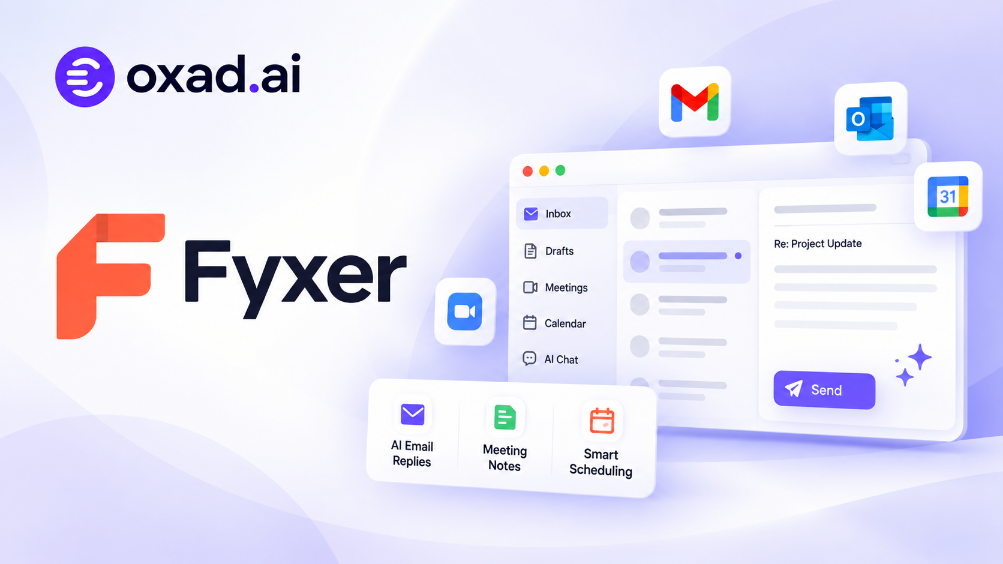
Fyxer approaches this problem by combining several AI productivity functions in one service. Instead of offering only AI-generated email text, it can organize an inbox, draft replies in the user’s writing style, take meeting notes, help with scheduling, and provide an AI-powered way to search information across emails and meetings.
This makes Fyxer different from a conventional AI writing assistant. Its goal is to operate closer to an always-available digital assistant that works inside the communication tools professionals already use.
In this Fyxer review, we examine what the platform does, how its AI email assistant works, its inbox organization, meeting features, Fyxer Chat, scheduling capabilities, integrations, pricing, privacy considerations, pros and cons, alternatives, and who can benefit most from using it.
What Is Fyxer?
Fyxer is an AI-powered productivity assistant designed to manage email, meetings, scheduling, and related administrative work.
The platform connects with Gmail and Outlook and works directly with the communication systems users already rely on rather than requiring them to move their entire workflow into a separate application.
Its main capabilities include:
AI inbox organization
AI-generated email replies
Personalized writing style
Meeting transcription and notes
Meeting scheduling
AI chat across emails and meetings
Web research
File and document context
CRM integration on higher plans
Team and enterprise administration
Fyxer currently supports both Gmail and Outlook and describes itself as an AI email assistant that can organize inboxes, draft replies, and handle meeting notes.
How Does Fyxer Work?
Fyxer is designed around a relatively simple setup.
Users connect their Gmail or Outlook account, and the service begins working with their existing inbox. Rather than requiring users to manually copy an email into an AI chatbot, Fyxer operates in the context of the inbox itself.
The general workflow looks like this:
Connect Gmail or Outlook.
Allow Fyxer to work with the relevant email and calendar information.
Fyxer analyzes incoming messages and existing communication patterns.
Emails are organized according to their importance and type.
Potential replies are drafted automatically.
Meeting information can be captured and summarized.
Users can search and ask questions about their communication history.
The main advantage of this approach is reduced context switching. Instead of moving information between an inbox and a separate AI assistant, Fyxer is designed to work directly around the user’s communication workflow.
Fyxer AI Email Assistant
The email assistant is the core of Fyxer’s product.
Rather than simply generating an email when prompted, Fyxer can analyze incoming messages and determine which conversations need attention.
This distinction is important.
A typical AI writing tool waits for the user to provide a prompt. Fyxer is designed to work more proactively by preparing the inbox and drafting responses before the user explicitly asks for them.
This can be particularly useful for professionals who receive a large number of emails every day.
Automatic Inbox Organization
Fyxer automatically categorizes incoming messages to help users identify which conversations deserve attention.
The platform currently describes three primary categories for its inbox organization:
Emails that need a reply
Informational or FYI messages
Marketing and lower-priority messages
This approach can reduce the amount of manual filtering required from users.
Instead of starting every morning with an unstructured inbox, the user can focus first on conversations that are likely to require action.
AI-Generated Replies
Fyxer can generate reply drafts based on the context of an email conversation.
The more interesting part is its emphasis on personal writing style.
Rather than producing the same generic AI tone for every message, Fyxer analyzes previous communication and attempts to reproduce the user’s preferred style.
This can include differences in formality, wording, sign-offs, and communication style depending on the recipient and context.
For professionals who send dozens of emails every day, this can potentially save more time than a conventional AI email generator because the draft appears directly in the inbox rather than requiring a separate writing workflow.
Writing in Your Own Voice
One of the strongest selling points of Fyxer is personalization.
Professional communication changes depending on the audience. An email to a client may be formal and structured, while an internal message to a colleague may be shorter and more casual.
Fyxer attempts to learn these patterns and produce drafts that fit the user’s established communication style.
This does not mean every draft should be sent without review. AI-generated communication can still misunderstand context, tone, commitments, or sensitive details.
The safest workflow is to treat Fyxer’s draft as an assistant-generated starting point and review important messages before sending them.
Fyxer Meeting Notetaker
Fyxer extends beyond email through its meeting assistant.
The Notetaker can join supported meetings, capture what was discussed, and produce notes that can later be used for follow-ups.
This is useful because email and meetings are often part of the same workflow.
A client may send an email, discuss the project during a meeting, and then send another message afterward. Keeping these pieces of information connected can be difficult when they are stored in separate systems.
Fyxer attempts to bring these communication sources together.
Meeting Summaries
After a meeting, users can access summarized information instead of reviewing the entire conversation manually.
The resulting information can be useful for identifying:
Important discussion points
Decisions
Action items
Follow-up requirements
Questions that remain unanswered
For professionals attending multiple meetings each day, automated notes can significantly reduce the administrative work that normally follows every call.
Meeting Scheduling
Fyxer also includes scheduling functionality.
Higher plans can coordinate meetings across teams and time zones, reducing the back-and-forth messages that often occur when trying to find a suitable meeting time.
This makes Fyxer more than an email writing tool. It starts to resemble a broader administrative assistant.
Fyxer Chat
Fyxer Chat is one of the features that makes the platform particularly interesting.
Instead of manually searching through old email threads or meeting notes, users can ask questions about their communication history.
For example, a user might want to know:
What deadline did the client mention?
What was agreed during the last meeting?
Who was responsible for the next action?
When was the pricing discussed?
What did we promise to send?
Fyxer Chat can search across email conversations and meeting information to surface relevant context.
This changes the role of the AI from simply generating text to helping users retrieve information from their own communication history.
Web Research
Fyxer Chat can also use external sources when additional research is required.
This can be useful when preparing emails or meetings where information outside the inbox is relevant.
For example, a user could combine internal conversation context with current external information when preparing a response.
Files and Documents
Professional communication frequently depends on documents, reports, spreadsheets, and other files.
Fyxer provides file-upload functionality on higher plans, allowing additional information to become part of the context used by the assistant.
This can be useful when an email or meeting relates to a document that would otherwise need to be manually reviewed and summarized.
Fyxer and Gmail
Fyxer works directly with Gmail and is designed to operate within an existing Gmail workflow.
This means users do not need to create a completely separate email environment.
For Gmail users, the main benefits are:
Inbox organization
Automatic draft replies
Personalized writing style
Meeting notes
AI search across communication
Scheduling capabilities
This approach can make adoption easier because users continue working with a familiar email environment.
Fyxer and Outlook
Fyxer also supports Outlook.
This is particularly important for businesses because many organizations rely on Microsoft email and calendar infrastructure.
Supporting both Gmail and Outlook gives Fyxer a broader potential audience than tools tied exclusively to one ecosystem.
Fyxer Integrations
Fyxer’s current feature set extends beyond email.
Depending on the plan, the platform can work with services and workflows related to:
Gmail
Outlook
Google Meet
Microsoft Teams
Zoom
Calendars
HubSpot
AI assistants through supported integrations
Professional users can also connect additional business context through features such as CRM integration and file uploads.
Fyxer for Sales Teams
Sales professionals can be one of the strongest user groups for Fyxer.
Sales workflows often involve a combination of email, meetings, follow-ups, scheduling, CRM updates, and repeated communication.
Fyxer can help reduce some of the administrative work surrounding these activities.
For example, a sales representative could use Fyxer to:
Prioritize customer emails.
Draft follow-up messages.
Capture meeting notes.
Remember commitments made during calls.
Find information from previous conversations.
Schedule follow-up meetings.
The result is not a replacement for a CRM or sales process. Instead, Fyxer can act as an AI layer around the communication that feeds those processes.
Fyxer for Consultants
Consultants often manage multiple clients simultaneously, which creates a large amount of communication overhead.
Fyxer’s ability to organize multiple conversations, prepare email drafts, capture meeting notes, and retrieve historical context can be useful in this environment.
The biggest potential advantage is continuity.
When returning to a client conversation after several days, the ability to retrieve previous discussions and meeting information can reduce the time required to reconstruct the context manually.
Fyxer for Executives
Executives frequently receive large volumes of email while attending meetings throughout the day.
For this audience, the most valuable part of Fyxer may not be email generation itself.
Inbox prioritization, meeting notes, scheduling, and quick access to historical context can collectively reduce administrative workload.
However, executives and assistants handling sensitive information should carefully review permissions, security documentation, organizational policies, and the data-sharing configuration before connecting an account.
Fyxer for Small Businesses
Small businesses often cannot dedicate a full-time administrative assistant to every executive or manager.
An AI assistant can potentially fill part of that gap by handling repetitive communication tasks.
Fyxer is particularly interesting for small teams because its Starter plan is designed for individual users with one inbox and calendar, while Professional adds multi-inbox and broader automation capabilities.
Fyxer Pricing
Fyxer currently offers Starter, Professional, and Enterprise options, with monthly and annual billing.
Plan
Monthly Price
Annual Billing
Best For
Starter
$30/user/month
$22.50/user/month
Individuals
Professional
$50/user/month
$37.50/user/month
Professionals and teams
Enterprise
Custom
Custom
Large organizations
The current Starter plan is listed at $30 per user per month, or $22.50 per user per month when billed annually. Professional is $50 per user per month, or $37.50 annually. Fyxer currently offers a 7-day free trial.
The Starter plan focuses on one inbox and calendar, AI-generated replies, and meeting notes. Professional adds multiple inboxes and calendars, team scheduling, Fyxer Chat, HubSpot integration, file uploads for additional context, and onboarding support.
Enterprise pricing is customized and includes additional organizational features such as SSO, SCIM, customized security controls, dedicated account management, and specialized onboarding.
Pricing can change, so readers should verify the current plan details before subscribing.
Is Fyxer Free?
Fyxer does not currently offer a permanently free full-featured subscription, but it provides a 7-day free trial.
The trial allows users to evaluate the service before committing to a paid plan.
This is particularly useful for an AI email assistant because the value of the product depends heavily on the user’s individual email volume, writing style, meeting frequency, and workflow.
Fyxer Security and Privacy
Security is one of the most important factors when evaluating any AI service that connects directly to email.
Fyxer states that it is SOC 2 Type 2 and ISO 27001 certified and compliant with GDPR and HIPAA requirements under its stated conditions.
The company also states that email data is not permanently stored, is not shared with third parties, and is not used to train external AI models.
Fyxer describes its Gmail and Microsoft integrations as having passed the relevant platform security reviews.
These are important vendor claims, but users handling confidential corporate information should still review Fyxer’s current privacy policy, security documentation, data-processing terms, and their organization’s own AI policies before connecting an account.
Fyxer Pros
Works directly with Gmail and Outlook.
Automatically organizes incoming emails.
Drafts replies using the user’s communication style.
Combines email and meeting context.
Includes AI-powered meeting notes.
Offers scheduling features.
Fyxer Chat can search across emails and meeting notes.
Professional plans support multiple inboxes and calendars.
HubSpot integration is available on Professional.
File uploads can provide additional context.
Offers a 7-day free trial.
Enterprise plans provide advanced administrative controls.
Fyxer Cons
There is no unlimited permanent free plan.
The monthly price is relatively high compared with basic AI email generators.
The service requires access to highly sensitive communication data.
Some of the most useful features are limited to higher plans.
AI-generated replies still require human review for important communication.
Users who receive very little email may not get enough value to justify the subscription.
The product is most useful when users are willing to integrate it deeply into their workflow.
Fyxer vs ChatGPT
Fyxer and ChatGPT can both help with email, but they approach the problem differently.
ChatGPT is a general-purpose AI assistant that can write, research, analyze documents, and perform many different tasks. Fyxer is more specialized around email and communication workflows.
Capability
Fyxer
ChatGPT
Inbox organization
Core feature
Requires workflow/integration
Automatic email drafts
Core feature
Prompt-based
General research
Available through Fyxer Chat
Core capability
Meeting notes
Core feature
Possible through supported workflows
General AI tasks
Limited focus
Very broad
Direct inbox workflow
Yes
Depends on setup
For someone looking for a general AI assistant, ChatGPT is considerably broader. For someone specifically looking to automate inbox and meeting administration, Fyxer’s specialized approach can be more convenient.
Fyxer Alternatives
Fyxer vs Krisp
Krisp is a relevant alternative when the main priority is meetings, communication, and audio productivity.
Fyxer has a broader email-management focus, while Krisp has traditionally been stronger around meeting audio and communication workflows.
Fyxer vs General AI Assistants
Tools such as ChatGPT and Claude can help write emails, summarize documents, research topics, and prepare meeting material.
However, they generally require a more deliberate prompt-driven workflow.
Fyxer’s main advantage is that it is designed to work proactively around the inbox rather than waiting for users to copy information into a chatbot.
Built-In Gmail and Outlook AI Features
Google and Microsoft are both adding AI capabilities to their productivity ecosystems.
These built-in options may be attractive to organizations that already have the necessary subscriptions and prefer to keep their data within their existing ecosystem.
Fyxer’s differentiation comes from its dedicated focus on inbox organization, personalized drafting, meeting notes, scheduling, and cross-context communication.
Who Should Use Fyxer?
Fyxer is particularly suitable for:
Executives
Consultants
Sales professionals
Agency owners
Founders
Recruiters
Real estate professionals
Account managers
Client-facing professionals
People who manage large inboxes
Teams that spend significant time in meetings
It is less compelling for users who receive only a small number of emails or who already have an efficient manual workflow.
Is Fyxer Worth It?
Fyxer’s value depends heavily on the amount of communication a user handles.
For someone receiving hundreds of emails and attending multiple meetings every week, even a modest reduction in administrative work can justify a dedicated AI assistant.
For someone receiving a few messages per day, paying $30 or more per month may be difficult to justify.
The strongest argument for Fyxer is therefore not that it generates better individual emails than every other AI tool. Its real advantage is combining several repetitive communication tasks into one workflow.
Inbox organization, personalized drafts, meeting notes, scheduling, and communication search become parts of one system.
That combination is considerably more valuable for a busy professional than a standalone AI email generator.
Our Fyxer Assessment
Category
OXAD Assessment
Email Automation
9.4/10
Inbox Organization
9.3/10
Personalized Writing
9.3/10
Meeting Assistance
9.2/10
AI Search and Context
9.1/10
Ease of Adoption
9.3/10
Value
8.8/10
Overall
9.2/10
This is an OXAD.AI editorial assessment based on Fyxer’s documented capabilities, current pricing, supported workflows, and practical value proposition. It is not an aggregate rating collected from third-party reviews.
Frequently Asked Questions About Fyxer
What is Fyxer?
Fyxer is an AI productivity assistant that organizes email, drafts replies, takes meeting notes, supports scheduling, and provides AI search across communication data.
Does Fyxer work with Gmail?
Yes. Fyxer supports Gmail and is designed to work directly with the user’s existing inbox.
Does Fyxer work with Outlook?
Yes. Fyxer also supports Outlook.
Is Fyxer free?
Fyxer currently offers a 7-day free trial rather than a permanently free full-featured plan.
How much does Fyxer cost?
Starter currently costs $30 per user per month, while Professional costs $50 per user per month. Annual billing reduces the effective prices to $22.50 and $37.50 respectively.
Does Fyxer write emails automatically?
Yes. Fyxer can draft replies automatically based on email context and the user’s communication style.
Can Fyxer take meeting notes?
Yes. Fyxer’s Notetaker can join supported meetings and create notes and summaries.
Can Fyxer search old emails?
Yes. Fyxer Chat can search across email conversations and meeting notes to help users retrieve information from their communication history.
Is Fyxer good for sales teams?
Yes. Email drafting, meeting notes, scheduling, and communication context make Fyxer particularly relevant to sales and client-facing teams.
Is Fyxer better than ChatGPT for email?
Fyxer is more specialized for proactive inbox and meeting management, while ChatGPT is a much broader general-purpose AI assistant.
What are the best Fyxer alternatives?
Alternatives include built-in Gmail and Outlook AI features, general AI assistants, and specialized meeting productivity tools such as Krisp.
Final Verdict
Fyxer is more than an AI email writer.
Its strongest feature is the combination of inbox management, personalized email drafting, meeting notes, scheduling, and AI-powered search across communication history.
That combination makes the platform particularly interesting for professionals whose work revolves around email and meetings.
The product is not equally valuable for everyone. Users with light email workloads may find the subscription unnecessary, while executives, consultants, sales professionals, founders, and client-facing teams can potentially recover significant amounts of time by automating repetitive communication tasks.
Privacy and security should also be considered carefully because Fyxer requires access to highly sensitive business communication. Organizations should review the current security documentation and internal policies before deploying the service at scale.
Overall, Fyxer earns a 9.2/10 OXAD.AI editorial rating and is a strong option for professionals who want an AI assistant that actively manages email and meeting workflows rather than simply answering prompts.
Explore Fyxer on OXAD.AI to see the tool’s listing and compare it with other AI productivity solutions.