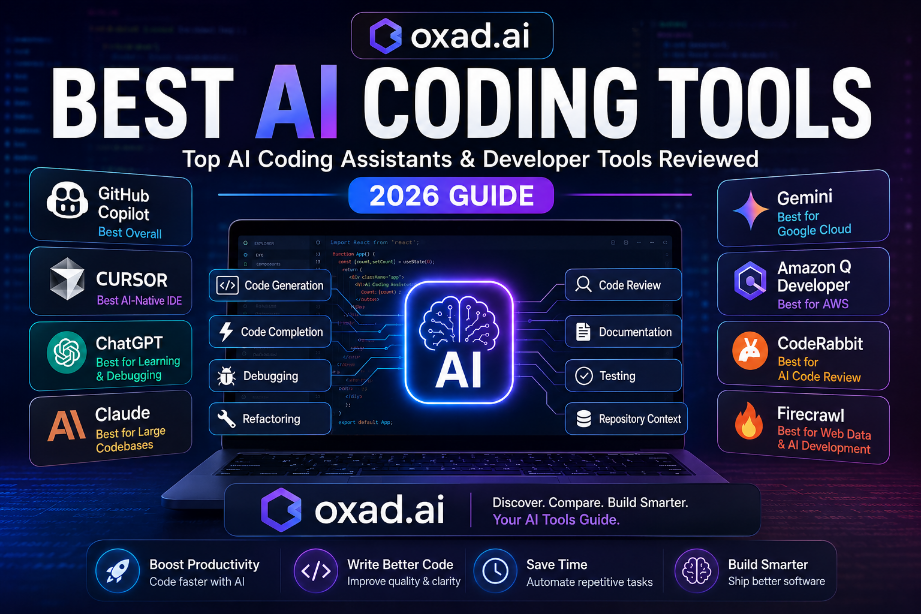
This guide compares the best AI coding tools and AI coding assistants using practical software engineering workflows, IDE integration, code quality, debugging, repository context, documentation, security, pricing, and long-term developer productivity.
Editorial Trust
Independent editorial review
Based on official documentation and practical developer workflows
No sponsored rankings
Updated for 2026
Focused on practical software engineering use cases
Artificial intelligence has become one of the most valuable productivity technologies in modern software development. Today’s AI coding tools can generate code, explain unfamiliar algorithms, review pull requests, identify bugs, create documentation, write tests, refactor applications, and help developers understand large repositories.
Whether you’re building enterprise software, launching a SaaS product, maintaining a legacy application, developing an AI application, or learning your first programming language, the right AI coding assistant can reduce repetitive work and help you move from an idea to working software faster.
The challenge is no longer finding an AI tool for coding. The real challenge is choosing the right tool for your workflow, programming languages, IDE, repository size, cloud platform, security requirements, and budget.
Modern AI developer tools have also expanded beyond traditional autocomplete. Developers can now use specialized platforms for AI code review, web scraping, application development, repository context, testing, and developer productivity.
AI coding assistants can significantly improve developer productivity.
GitHub Copilot remains a strong choice for inline code completion.
Cursor provides an AI-first development environment for modern workflows.
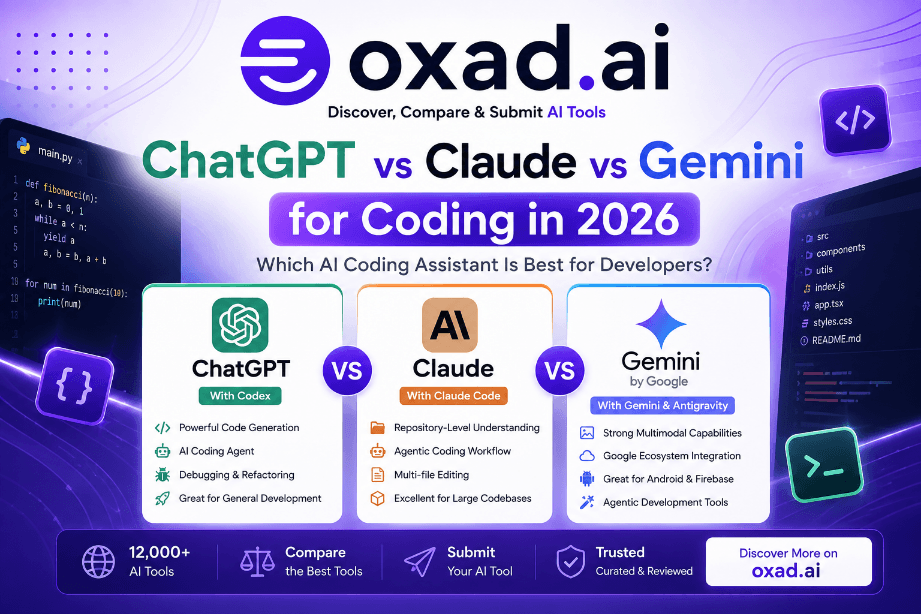
ChatGPT is particularly useful for debugging, explanations, architecture, and learning.
Claude is valuable for reasoning across large technical contexts.
Gemini and Amazon Q Developer are especially useful within their respective cloud ecosystems.
CodeRabbit extends AI assistance into code review and pull request workflows.
Specialized tools such as Firecrawl and Context.dev expand AI-assisted development beyond writing code.
Human review remains essential before deploying AI-generated code.
What Are AI Coding Tools?
AI coding tools combine large language models with software engineering workflows to help developers write, understand, test, debug, optimize, and maintain software more efficiently.
Unlike traditional autocomplete systems, modern AI coding assistants can understand natural language instructions, project context, APIs, documentation, source files, and repository structures.
This allows developers to move beyond simple code completion and use AI throughout the software development lifecycle.
Modern AI coding assistants can:
Generate functions from natural-language prompts.
Autocomplete code inside popular IDEs.
Explain unfamiliar source code.
Analyze repositories and multiple files.
Create unit and integration tests.
Generate API documentation.
Suggest refactoring opportunities.
Identify potential bugs.
Explain programming errors.
Recommend implementation approaches.
Help developers learn new frameworks.
Assist with debugging and troubleshooting.
However, the AI developer ecosystem is broader than coding assistants. Specialized AI tools can also review pull requests, retrieve web data, build AI applications, and automate parts of the development workflow.
Important:
AI-generated code should always be reviewed before production deployment. Logical errors, outdated implementations, licensing concerns, privacy issues, and security vulnerabilities remain possible regardless of the platform being used.
How We Evaluated These AI Coding Tools
Rather than relying only on benchmark scores or marketing claims, this guide evaluates AI coding tools according to practical software engineering workflows.
Evaluation Area
Why It Matters
Code Quality
Higher-quality output can reduce corrections and development time.
Project Context
Repository awareness becomes important as applications grow.
IDE Integration
Direct integration reduces workflow interruptions.
Good documentation improves maintainability and collaboration.
Security
AI-generated code must be evaluated for security risks.
Pricing
Cost matters for individuals, startups, and engineering teams.
Developer Experience
The best tool should fit naturally into daily workflows.
Quick Comparison
Tool
Best For
IDE Integration
Free Plan
Overall Rating
GitHub Copilot
Professional Development
★★★★★
Limited
9.7/10
Cursor
AI-first IDE
★★★★★
Yes
9.6/10
ChatGPT
Debugging & Learning
★★★★☆
Yes
9.5/10
Claude
Large Projects
★★★★☆
Yes
9.4/10
Gemini
Google Cloud
★★★★☆
Yes
9.1/10
Amazon Q Developer
AWS Development
★★★★☆
Yes
9.0/10
GitHub Copilot Review
GitHub Copilot continues to be one of the strongest AI coding assistants for professional software development. Built into Visual Studio Code and several major IDEs, it provides inline suggestions that adapt to your coding style, project structure, and programming language.
Its biggest advantage is workflow continuity. Developers can receive coding assistance without constantly leaving their editor, making repetitive programming tasks significantly faster.
Review Score
Ease of Use: ⭐⭐⭐⭐⭐
Code Quality: ⭐⭐⭐⭐⭐
Documentation: ⭐⭐⭐⭐☆
Security Awareness: ⭐⭐⭐⭐☆
Overall:9.7/10
Pros
Outstanding autocomplete quality.
Excellent Visual Studio Code integration.
Supports many programming languages.
Fast and reliable suggestions.
Well suited to production workflows.
Cons
Full capabilities require a subscription.
Less conversational than general-purpose AI assistants.
Best For
Professional software engineers
VS Code users
Daily production development
Large engineering teams
Cursor Review
Cursor has established itself as one of the most prominent AI-first code editors. Instead of treating AI as an additional feature, Cursor integrates intelligent assistance into many stages of software development, including code generation, refactoring, repository navigation, and code explanation.
Its ability to work across multiple files makes it particularly useful for medium and large projects where project-wide context is essential.
Review Score
Ease of Use: ⭐⭐⭐⭐⭐
Repository Awareness: ⭐⭐⭐⭐⭐
Debugging: ⭐⭐⭐⭐☆
Overall:9.6/10
Pros
Excellent repository understanding.
Natural-language editing.
Fast conversational coding.
Modern AI-first developer workflow.
Strong AI integration throughout the editor.
Cons
Requires switching from a traditional IDE.
Some advanced features require a paid subscription.
ChatGPT Review
ChatGPT is one of the most versatile AI assistants for software development. Unlike traditional autocomplete tools, it can function as a collaborative programming partner for debugging, architecture, code generation, documentation, testing, and learning.
Its conversational approach is particularly useful when developers need to understand why a solution works rather than simply receiving a code suggestion.
ChatGPT can assist with programming languages, SQL queries, APIs, architecture discussions, debugging, documentation, unit tests, and technical explanations.
Review Score
Ease of Use: ⭐⭐⭐⭐⭐
Code Generation: ⭐⭐⭐⭐⭐
Debugging: ⭐⭐⭐⭐⭐
Documentation: ⭐⭐⭐⭐⭐
Architecture Guidance: ⭐⭐⭐⭐⭐
Overall Rating:9.5/10
Strengths
Excellent debugging and troubleshooting.
Detailed explanations.
Supports many programming languages.
Useful for software architecture discussions.
Creates documentation, tests, and API examples.
Strong reasoning for complex programming problems.
Limitations
Not primarily an inline autocomplete editor.
Generated code should be reviewed before deployment.
Some workflows require copying code between applications.
Claude Review
Claude has earned a strong reputation among developers for its reasoning and ability to work with large amounts of technical context. It can help analyze repositories, review documentation, identify architectural issues, explain complex code, and maintain context across lengthy technical discussions.
This makes Claude particularly useful for larger applications where understanding relationships between multiple files can be more important than generating an individual function.
Review Score
Repository Analysis: ⭐⭐⭐⭐⭐
Reasoning: ⭐⭐⭐⭐⭐
Documentation: ⭐⭐⭐⭐⭐
Code Quality: ⭐⭐⭐⭐☆
Overall Rating:9.4/10
Strengths
Strong long-context understanding.
Excellent architectural reasoning.
Detailed explanations.
Useful for large repositories.
Produces readable and maintainable code.
Limitations
Less focused on traditional inline autocomplete workflows.
Some developer workflows depend on available integrations.
Google Gemini Review
Google Gemini is increasingly capable as a programming assistant, particularly for developers working within Google’s ecosystem. It combines code generation, debugging, documentation assistance, multimodal capabilities, and cloud-oriented workflows.
Its strongest advantage is its relationship with Google Cloud and Google’s developer ecosystem. Teams already using Google infrastructure can benefit from integrating AI assistance into their existing workflows.
Review Score
Ease of Use: ⭐⭐⭐⭐☆
Cloud Integration: ⭐⭐⭐⭐⭐
Programming Support: ⭐⭐⭐⭐☆
Multimodal Features: ⭐⭐⭐⭐⭐
Overall Rating:9.1/10
Strengths
Strong Google Cloud integration.
Multimodal capabilities.
Fast code generation.
Helpful API assistance.
Useful for Google ecosystem users.
Limitations
Best experience is often achieved within Google’s ecosystem.
Enterprise capabilities may require paid plans.
Amazon Q Developer Review
Amazon Q Developer is designed for developers working within the AWS ecosystem. In addition to code generation, it can assist with cloud architecture, infrastructure as code, AWS services, deployment workflows, and DevOps tasks.
This specialization makes it particularly useful for organizations already building and managing applications on Amazon Web Services.
Review Score
AWS Knowledge: ⭐⭐⭐⭐⭐
Cloud Development: ⭐⭐⭐⭐⭐
Ease of Use: ⭐⭐⭐⭐☆
Overall Rating:9.0/10
Strengths
Strong AWS integration.
Helpful infrastructure guidance.
Supports DevOps workflows.
Useful enterprise capabilities.
Helpful AWS development guidance.
Limitations
Best suited to AWS environments.
Less relevant for developers using other cloud platforms.
Specialized AI Coding & Developer Tools
The best AI coding tools are not limited to general-purpose assistants such as GitHub Copilot, Cursor, ChatGPT, Claude, Gemini, and Amazon Q Developer.
A growing ecosystem of specialized AI developer tools focuses on specific parts of the software development process, including code review, web data extraction, AI application development, repository context, and developer productivity.
These specialized tools can complement traditional AI coding assistants rather than replacing them.
AI Code Review Tools
AI code review tools focus on analyzing changes, pull requests, and source code before they are merged or deployed. They can help developers identify potential bugs, maintainability issues, and other problems earlier in the development lifecycle.
CodeRabbit
CodeRabbit is an example of an AI-powered code review platform designed to assist developers with reviewing code changes and pull requests.
For teams already using GitHub or similar development workflows, specialized AI code review can complement coding assistants by adding another layer of automated analysis before code reaches production.
Best for: AI-assisted code review, pull request analysis, and improving software quality.
AI Web Data & Development Tools
Modern AI applications often require more than generated code. Developers may also need reliable web data, documentation, structured information, and application context.
Firecrawl
Firecrawl is designed around web scraping, crawling, and data extraction workflows that can be useful when developers need to turn web content into data for AI applications.
This makes it particularly relevant for developers building AI agents, retrieval systems, research applications, and other software that needs web data.
Context.dev
Context.dev provides tools for accessing web information and structured context for AI agents and LLM applications.
For developers building context-aware AI systems, tools in this category can complement traditional AI coding assistants by providing the external information applications need to work effectively.
Developer Tip: AI coding assistants help you write software, while specialized developer tools can provide the data, context, review, and infrastructure needed to build complete AI applications.
AI Application Development Tools
Another important category includes AI tools designed to help developers build applications and AI-powered experiences faster.
Viktor
Viktor is relevant for developers and teams looking for AI-assisted application development workflows.
Tools in this category can be particularly useful when the goal is to move from an idea or specification toward a working application more quickly.
Chipp
Chipp focuses on helping users build AI-powered applications and experiences without requiring every component to be developed completely from scratch.
It can complement coding assistants when developers want to accelerate AI application development and prototyping.
Weavy
Weavy is another option to consider when exploring AI-assisted application and creative development workflows.
Runable
Runable can also be considered alongside AI coding assistants when developers are looking for tools that support modern application development workflows.
Chatbase
Chatbase is particularly relevant for developers and businesses building conversational AI experiences and AI-powered agents.
These platforms demonstrate how the AI developer ecosystem is expanding beyond traditional code completion toward complete application-building workflows.
Which AI Coding Tool Should You Choose?
There is no universal winner for every developer. The best AI coding tool depends on your daily workflow, preferred IDE, programming languages, project size, cloud platform, and collaboration requirements.
If you spend most of your day inside an IDE, an AI coding assistant such as GitHub Copilot or Cursor may provide the greatest productivity benefit.
If you frequently debug difficult problems, study unfamiliar code, or discuss architecture, a conversational assistant such as ChatGPT or Claude may be more useful.
If you are building AI applications, specialized tools for web data, code review, context, and application development can complement your primary coding assistant.
Editor’s Recommendation
Many professional developers achieve better results by combining multiple AI tools. An IDE-based assistant can handle real-time coding while a conversational AI assistant can support debugging, architecture, documentation, and complex reasoning. Specialized tools can then cover code review, web data, AI application development, and other tasks.
Security Best Practices When Using AI Coding Assistants
AI can accelerate software development, but it cannot replace secure engineering practices. Every generated function should be reviewed before production deployment.
Always verify:
Input validation.
Authentication and authorization logic.
Error handling.
Dependency versions.
Secrets and API key management.
Performance implications.
Compliance requirements.
Licensing considerations.
Third-party dependencies.
Data privacy requirements.
Best Practice: Treat AI-generated code as a first draft rather than automatically production-ready software. Automated testing, peer review, code scanning, and security validation remain essential.
Frequently Asked Questions
What is the best AI tool for coding?
There is no universal winner. GitHub Copilot is excellent for inline coding, Cursor for AI-native development, while ChatGPT and Claude are strong for debugging, reasoning, and architecture.
What are the best AI coding tools in 2026?
Leading options include GitHub Copilot, Cursor, ChatGPT, Claude, Gemini, and Amazon Q Developer, with specialized tools complementing them for code review and AI development.
What are the best AI tools for coding?
The best choice depends on your workflow. IDE-focused developers may prefer Copilot or Cursor, while developers needing explanations and debugging may prefer ChatGPT or Claude.
Which AI coding assistant is best?
GitHub Copilot is a strong general choice for professional coding, while Cursor is particularly attractive for developers who want an AI-first coding environment.
Which AI tool is best for coding beginners?
ChatGPT is an excellent starting point because it can explain programming concepts, analyze errors, generate examples, and guide beginners through solutions.
Which AI coding tool is best for professionals?
GitHub Copilot and Cursor are strong options for professional development because they integrate AI directly into modern coding workflows.
What is the best AI code assistant?
GitHub Copilot, Cursor, ChatGPT, and Claude are among the strongest options, depending on whether you prioritize autocomplete, repository context, debugging, or reasoning.
Can AI replace software developers?
No. AI coding assistants automate repetitive tasks and improve productivity, but developers remain responsible for architecture, business logic, security, testing, and long-term maintenance.
Should AI-generated code always be reviewed?
Yes. Even advanced AI models can produce incorrect, insecure, or outdated code. Human review remains essential before production deployment.
Do AI coding tools support multiple programming languages?
Yes. Most leading AI coding assistants support popular languages such as Python, JavaScript, TypeScript, Java, C#, PHP, Go, Rust, C++, Kotlin, and Swift.
Are AI coding tools useful beyond code generation?
Yes. Modern AI developer tools can support debugging, testing, documentation, code review, repository analysis, web data extraction, application development, and software architecture.
Final Verdict
The best AI coding tool is the one that integrates naturally into your development workflow while helping you write safer, cleaner, and more maintainable software.
GitHub Copilot remains a strong choice for inline code completion, while Cursor delivers one of the most advanced AI-native coding experiences. ChatGPT and Claude excel at reasoning, debugging, documentation, and architecture, while Gemini and Amazon Q Developer provide additional value for teams working within Google Cloud and AWS environments.
However, the modern AI developer ecosystem is much broader than coding assistants alone. Tools such as CodeRabbit, Firecrawl, Context.dev, Viktor, Chipp, and Weavy demonstrate how developers can use specialized AI software across code review, web data, application development, and project context.
Rather than relying on a single platform, experienced developers can combine IDE-based assistants with conversational AI and specialized developer tools to cover the entire software development lifecycle—from planning and implementation to debugging, testing, code review, documentation, and deployment.
This comparison was independently prepared using publicly available product information, documentation, developer workflows, usability considerations, IDE integrations, security considerations, and practical software engineering use cases.
Rankings are editorial assessments rather than sponsored placements. Product capabilities, pricing, integrations, and availability can change over time, so readers should verify current information through the relevant provider before making purchasing decisions.
Evaluation Criteria
Code quality
Context awareness
IDE integration
Debugging capabilities
Documentation support
Security considerations
Developer experience
Workflow integration
Pricing and long-term value
Editorial Note: This article was independently researched and written for Oxad.ai. Our editorial approach focuses on practical usability, developer productivity, security considerations, and long-term value rather than sponsored rankings. Product capabilities, pricing, and integrations may change over time, so readers should verify the latest information through each provider’s official documentation before making purchasing decisions.