ChatGPT vs Claude vs Gemini for Coding in 2026: Complete Developer Comparison
AI coding has evolved rapidly in 2026. Modern AI assistants are no longer limited to generating short code snippets or explaining programming errors. Today’s AI development platforms can help developers understand repositories, generate and modify code, debug applications, write tests, review implementations, use development tools, and complete increasingly complex software-engineering tasks.
Three of the most important platforms in this space are ChatGPT, Claude, and Gemini. Although their capabilities increasingly overlap, each platform has a different ecosystem, development workflow, coding-agent experience, and set of strengths.
This comprehensive ChatGPT vs Claude vs Gemini for coding comparison examines code generation, debugging, AI coding agents, large codebases, repository-level development, multimodal workflows, developer ecosystems, use cases, strengths, limitations, and the factors developers should consider before choosing an AI coding platform in 2026.
Quick Answer
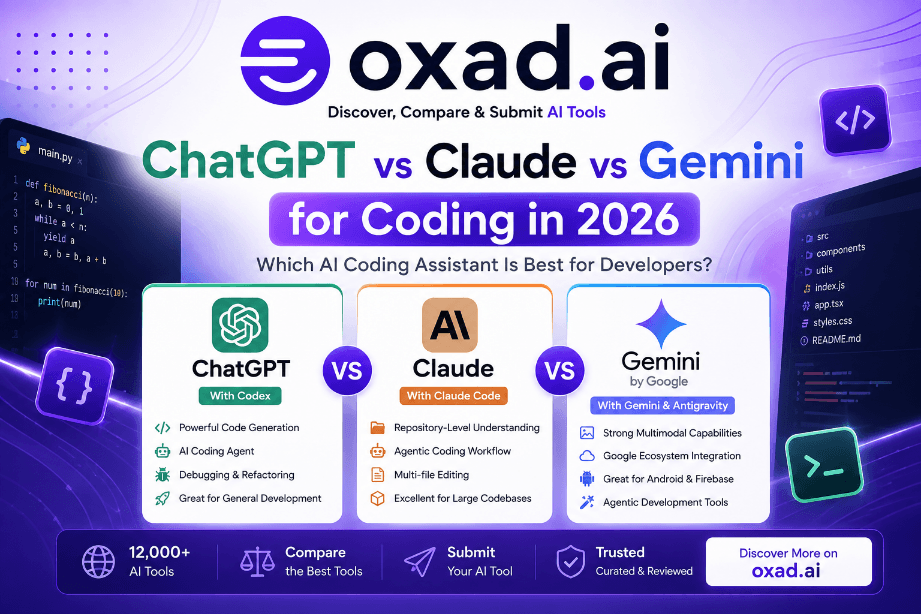
There is no universal winner. ChatGPT is a strong choice for general development and agentic workflows through Codex. Claude is particularly focused on software engineering and repository-level workflows through Claude Code. Gemini is especially attractive to developers working with Google’s ecosystem, multimodal applications, and Google’s newer agent-first development tools.
ChatGPT vs Claude vs Gemini: Quick Comparison
The following table provides a practical, workflow-oriented comparison rather than claiming that one platform is permanently better than another.
Area
ChatGPT
Claude
Gemini
Code generation
Strong
Strong
Strong
AI coding agent
Codex
Claude Code
Antigravity ecosystem
Repository-level work
Strong
Particularly strong
Strong
Debugging
Strong
Strong
Strong
Multi-file development
Strong
Particularly strong
Strong
Agentic workflows
Advanced
Advanced
Advanced
Multimodal workflows
Strong
Strong
Particularly strong
Google ecosystem
Limited advantage
Limited advantage
Strong advantage
Best fit
General development + agents
Software engineering + repositories
Google ecosystem + multimodal development
These assessments are intended as practical workflow guidance rather than permanent rankings. AI models, coding agents, integrations, pricing, and product capabilities change frequently.
What Makes an AI Coding Tool Different in 2026?
The AI coding market has moved beyond traditional autocomplete. Developers can now work with AI systems that operate across multiple files, interact with development tools, run tests, inspect repositories, and perform longer engineering tasks.
This shift is commonly described as the move from AI coding assistants toward AI coding agents.
The distinction matters. Generating a function is very different from modifying an existing application. A modern coding agent needs to understand context, follow instructions, use available tools, recover from errors, and produce changes that developers can review.
ChatGPT has developed from a conversational AI assistant into a broader platform for knowledge work and software development. For coding, one of its most important components is Codex, an AI coding agent designed to support real software-engineering work.
OpenAI describes Codex as an agent capable of handling engineering tasks such as building features, complex refactoring, migrations, testing, and code review. Codex can be used across ChatGPT, supported development environments, the terminal, and cloud-based workflows.
ChatGPT Coding Strengths
Code Generation
ChatGPT can generate code across many programming languages and frameworks. Developers can use it for functions, APIs, components, tests, scripts, SQL queries, documentation, and implementation ideas.
Codex Coding Agent
Codex extends AI-assisted programming beyond simple code completion. It can work through larger engineering tasks, modify code, use development tools, run tests, and prepare changes for human review. OpenAI also describes current Codex workflows as supporting multi-agent development and parallel work.
Debugging and Refactoring
ChatGPT can help developers understand error messages, investigate bugs, improve error handling, refactor implementations, and create tests.
Research and Development
One advantage of ChatGPT is the ability to combine programming with other technical tasks, including research, documentation, planning, analysis, and technical writing.
Who Should Consider ChatGPT?
Developers who want a broad AI ecosystem
Programmers who combine coding with research and documentation
Teams interested in agentic development
Developers who want to experiment with Codex workflows
Users who need both technical and general-purpose AI assistance
Claude has become an important platform for AI-assisted software engineering, with Claude Code providing an agentic workflow designed around repositories and development environments.
Anthropic describes Claude Code as an agentic coding tool that lives in the developer’s terminal and repository. Its workflow can involve reading a project, planning changes, acting on the code, observing results, and iterating.
Claude Coding Strengths
Repository-Level Development
Claude is particularly relevant when the task requires understanding an existing codebase instead of generating an isolated code snippet.
This can be useful for large repositories, legacy applications, refactoring, architecture analysis, and multi-file changes.
Claude Code
Claude Code is designed around an agentic software-development loop. Developers can provide a task and allow the agent to inspect the repository, plan an implementation, make changes, and iterate based on results. 4
Complex Coding Tasks
Claude can be useful for breaking complex engineering requirements into smaller tasks and working through them sequentially.
Code Review and Debugging
Claude can assist with code review, debugging, refactoring, test creation, and identifying potential problems in existing implementations.
Gemini occupies a particularly interesting position because Google’s AI developer ecosystem spans models, developer tools, Google Cloud, Android, Firebase, Google AI Studio, and agentic development platforms.
Google has also been transitioning its terminal-based AI development experience from Gemini CLI toward Antigravity CLI, positioning Antigravity as an agent-first platform for increasingly complex multi-agent workflows.
Gemini Coding Strengths
Multimodal Development
Gemini’s multimodal capabilities can be useful for development tasks involving screenshots, diagrams, images, documents, and other inputs alongside source code.
Google Developer Ecosystem
Gemini is particularly relevant to developers working with Google Cloud, Firebase, Android, Google APIs, and other Google technologies.
Antigravity
Google’s transition from Gemini CLI toward Antigravity CLI reflects a broader move toward agent-first development. Google describes Antigravity CLI as a unified agent architecture designed for today’s multi-agent workflows.
Developer Tooling
Gemini can support code generation, code explanation, transformation, debugging, and agent-oriented development workflows depending on the selected Google development product.
Who Should Consider Gemini?
Android developers
Firebase developers
Google Cloud developers
Developers using Google APIs
Teams building multimodal applications
Developers interested in Google’s agentic development ecosystem
ChatGPT vs Claude vs Gemini for Code Generation
Code generation remains one of the most common applications of AI in software development. However, professional developers should evaluate more than whether an AI can produce syntactically valid code.
Important factors include understanding project requirements, following coding conventions, maintaining consistency across files, handling dependencies, writing tests, and adapting after receiving feedback.
ChatGPT for Code Generation
ChatGPT is a strong general-purpose option for generating functions, APIs, components, scripts, tests, database queries, and implementation ideas.
Its broader ecosystem also makes it useful when coding needs to be combined with technical research, documentation, architecture planning, or other knowledge-work tasks.
Best suited for: developers who want coding capabilities combined with a broad AI productivity ecosystem.
Claude for Code Generation
Claude is particularly useful for code generation that requires understanding an existing project. Its repository-oriented workflow can help developers make coordinated changes across multiple files.
Best suited for: developers working with existing repositories, complex applications, refactoring projects, and multi-file engineering tasks.
Gemini for Code Generation
Gemini is a strong option for code generation, particularly when development tasks are connected to Google technologies or multimodal inputs.
Best suited for: developers building within Google’s ecosystem or working on projects that benefit from multimodal AI.
ChatGPT vs Claude vs Gemini for Debugging
Debugging requires more than identifying a syntax error. A useful AI debugging workflow should help understand the surrounding implementation, investigate possible causes, propose changes, and validate the result.
ChatGPT for Debugging
Explain compiler and runtime errors
Identify potential bugs
Suggest fixes
Improve error handling
Generate regression tests
Explain unfamiliar code
Claude for Debugging
Analyze multi-file problems
Investigate application behavior
Identify architectural issues
Refactor problematic implementations
Generate and improve tests
Review proposed fixes
Gemini for Debugging
Analyze code errors
Explain implementation problems
Suggest debugging approaches
Work with visual development information
Help troubleshoot Google technologies
Explain code and configuration
Which is best for debugging? There is no universal winner. For complex problems, repository context, available tools, testing, and the quality of the agent workflow can matter more than the model name.
ChatGPT vs Claude vs Gemini for Large Codebases
Large codebases create challenges that are very different from generating a single function. An AI coding system needs to understand architecture, dependencies, configuration, APIs, tests, documentation, and existing conventions.
ChatGPT and Large Projects
Codex is designed for software-engineering tasks that can extend beyond individual code snippets. OpenAI describes Codex as capable of understanding codebases, using tools, making changes, running tests, and preparing work for human review.
Claude and Large Projects
Claude Code is strongly oriented toward repository-level development. Its workflow is built around interacting with a project and iterating through an agentic development loop.
Gemini and Large Projects
Gemini and Google’s agentic development ecosystem can support codebase-aware workflows, with Antigravity CLI designed around increasingly complex multi-agent development tasks.
AI Coding Agents: The Biggest Change in 2026
The most important shift in AI-assisted programming is the transition from simple coding assistants toward AI coding agents.
A traditional assistant might complete a line of code or generate a function. An agent can potentially work through a much larger software-engineering workflow.
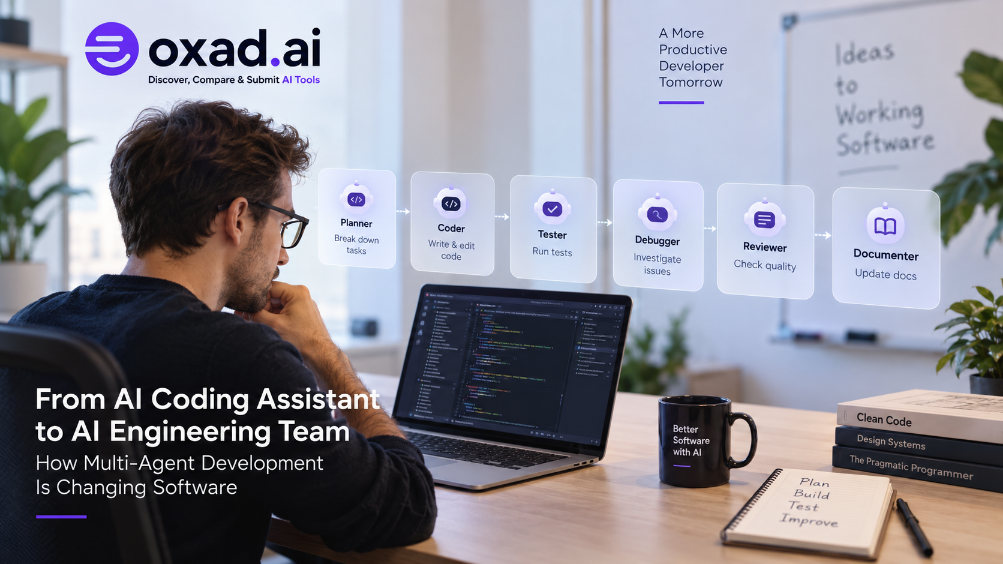
What Can an AI Coding Agent Do?
Understand the task: Interpret requirements and expected outcomes.
Inspect the project: Analyze relevant files, dependencies, configuration, and existing code.
Create a plan: Break complex engineering work into manageable steps.
Modify the code: Create or update multiple files.
Use development tools: Run commands, tests, or other available tools.
Analyze failures: Review errors and determine what needs to change.
Iterate: Improve the implementation based on test results and feedback.
Prepare the result: Produce changes for developer review.
Codex, Claude Code, and Google’s Antigravity ecosystem all reflect this broader transition toward agentic software engineering.
ChatGPT vs Claude vs Gemini by Coding Use Case
Coding Use Case
Strong Options
Reason
General programming
ChatGPT, Claude, Gemini
All three support modern programming workflows.
Repository-focused development
Claude, ChatGPT
Strong agentic and multi-file workflows.
Agentic coding
ChatGPT, Claude, Gemini
All three ecosystems are increasingly agent-oriented.
Google Cloud development
Gemini
Strong connection to Google’s developer ecosystem.
Android development
Gemini
Strong relevance to Google’s Android ecosystem.
Multimodal development
Gemini
Particularly relevant for workflows involving multiple input types.
Research plus coding
ChatGPT, Claude
Strong combination of technical reasoning and knowledge work.
Code review
ChatGPT, Claude, Gemini
All can assist with reviewing implementations.
Which AI Coding Tool Is Best for Beginners?
For beginners, the best AI coding assistant is not necessarily the platform that generates the most code. A useful learning assistant should explain concepts, identify mistakes, and help learners understand why a solution works.
ChatGPT for Beginners
ChatGPT can help learners understand programming concepts, generate examples, explain errors, and work through unfamiliar technologies step by step.
Claude for Beginners
Claude can help explain existing code and show how files, functions, and components interact.
Gemini for Beginners
Gemini can be particularly relevant for learners working with Android, Firebase, Google Cloud, and other Google technologies.
Best approach: choose the platform that matches the programming language, framework, and development environment you want to learn.
Which Is Best for Professional Developers?
Professional developers should evaluate AI coding platforms on more than code-generation quality. In production environments, reliability, repository access, agent performance, security, privacy, integrations, testing, usage limits, and total cost are all important.
What Professional Developers Should Evaluate
Code quality: Is the generated code maintainable and appropriate?
Repository understanding: Can the AI work effectively with an existing codebase?
Agent reliability: Can it complete multi-step tasks with reasonable supervision?
Tool integration: Does it fit the team’s development environment?
Testing: Can it create and work with automated tests?
Security: How is source code handled?
Privacy: What data controls are available?
Usage limits: How much useful coding work is included?
Total cost: What does it cost to complete real engineering tasks?
ChatGPT for Professional Developers
ChatGPT is a strong option for teams that want coding capabilities alongside a broad AI ecosystem. Codex adds an agentic software-development workflow for tasks such as implementation, refactoring, testing, and code review.
Best fit: developers and teams looking for general AI capabilities combined with advanced coding agents.
Claude for Professional Developers
Claude is particularly compelling for software-engineering workflows involving repositories, terminal-based development, multi-file changes, debugging, refactoring, and agentic tasks. 12
Best fit: developers who spend significant time working with existing codebases and complex applications.
Gemini for Professional Developers
Gemini can be especially valuable for teams already using Google’s technology ecosystem. Its relevance increases for projects involving Google Cloud, Firebase, Android, Google APIs, multimodal applications, and Google’s agentic development tools.
Best fit: teams building applications around Google’s ecosystem.
Gemini Coding Tools in 2026: Important Update
Developers researching Gemini coding tools should be aware that Google’s developer AI ecosystem has changed during 2026.
Google announced the transition from Gemini CLI toward Antigravity CLI, describing Antigravity as an agent-first platform designed for complex multi-agent workflows. Google stated that Antigravity CLI would share its agent architecture with Antigravity 2.0 and that Gemini CLI would stop serving certain individual users from June 18, 2026. 13
This means that older articles focusing exclusively on Gemini CLI may not accurately describe the current 2026 developer experience.
When evaluating Gemini for coding, developers should therefore consider the broader Gemini and Antigravity ecosystem rather than evaluating a single legacy coding assistant in isolation.
How to Choose Between ChatGPT, Claude, and Gemini
The most reliable way to choose an AI coding platform is to test it against your actual development workflow rather than relying entirely on benchmark rankings or marketing claims.
Step 1: Test the Same Repository
Use the same representative project when the respective tools support the required workflow.
Step 2: Use the Same Engineering Task
Ask each platform to complete the same realistic task, such as implementing a feature, fixing a bug, or refactoring a component.
Step 3: Measure Human Intervention
Track how often you need to correct the AI, clarify requirements, manually modify changes, or recover from errors.
Step 4: Test Multi-File Changes
Test tasks that require modifications across multiple components rather than isolated code snippets.
Step 5: Run Tests
Check whether the implementation passes existing tests and whether the AI can respond effectively when tests fail.
Step 6: Compare Cost
Compare the amount of useful development work delivered within each platform’s available limits instead of comparing subscriptions alone.
Step 7: Evaluate Security and Privacy
For professional projects, review each provider’s policies regarding source code, prompts, data retention, training controls, access management, and organizational requirements.
ChatGPT vs Claude vs Gemini: Pros and Considerations
ChatGPT
Pros
Broad AI ecosystem
Strong coding capabilities
Codex coding agent
Strong reasoning and research workflows
Agentic software-development capabilities
Useful for coding and non-coding tasks
Considerations
Advanced capabilities can depend on plan and availability
Agent usage can consume allocated limits
AI-generated changes require human review
The broader ecosystem may be more than a beginner needs
Claude
Pros
Strong software-engineering capabilities
Claude Code agent
Repository-focused workflows
Useful for complex coding tasks
Strong debugging and refactoring workflows
Agentic development focus
Considerations
Usage limits vary by plan
Advanced workflows may require appropriate access
Agentic workflows still require developer supervision
Results vary by project and task complexity
Gemini
Pros
Strong multimodal capabilities
Google developer ecosystem
Google Cloud relevance
Strong relevance for Android and Firebase development
Growing agentic development ecosystem
Considerations
Google’s developer AI ecosystem is evolving quickly
Developers may need to understand several Google AI products
Feature availability can depend on account and plan
Some workflows are closely connected to Google’s ecosystem
Pricing: What Should Developers Compare?
Price alone should not determine which AI coding platform is best. Modern AI development services can combine subscriptions, usage limits, credits, API pricing, and additional consumption charges.
When comparing ChatGPT, Claude, and Gemini, consider:
Monthly subscription cost
Included coding usage
Agent limits
API pricing
Additional usage costs
Context capabilities
Available models
Team and enterprise pricing
Developer integrations
For professional teams, cost per completed engineering task can be more meaningful than simply comparing monthly subscription prices.
Is One AI Better for Coding Than the Others?
It is tempting to declare one platform the overall winner, but that approach can be misleading.
AI coding performance changes as models, agents, tools, context capabilities, and integrations are updated. A model that performs best on one benchmark may not be the best choice for a particular repository.
Instead of asking:
“Which AI is the best programmer?”
developers should ask:
“Which AI can complete my real engineering tasks most reliably with the least supervision?”
Best AI Coding Workflow in 2026
The most effective approach is not necessarily to let an AI agent build an entire application without supervision. A reliable workflow combines AI automation with human engineering judgment.
1. Define the Requirements
Start with a clear description of the feature, expected behavior, constraints, dependencies, and acceptance criteria.
2. Let the AI Analyze the Project
Give the coding agent enough context to understand the architecture, conventions, dependencies, and relevant files before requesting substantial changes.
3. Ask for a Plan
For complex tasks, ask the AI to explain its proposed implementation before allowing extensive changes. This can reveal incorrect assumptions early.
4. Implement Incrementally
Break large engineering projects into smaller tasks. Smaller changes are easier to review, test, and revert.
5. Run Tests
Use automated tests, linting, type checking, and other development tools to validate AI-generated changes.
6. Review the Changes
Human review remains essential. Check correctness, maintainability, security, performance, and compatibility.
7. Use AI for Code Review
A second AI pass can help identify potential bugs or edge cases, but AI review should complement rather than replace human code review.
How We Evaluated ChatGPT, Claude, and Gemini
This comparison focuses on practical software-development workflows rather than declaring a winner based on a single benchmark.
The evaluation framework considers:
Code generation
Code understanding
Repository-level development
AI coding agents
Debugging
Testing workflows
Multimodal development
Developer ecosystem
Security and privacy considerations
Usage and cost considerations
Because AI development platforms change frequently, readers should verify current model availability, pricing, usage limits, and product features before making a purchasing or deployment decision.
ChatGPT vs Claude vs Gemini: Which Should You Choose?
If Your Priority Is…
Recommended Platform
Why
General AI + coding
ChatGPT
Broad AI ecosystem and Codex-based development workflows.
Strong connection to Google’s developer ecosystem.
Multimodal development
Gemini
Particularly useful for workflows involving visual and other input types.
Agentic software development
ChatGPT, Claude & Gemini
All three ecosystems are moving toward increasingly capable coding agents.
ChatGPT vs Claude vs Gemini: Final Verdict
ChatGPT, Claude, and Gemini are all serious AI coding platforms in 2026. The right choice depends on the type of development work you perform, your existing technology stack, and how much autonomy you want from an AI coding agent.
Choose ChatGPT If…
You want a broad AI productivity ecosystem.
You want access to Codex and agentic coding workflows.
You combine coding with research and technical writing.
You want one platform for multiple types of knowledge work.
Choose Claude If…
Your priority is software engineering.
You work with large or existing repositories.
You need repository-focused agentic workflows.
You frequently perform debugging, refactoring, and code review.
Choose Gemini If…
You work extensively with Google technologies.
You build Android or Firebase applications.
You use Google Cloud services.
Your workflow benefits from multimodal AI.
You want to explore Google’s agentic development ecosystem.
Can Developers Use More Than One AI Coding Tool?
Yes. Advanced developers may benefit from using different AI platforms for different stages of a software project.
For example, one platform might be used for implementation, another for repository analysis or code review, and another for specialized work involving a particular technology ecosystem.
The goal should not be to use multiple AI tools unnecessarily. Instead, choose the platform that provides the greatest practical advantage for the task.
Frequently Asked Questions
Is ChatGPT better than Claude for coding?
Neither is universally better. ChatGPT is particularly attractive for general development and Codex-based agentic workflows, while Claude is particularly focused on repository-level software engineering through Claude Code.
Is Claude better than ChatGPT for programming?
Claude can be an excellent choice for complex repository work and multi-file engineering tasks. ChatGPT may be preferable for developers who want coding combined with a broader AI productivity ecosystem.
Is Gemini good for coding?
Yes. Gemini provides strong coding capabilities and is particularly relevant for developers working with Google’s ecosystem, including Android, Firebase, Google Cloud, and multimodal applications.
Which AI is best for coding in 2026?
There is no universal best AI coding tool. The strongest choice depends on your programming language, repository, development environment, preferred ecosystem, and required level of agent autonomy.
Which AI is best for large codebases?
ChatGPT, Claude, and Gemini can all support substantial software projects. Developers should compare repository understanding, context handling, multi-file editing, testing, and agent reliability using their own projects.
Which is better for debugging, ChatGPT or Claude?
Both can be highly effective. Claude is particularly relevant for repository-level debugging, while ChatGPT provides strong general debugging, reasoning, and agentic development capabilities.
Which AI is best for Android development?
Gemini is particularly relevant because of its connection to Google’s Android and developer ecosystem. ChatGPT and Claude can also assist with Android programming, debugging, architecture, and code generation.
Can developers use multiple AI coding assistants?
Yes. Different platforms can be useful for implementation, debugging, code review, research, architecture, or ecosystem-specific development.
Should developers trust AI-generated code without reviewing it?
No. AI-generated code should be reviewed, tested, and validated before production use. Developers should pay particular attention to security, dependencies, performance, permissions, and unintended behavior.
Conclusion
ChatGPT vs Claude vs Gemini for coding is no longer simply a comparison of three chatbots. These platforms are evolving into complete AI-assisted development ecosystems built around models, coding agents, developer tools, integrations, and automation.
ChatGPT is a strong choice for developers who want coding combined with a broad AI ecosystem and Codex-based agentic development.
Claude is particularly compelling for developers focused on software engineering, repository-level development, debugging, refactoring, and Claude Code workflows.
Gemini is especially attractive for developers working with Google technologies, Android, Firebase, Google Cloud, multimodal development, and Google’s evolving agentic ecosystem.
Rather than choosing a winner based on a single benchmark, test the platforms using your own repository and real engineering tasks. The best AI coding assistant is ultimately the one that helps your team build reliable software with less repetitive work while keeping developers responsible for the final result.
Explore ChatGPT, Claude, and Gemini on OXAD.AI
ChatGPT
Explore ChatGPT and its AI-powered coding capabilities.