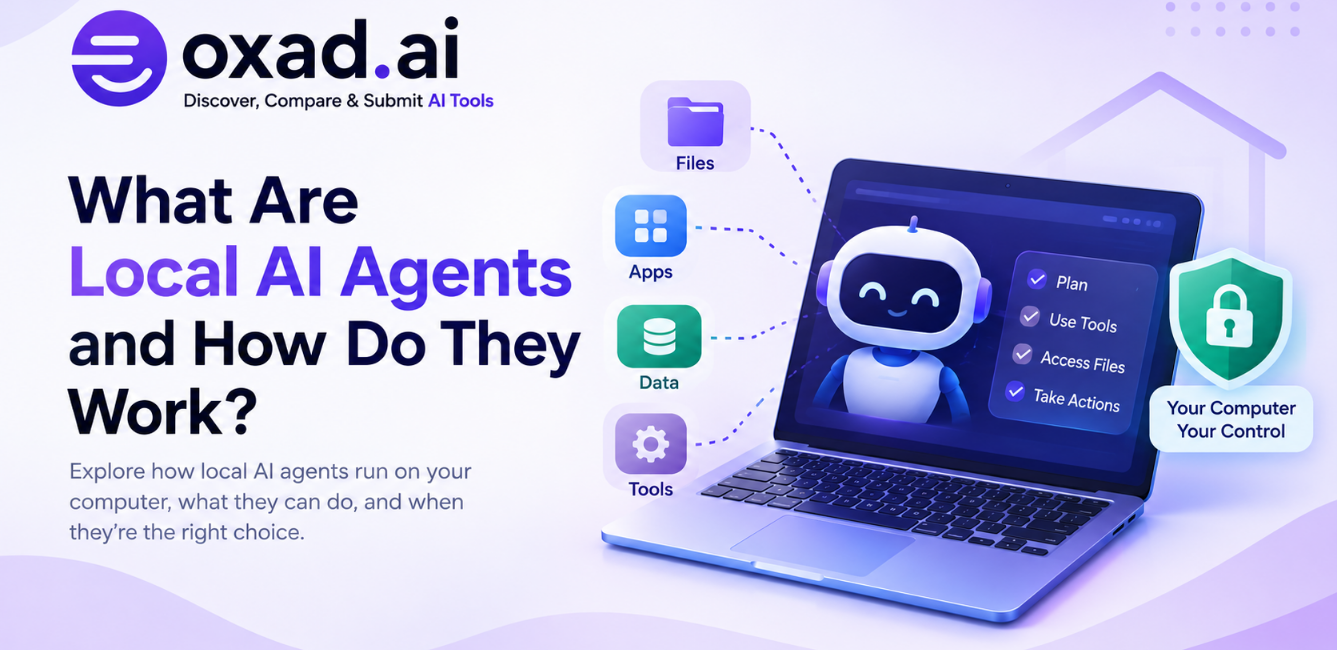
Local AI agents are changing how people think about AI automation. Instead of sending every request to a remote service, a local AI agent can run models, access files, use tools, and perform parts of a workflow directly on a computer or private environment.
This approach can provide more control over data and local applications, but it also introduces important considerations around hardware, permissions, security, maintenance, and reliability.
Quick Answer: What Is a Local AI Agent?
A local AI agent is an AI system that performs significant parts of its reasoning, tool use, or task execution on hardware controlled by the user or organization. Depending on its design, it can work with local models, files, applications, databases, and other tools without sending every step to a remote AI service.
What Is a Local AI Agent?
A local AI agent is an AI-powered system designed to operate within a local computing environment. That environment can be a personal computer, workstation, private server, or another machine controlled by the user or organization.
The important distinction is not simply where the application is installed. A local AI workflow can keep important parts of the agent system on local infrastructure, including the model, orchestration layer, files, tools, and execution environment.
This makes local AI agents different from ordinary cloud-based chatbots. A cloud chatbot generally sends requests to remote infrastructure, while a local agent can potentially process selected files and perform tasks within the user’s own environment.
The Simple Idea
Think of a local AI agent as an AI worker operating inside your own digital workspace. It can use the computer, files, models, and tools available within that environment rather than depending entirely on a remote AI service.
Why Are Local AI Agents Becoming Important?
Local AI agents are becoming more practical because several technologies are developing at the same time. Smaller and more capable AI models, faster consumer hardware, improved inference software, agent frameworks, and standardized tool connections are making local AI easier to use.
There is also growing interest in controlling where sensitive information is processed. For some users and organizations, keeping documents, source code, internal data, or other information within a controlled environment can be an important architectural requirement.
From Local AI Chat to Local AI Agents
Running an AI model locally traditionally meant opening a chat interface and asking questions. An agent adds another layer: it can receive a goal, plan steps, use tools, inspect information, perform actions, and evaluate the result.
This distinction matters because the usefulness of an agent often depends on what it can do, not only what it can generate.
Local AI Agent vs Cloud AI Agent
The primary difference is where computation and data processing take place. The distinction is not always absolute because many modern AI systems use hybrid architectures.
Factor
Local AI Agent
Cloud AI Agent
Execution
Runs significant components on local or controlled infrastructure.
Relies primarily on infrastructure operated by a provider.
Data Control
Can provide more direct control over locally processed information.
Depends on the provider’s architecture, policies, and configuration.
Hardware
Requires suitable local computing resources.
Infrastructure is largely provided by the service.
Model Choice
Can support compatible local or open models.
Usually depends on models supported by the provider.
Offline Operation
Possible when the complete workflow is designed for offline use.
Usually depends on network connectivity.
Maintenance
More responsibility for the user or organization.
Infrastructure is largely managed by the provider.
Scaling
Limited by available local resources unless additional machines are added.
Cloud infrastructure can generally scale more easily.
Neither architecture is automatically appropriate for every task. Local agents exchange some of the convenience of managed cloud infrastructure for greater control over the computing environment.
How Do Local AI Agents Work?
A local AI agent is usually made up of several components rather than a single AI model. The exact architecture varies, but the following table explains the basic structure.
Component
What It Does
Local Model
Generates reasoning, plans, responses, and decisions required by the workflow.
Agent Orchestrator
Coordinates models, tools, context, tasks, and execution.
Local Context
Provides files, source code, documents, databases, and application information.
Tools
Allow the agent to search, edit, calculate, execute commands, or interact with applications.
Sandbox
Restricts what the agent can access and execute.
Optional Cloud Models
Provide additional capabilities when remote processing is authorized.
The Local Model
The model is the reasoning component of the system. Local models can range from relatively small models suitable for ordinary computers to larger models that require substantial memory and GPU resources.
A local agent does not always need the largest available model. Smaller models can be useful for focused or repetitive tasks, while more demanding reasoning may benefit from larger local models or optional cloud processing.
The Agent Orchestrator
The orchestrator controls the agent workflow. Depending on the system, it can determine which model to use, which tools are available, what action should happen next, and when the task is complete.
In a hybrid architecture, the orchestrator can also determine which steps remain local and which steps are sent to a remote service.
Local Context
Agents need relevant context to perform useful work. That context may include documents, source code, spreadsheets, images, application state, databases, or other information.
This is one reason context engineering matters for local agents. A capable model is less useful if it cannot access the information required to complete the task.
Tools and Connectors
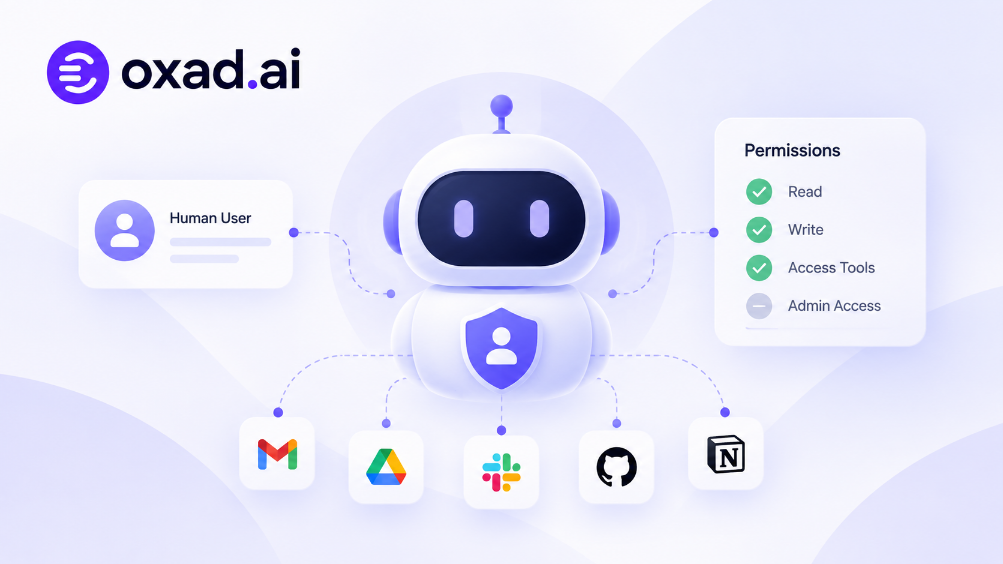
Tools give an agent the ability to interact with its environment. Depending on the system, tools can include file operations, terminals, browsers, databases, APIs, email, calendars, development environments, and other applications.
The Model Context Protocol, commonly known as MCP, is relevant because it provides a standardized approach for connecting AI applications with tools and data sources.
MCP does not mean that an AI agent must run locally. It is a protocol for connecting AI applications with capabilities and information. A local implementation can use MCP to expose tools running on the same machine or within a controlled environment.
Sandboxing and Permissions
A local agent may have access to files, applications, and operating-system resources. That makes permissions and isolation important.
A sandbox can restrict what an agent can read, modify, execute, or connect to. Without appropriate controls, giving an agent broad access to a computer can create risks that do not exist in a simple text-based chatbot.
What Can Local AI Agents Do?
Local AI agents are particularly useful for workflows involving private information, local files, repetitive computer tasks, or software development.
Private Document Processing
A local agent can potentially summarize, classify, organize, extract, or transform documents without requiring their contents to be uploaded to a remote AI service.
This can be useful for internal documents, research material, private notes, and business information, provided the entire workflow is actually configured to remain local.
Local File Organization
An agent can help classify files based on names, contents, metadata, or user-defined rules. It could identify duplicate documents, prepare a folder structure, or create an index of files.
Destructive actions should remain behind confirmation controls. An agent capable of deleting or moving thousands of files should not receive unrestricted access simply because the task appears routine.
Local Coding and Development
Software development is one of the clearest use cases for local agents because repositories can contain proprietary source code, internal documentation, configuration files, and development environments.
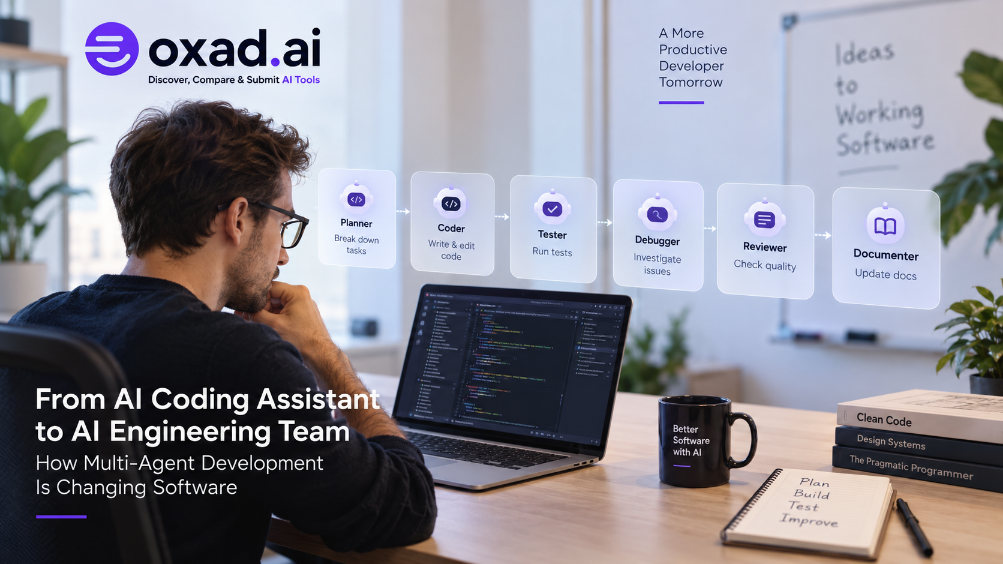
Depending on the tools available, a local coding agent can inspect a repository, explain code, modify files, run tests, investigate failures, and prepare changes for review.
AI-generated code still needs testing and human review. OXAD.AI’s CodeRabbit page is relevant when exploring AI-assisted code review as part of a broader development workflow.
Local Research
Local agents can work with documents, notes, PDFs, and datasets already stored on a computer. However, local processing does not automatically provide current information from the web.
If an agent needs current information, it may require a search or browsing tool. This creates an important distinction between local inference and fully offline operation.
Desktop Productivity
Local agents can potentially assist with repetitive desktop workflows such as preparing files, extracting information, organizing content, or interacting with supported applications.
This overlaps with computer-use agents. A computer-use agent describes how an agent interacts with a computer, while a local AI agent describes where significant parts of its processing and execution take place.
Creative Workflows
Local AI can also support workflows involving text, images, audio, video, and other media. Processing source material locally can be useful when files are private or when users want more control over their data.
Hardware requirements and application compatibility remain important limitations. Running an AI agent locally does not automatically make every generation or creative workflow practical on consumer hardware.
Local AI Agents and MCP
MCP is increasingly relevant to agent workflows because agents need structured ways to access tools and data.
A local development agent, for example, might follow the workflow below:
Step
Stage
What Happens
1
Read
Inspect local files and available context.
2
Search
Find relevant information inside the available environment.
3
Plan
Determine the actions required to complete the task.
4
Execute
Modify files or interact with connected tools.
5
Verify
Check tests, outputs, and the final result.
MCP can provide standardized connections between an AI application and compatible tools. Those tools can be local or remote, depending on the architecture.
This flexibility also means that MCP permissions should be treated as part of the agent’s security boundary.
Local AI Does Not Always Mean Offline AI
An Important Distinction
A local AI application and an offline AI application are not necessarily the same thing.
A local agent may run its model on a computer while still connecting to the internet for web search, external APIs, cloud models, updates, or other services.
Architecture
Model
Tools and Data
Typical Goal
Fully Local
Local
Local
Maximum control and potential offline operation.
Local-First
Local
Mostly local with selected external connections.
Local processing with controlled online capabilities.
Hybrid
Local and cloud
Local and cloud
Combine local control with remote capabilities.
Cloud-First
Cloud
Mostly cloud
Managed infrastructure and remote AI capabilities.
Why Hybrid AI Agents Matter
Fully local operation is attractive, but it is not always practical. Some tasks require stronger reasoning, current web information, specialized services, or computing resources that a user’s device does not provide.
A hybrid agent can therefore keep selected data and processing local while using cloud resources for specific tasks.
Local When Possible, Cloud When Necessary
Local models can handle private files, routine reasoning, and repetitive operations. Cloud models can be reserved for tasks that require additional capabilities, provided the user or organization authorizes the external processing.
Transparency is important in this architecture. Users should understand when information leaves the local environment and which services receive it.
What Hardware Do Local AI Agents Need?
There is no universal hardware requirement for local AI agents. Requirements depend on the model, quantization, context length, inference software, agent tools, and workload.
System RAM
RAM affects how comfortably a computer can run models, applications, tools, and background processes at the same time. Larger models generally require more memory.
GPU VRAM
GPU memory can be particularly important for local inference. Larger models and longer contexts can require substantial VRAM, while smaller quantized models may run on more modest hardware.
Storage
Local models can occupy significant disk space. Multiple model versions, datasets, embeddings, applications, and logs can increase storage requirements.
CPU
CPU performance remains important for general computation, file operations, preprocessing, application control, and workloads that do not run entirely on the GPU.
Hardware
Why It Matters
System RAM
Supports models, applications, context, and background processes.
GPU VRAM
Important for local inference and larger workloads.
GPU Compute
Affects inference speed and demanding workloads.
CPU
Handles general computation and non-GPU tasks.
SSD Storage
Stores models, applications, datasets, and agent files.
The right hardware should therefore be selected according to the specific model and workload rather than assuming every local AI agent requires a high-end workstation.
Are Local AI Agents More Private?
Local processing can reduce the amount of information that needs to leave a device, but local does not automatically mean private.
Privacy depends on the complete architecture, including the model, tools, storage, logs, connectors, network access, and external services.
Privacy Question
Why It Matters
Where does the model run?
Determines where the main inference process takes place.
Where are files stored?
Local files may still be copied or transmitted by connected services.
Which tools are connected?
Tools determine what information the agent can access.
Does it use external APIs?
External APIs may receive information processed by the agent.
Where are logs stored?
Logs can contain prompts, outputs, file information, or operational details.
A local model connected to several remote services can still transmit sensitive information. The privacy advantage is strongest when the complete data path is understood and controlled.
Security Risks of Local AI Agents
Giving an AI agent access to a computer creates a new security boundary. Depending on its configuration, the agent may be able to access files, applications, network connections, development tools, or other resources.
Excessive Permissions
An agent should receive only the permissions required for its task. Broad access increases the potential impact of an incorrect or unsafe action.
Prompt Injection
Websites, documents, emails, and other external content can contain instructions designed to influence an AI system. Agents need clear boundaries between information they are supposed to process and instructions they are actually authorized to follow.
Unsafe Tools
Connected tools expand what an agent can do, but they can also expand the security attack surface. Plugins, scripts, MCP servers, and integrations should be treated as software with meaningful permissions.
Credential Exposure
Agents may need credentials to access external services. Credentials should be protected and should not be unnecessarily exposed to model context or unrestricted tools.
Uncontrolled File Changes
Agents capable of editing or deleting files should operate with appropriate restrictions and backups, especially when working with important repositories or personal data.
A Safer Starting Point
Start with read-only access whenever possible. Add write permissions only when necessary, and require confirmation before sensitive, destructive, or irreversible actions.
Local AI Agents for Coding
Coding is one of the clearest examples of where local AI agents can be useful. Software repositories can contain proprietary source code, internal documentation, configuration files, and development environments.
Depending on the available tools, a local coding agent can:
Understand a local repository.
Search source code and documentation.
Explain unfamiliar code.
Generate or modify code.
Run tests.
Investigate test failures.
Prepare changes for human review.
Local execution does not remove the need for software engineering practices. Generated code still requires testing, review, dependency checks, and security analysis.
AI-assisted review can also be part of the workflow. For example, CodeRabbit focuses on AI-assisted code review and can be considered alongside other AI coding tools.
Local AI Agents and Web Research
Running an AI agent locally does not automatically give it current knowledge of the internet.
A local model may not know about events that occurred after its training data and may have no direct access to websites. Current information therefore requires an appropriate search, browser, or web-data tool.
Stage
Role
Local Processing
Process private files and existing local information.
Web Access
Collect current information through an authorized search or web tool.
Local Analysis
Combine external information with permitted local context.
Verification
Check sources, facts, and the resulting output.
Output
Create the final result using the authorized workflow.
Tools such as Firecrawl illustrate the broader category of web-access infrastructure that can provide AI systems with website information. In a privacy-sensitive workflow, the important question is which information is sent to the external service and which remains local.
Local AI Agents for Productivity
Local agents can be useful when repetitive work involves information already stored on a computer.
Potential Task
Example
Document Summarization
Summarize a folder of local documents.
Research Organization
Classify notes and organize research material.
Data Preparation
Extract structured information from local files.
Knowledge Search
Search a private local knowledge base.
Reporting
Prepare recurring reports from local information.
The best starting tasks are those where the result can be checked easily and mistakes do not create serious consequences.
Local AI Agents vs Traditional Automation
Local AI agents are not replacements for every automation system. Traditional automation remains highly useful when a process is deterministic and predictable.
Characteristic
Traditional Automation
Local AI Agent
Logic
Explicit rules and programmed conditions.
Natural-language goals combined with model-driven reasoning.
Predictability
Usually high for stable inputs.
Can vary depending on the model and context.
Adaptability
New situations often require programmed handling.
Can adapt to some unexpected situations.
Hardware
Usually modest requirements.
May require significant local computing resources.
Best Suited For
Stable and deterministic workflows.
Tasks requiring interpretation, context, or flexible planning.
Many real-world systems can combine both approaches: traditional automation handles deterministic operations while an AI agent handles tasks that require interpretation or flexible planning.
When Should You Use a Local AI Agent?
Reason
Why It May Matter
Privacy
You want more direct control over sensitive data processing.
Local Files
Your workflow depends heavily on documents or repositories stored on your machine.
Customization
You want greater control over models and the execution environment.
Offline Work
Some workflows need to operate without an internet connection.
Repeated Workloads
Frequent local processing may justify local computing resources.
Developer Control
You want to experiment with models, tools, and agent frameworks locally.
When Is a Cloud AI Agent More Practical?
Situation
Why Cloud May Be Useful
Powerful Models
You need powerful models without purchasing specialized hardware.
Large-Scale Computing
You need computing resources beyond your local machine.
Current Web Information
Your workflow depends heavily on online information.
Managed Infrastructure
You prefer infrastructure and updates to be managed by a provider.
Enterprise Services
You depend on integrations already provided by a cloud service.
The practical question is therefore not simply “local or cloud?” A more useful question is: Which parts of this workflow should remain local, and which parts benefit from cloud infrastructure?
How to Choose a Local AI Agent
Before installing a local AI agent, evaluate the complete workflow rather than focusing only on model benchmarks.
Question
Why It Matters
Which models can it run?
Model quality and hardware compatibility affect results.
What hardware is required?
Some agents require substantial RAM or GPU memory.
Does it work offline?
Local installation does not guarantee offline operation.
Which tools can it access?
Tools determine what the agent can actually do.
Does it support MCP?
MCP can simplify connections to compatible tools and data sources.
Can permissions be restricted?
Limiting access can reduce the impact of mistakes.
Does it support sandboxing?
Isolation can help protect the underlying system.
Can it use cloud models selectively?
Hybrid operation can combine local processing with remote capabilities.
Can important actions require approval?
Human confirmation is useful for sensitive or irreversible operations.
A Practical Way to Start With Local AI Agents
You do not need to give an agent access to your entire computer on the first day. A controlled experiment is easier to evaluate and can reduce unnecessary risk.
Step
Action
Purpose
1
Start With a Low-Risk Task
Choose a task involving non-sensitive information that can be checked easily.
2
Use Read-Only Access
Allow the agent to inspect information before giving it permission to modify anything.
3
Define the Expected Result
Set a measurable outcome so the result can be evaluated.
4
Add One Tool at a Time
Connect only the tools required for the workflow.
5
Review the Agent’s Actions
Check what the agent accessed, changed, generated, or attempted to do.
6
Expand Carefully
Introduce additional permissions only after the workflow proves reliable.
A Good First Experiment
Give a local agent read-only access to a folder containing non-sensitive project documents. Ask it to classify the files and create a proposed index. Review the result manually before allowing the agent to make changes.
What Is the Future of Local AI Agents?
Local AI agents are likely to become easier to use as models become smaller and more capable, inference becomes faster, and applications simplify local model management.
The most important development may not be a complete replacement of cloud AI. Instead, AI systems may increasingly determine which parts of a workflow should run locally and which require external infrastructure.
Layer
Possible Role
Private Data
Remain on the device when local processing is appropriate.
Local Model
Handle routine reasoning and tasks that do not require remote capabilities.
Local Tools
Work with files, applications, databases, and development environments.
Cloud Model
Handle approved tasks that require additional capabilities or computing resources.
Human
Review or approve important actions and decisions.
This architecture can give users more control over the boundary between private computation, external services, and human decisions.
Key Takeaways
Local AI agents run significant parts of an AI workflow on user-controlled or private infrastructure.
They can combine local models with files, applications, tools, and agent orchestration.
Local does not necessarily mean offline.
Local processing can provide greater data control, but privacy depends on the entire architecture.
MCP can connect compatible AI applications with local or remote tools and data sources.
Hardware requirements vary significantly between models and workloads.
Local coding agents can be useful for private repositories and development workflows.
Traditional automation remains valuable for predictable and deterministic processes.
Hybrid architectures can combine local processing with cloud capabilities.
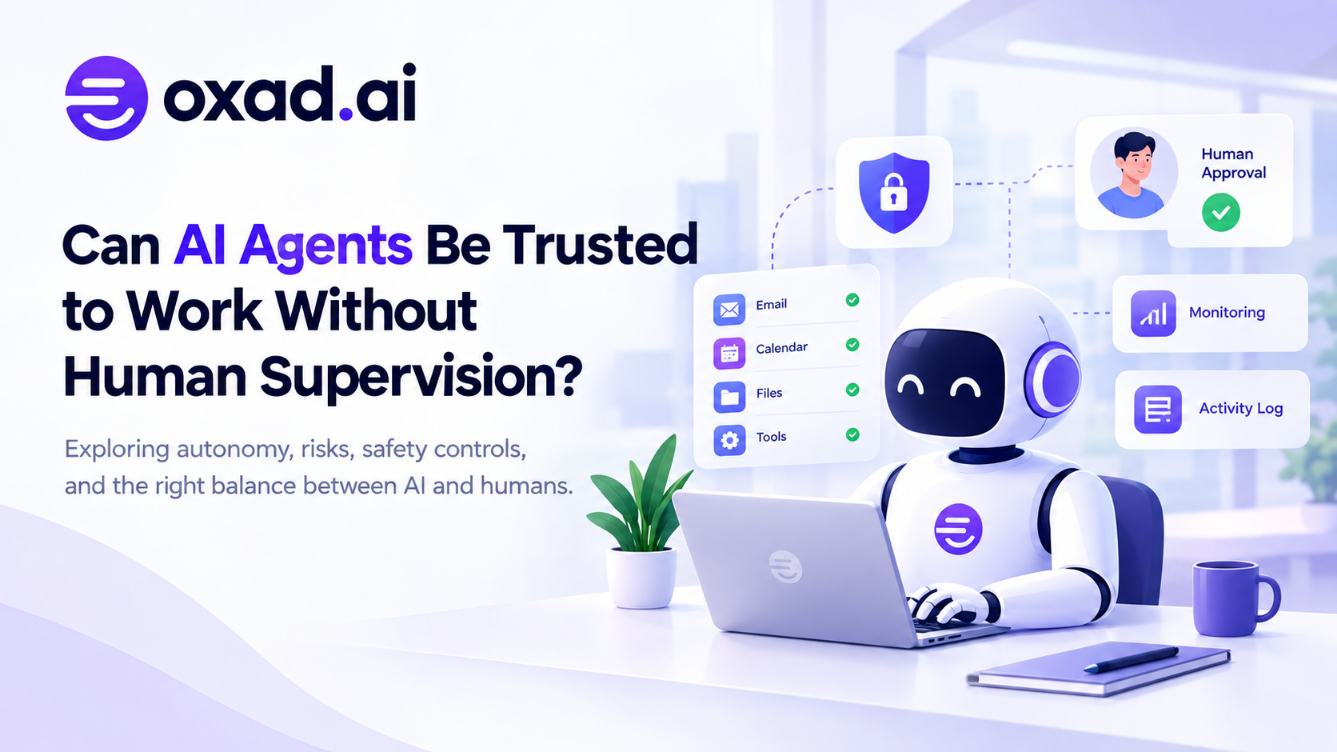
Permissions, sandboxing, monitoring, testing, and human approval remain important when agents can take real actions.
Frequently Asked Questions
What is a local AI agent?
A local AI agent is an AI system that performs significant parts of its reasoning, tool use, or task execution on hardware controlled by the user or organization.
Are local AI agents completely offline?
Not necessarily. A local agent can run its model on a computer while still using the internet for search, APIs, cloud models, updates, or other services.
Are local AI agents more private?
They can provide greater control over data processing, but privacy depends on the complete system, including models, tools, logs, connectors, and external services.
Do local AI agents need a powerful GPU?
It depends on the model and workload. Smaller models may run on modest hardware, while larger models and demanding workflows can require substantial GPU memory and compute.
Can local AI agents use MCP?
Yes. Local AI applications can use MCP to connect compatible agents with local or remote tools and data sources.
Can local AI agents access files on a computer?
Some agents can access local files when the application grants the required permissions. Access should be restricted to the files necessary for the task.
Can local AI agents browse the web?
Some can, but web browsing requires an appropriate browser, search, or web-data tool. A local model does not automatically have current internet access.
Can local AI agents help with coding?
Yes. Depending on the available tools, they can inspect repositories, edit files, run tests, explain code, and assist with development workflows.
Are local AI agents better than cloud AI agents?
They serve different needs. Local agents can provide greater control over local processing, while cloud agents can provide managed infrastructure and access to remote models and services.
What is a hybrid AI agent?
A hybrid AI agent combines local and cloud resources, keeping selected tasks or data local while using remote models or services when additional capabilities are required.
What is the safest way to start using a local AI agent?
Start with a low-risk task, use read-only access when possible, restrict connected tools, and require human approval before important or irreversible actions.




3 Replies to “What Are Local AI Agents and How Do They Work?”
Running agents locally raises interesting questions about privacy, hardware, and access to external services.
El artículo muestra bien el equilibrio entre privacidad, recursos locales y acceso a modelos más potentes.
The privacy angle makes local agents especially interesting for sensitive workflows.