What Is Subscribr AI and Is It Worth It for YouTube Creators?
Disclosure: This review may contain affiliate links. If you purchase a service through one of these links, OXAD.AI may earn a commission at no additional cost to you. This editorial assessment is based on publicly documented product capabilities, pricing information, use cases, and limitations.
Creating a YouTube video involves much more than writing a script. Creators need to find promising topics, research existing videos, develop ideas, write and refine scripts, create thumbnails, produce videos, and manage the overall content workflow.
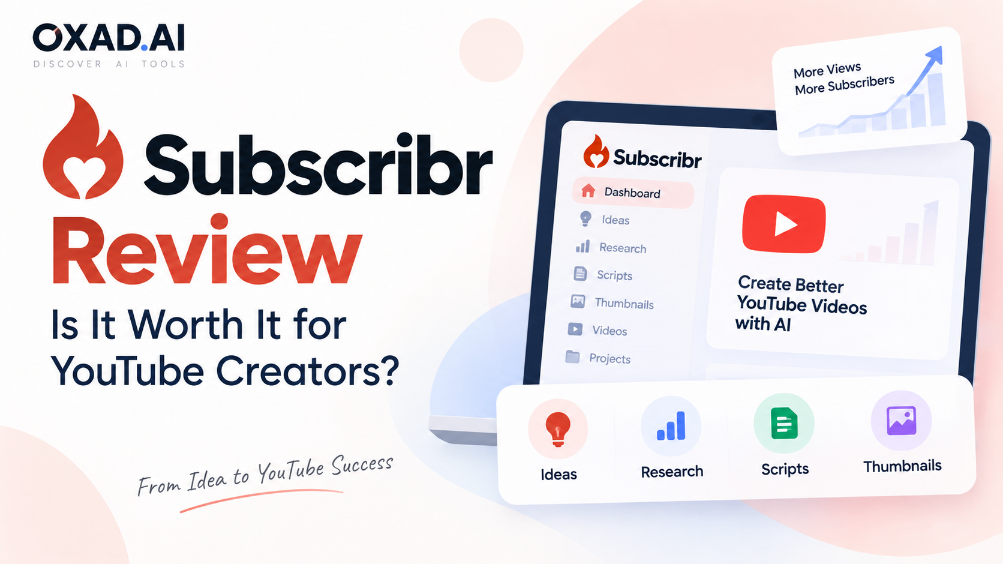
Subscribr takes a YouTube-first approach to this process. Instead of functioning as a general-purpose AI assistant, it combines YouTube research, idea generation, AI scriptwriting, thumbnails, video production, and project management in one workspace.
The platform also includes more advanced capabilities such as Agent Mode, MCP, and API access, giving creators additional ways to automate and connect their content workflows.
In this Subscribr review, we examine what Subscribr does, how its workflow works, Subscribr Intel, Agent Mode, MCP and API integrations, pricing, credits, advantages, limitations, alternatives, and the types of YouTube creators who may benefit from it.
Subscribr is an AI-powered content production platform designed specifically for YouTube creators.
It brings several stages of the YouTube production process into one workspace, including research, video ideas, scripting, thumbnails, video production, and project management.
The main difference between Subscribr and a general-purpose AI assistant is its focus on the YouTube workflow.
Instead of starting with a blank AI chat and manually connecting different tools, creators can move from research and ideas toward scripts, thumbnails, and video production within a YouTube-focused environment.
Subscribr is therefore aimed at creators who want to use AI across multiple stages of content production rather than only for writing.
How Does Subscribr Work?
The basic Subscribr workflow can be understood as a series of connected production stages.
Find or develop a YouTube video idea.
Research the topic, channels, and existing videos.
Develop hooks and an outline.
Generate and refine the script.
Create thumbnails and prepare the video packaging.
Produce the video using supported workflows.
Organize the project and publishing process.
The idea behind this workflow is to keep research and production connected.
For example, research gathered during the idea-development stage can provide context for the scripting process instead of requiring the creator to copy information manually between multiple applications.
Subscribr Features
YouTube Research
Subscribr provides YouTube-focused research features that allow creators to investigate channels, videos, topics, and existing content.
This research can help creators understand what has already been published before developing a new video idea.
The research system is particularly relevant to creators who want their scripting process to begin with content research rather than a generic AI prompt.
Subscribr Intel
Subscribr Intel is the platform’s dedicated YouTube research system.
It can be used to search and investigate YouTube channels and videos and gather information that can support content research and idea development.
The purpose of Intel is to provide research context before the creator moves into the scripting stage.
This creates a more connected workflow between YouTube research, ideas, and script development.
AI Video Idea Generation
Subscribr can help creators develop video ideas using YouTube research and content context.
Instead of generating completely generic topics, the platform is designed around the type of ideas that creators need for YouTube content.
This can be useful during the early stages of a content project when a creator knows the general subject but needs possible video directions.
AI Scriptwriting
Scriptwriting is one of the core features of Subscribr.
The platform is designed to create YouTube scripts rather than generic articles or essays.
The workflow can incorporate research, channel context, hooks, structure, and other information when developing a script.
This allows creators to move from research and ideas toward a structured video script without having to manually transfer all of the context into a separate writing tool.
Subscribr Agent Mode
Agent Mode extends the scripting workflow by allowing multiple stages of content development to be handled as one process.
Instead of asking an AI system to perform only one task, Agent Mode can work through several stages such as research, hooks, outlining, script generation, quality checking, and editing.
A simplified Agent Mode workflow looks like this:
Stage
Purpose
Research
Gather relevant research and content context.
Hooks
Develop possible opening approaches.
Outline
Create the structure of the video.
Script
Generate the YouTube script.
Quality Check
Review the generated content.
Editing
Refine and improve the draft.
Agent Mode uses Subscribr credits. The exact credit consumption depends on the type and length of the task.
Thumbnail Studio
Subscribr includes a dedicated thumbnail workflow for YouTube creators.
Thumbnail generation uses a separate type of credit from script generation and video production.
This allows creators to handle another important part of YouTube packaging within the same overall content workflow.
AI Video Production
Subscribr also provides video production capabilities.
The platform supports different production approaches, including faceless workflows, AI-avatar content, and creator-recording workflows.
This makes Subscribr broader than an AI scriptwriting application because the platform attempts to cover parts of the process that happen after the script has been created.
What Is Subscribr MCP Integration?
Subscribr supports Model Context Protocol (MCP), allowing compatible AI clients and agents to interact with parts of the Subscribr environment.
The platform’s documentation describes MCP connections involving AI clients and development tools such as ChatGPT, Claude, Cursor, and VS Code.
This can be useful for creators and technical users who want to connect Subscribr with broader AI workflows instead of using the platform completely in isolation.
Subscribr also provides API access, which creates additional possibilities for users building automated or custom content workflows.
Generation through supported integrations can consume the applicable Subscribr credits.
How Much Does Subscribr Cost?
Subscribr currently offers a free plan and three paid plans: Growth, Pro, and Max.
The plans differ in the number of channels and users they support as well as the amount of script, thumbnail, and video-production capacity included.
Plan
Price
Video Capacity
Other Limits
Free
$0
Limited
1 channel, 1 team member, 3 idea batches/month, 10 Intel searches/month, MCP and API access
Growth
$49 first month, then $99/month
Up to 5 videos/month
60 script credits, 150 thumbnails/month, 40 minutes of video credits, 3 channels, 3 users
Pro
$124 first month, then $249/month
Up to 14 videos/month
180 script credits, 500 thumbnails/month, 110 minutes of video credits, 5 channels, 10 users
Max
$249 first month, then $499/month
Up to 30 videos/month
300 script credits, 1,000 thumbnails/month, 240 minutes of video credits, unlimited channels and users
Subscribr also offers annual billing options.
Pricing and promotional offers can change, so creators should verify the current pricing and included limits before subscribing.
How Does the Subscribr Credit System Work?
Subscribr uses different types of credits for different production activities.
Credit Type
Used For
Script Credits
AI script generation and related scripting workflows.
Thumbnail Credits
Thumbnail generation.
Video Credits
Finished video production.
For video generation, the exact credit cost depends on the video and its visual mix. Subscribr shows the expected cost before rendering.
Included subscription credits refresh with the billing cycle and do not accumulate.
Purchased top-up credits follow separate rules, so users should review the applicable credit terms when purchasing additional capacity.
Subscribr vs ChatGPT
Subscribr and ChatGPT can both be used for YouTube content, but their workflows are different.
Subscribr is built around YouTube production, while ChatGPT is a general-purpose AI system that can be adapted to many different tasks.
Capability
Subscribr
ChatGPT
YouTube Focus
Designed specifically around YouTube production
General-purpose AI
YouTube Research
Integrated YouTube-focused research
Depends on available tools and workflow
Scriptwriting
YouTube-focused scripting
Flexible general-purpose writing
Thumbnails
Dedicated thumbnail workflow
Requires an appropriate image workflow
Video Production
Integrated production capabilities
Depends on the tools being used
Project Workflow
YouTube-focused project workflow
General-purpose workspace
MCP and API
Available
Available through compatible capabilities and integrations
The choice between these workflows depends on whether the creator wants a YouTube-specific production environment or a broader general-purpose AI workspace.
What Are the Advantages of Subscribr?
Subscribr brings several parts of the YouTube production process together.
YouTube-focused workflow.
Integrated YouTube research.
Video idea development.
YouTube-focused AI scriptwriting.
Agent Mode for multi-stage workflows.
Dedicated thumbnail generation.
AI video production capabilities.
MCP support.
API access.
Support for individual creators and teams.
What Should You Consider Before Using Subscribr?
There are also several practical factors creators should consider before adopting the platform.
Paid production uses credits.
Different tasks consume different types or amounts of credits.
Higher production volume requires larger plans.
Video production can consume significant video credits depending on the workflow.
AI-generated research and scripts still require human review.
Pricing and included limits may change over time.
Who Is Subscribr Designed For?
YouTube Creators
Subscribr is designed for creators who regularly research topics, develop video ideas, write scripts, create thumbnails, and produce videos.
It can be particularly relevant when several of these tasks are performed repeatedly as part of a regular publishing schedule.
Faceless YouTube Channels
Subscribr supports faceless video production workflows.
This makes it relevant to creators who build channels without appearing on camera and who need a workflow covering research, scripts, visuals, and video production.
However, automation does not remove the need for human review. Topic selection, factual accuracy, storytelling, visual quality, and final editing still affect the quality of the published video.
YouTube Content Teams
Subscribr’s higher plans provide additional channels and user capacity.
This can support teams where multiple people participate in research, scripting, production, or content management.
Can Subscribr Replace a YouTube Creator?
Subscribr can automate and accelerate parts of the content production process, but it does not eliminate the need for editorial decisions.
Creators should still review research, factual claims, storytelling, scripts, visual choices, thumbnails, brand voice, and the final video before publishing.
AI can reduce repetitive work, but the creator remains responsible for deciding what should be published.
Is Subscribr Good for Faceless YouTube Channels?
Subscribr supports faceless video production workflows, making it relevant to creators who want to build videos without appearing on camera.
The platform can bring research, scripting, thumbnails, and video production into a connected workflow.
The final result still depends on the quality of the topic, research, script, visuals, editing, and human review.
Does Subscribr Work With ChatGPT and Claude?
Subscribr supports MCP-based integrations with compatible AI clients and agents.
Its documented integrations include workflows involving ChatGPT and Claude, as well as development environments such as Cursor and VS Code.
These integrations allow users to connect AI agents with parts of the Subscribr environment and content workflow.
For users building more advanced automation, the API provides another way to interact with the platform programmatically.
Subscribr Alternatives
ChatGPT
ChatGPT can be used for YouTube research, brainstorming, scripting, content planning, and many other tasks.
The main difference is that ChatGPT is a general-purpose AI workspace rather than a platform built specifically around the complete YouTube production workflow.
Other AI Video Tools
Creators can also combine specialized AI tools for research, scripting, image generation, video generation, editing, and thumbnails.
This modular approach can provide more choice, but it also means managing several different services instead of using a single YouTube-focused workspace.
Is Subscribr Worth It for YouTube Creators?
The answer depends largely on the creator’s workflow and production volume.
For someone who only creates an occasional YouTube video, the free plan may provide enough functionality to explore the platform.
For creators producing videos regularly, the combination of research, ideas, scripting, thumbnails, video production, Agent Mode, and project management can reduce the need to move between separate tools.
The credit system is an important part of the decision.
Creators should compare their expected monthly production with the number of script credits, thumbnail credits, video minutes, channels, and users included in each plan.
Our Subscribr Assessment
The following is an OXAD.AI editorial assessment based on Subscribr’s documented capabilities, workflow, pricing structure, and intended use cases.
Category
OXAD Assessment
YouTube Research
9.2/10
AI Scriptwriting
9.3/10
Agent Workflow
9.1/10
Thumbnail & Video Production
9.0/10
MCP & API
9.1/10
Workflow Integration
9.2/10
Value for Frequent Creators
8.8/10
Overall
9.1/10
This score is an OXAD.AI editorial assessment rather than an aggregate of third-party user reviews. Pricing, features, limits, and integrations can change as the product evolves.
Frequently Asked Questions About Subscribr
What is Subscribr AI?
Subscribr is an AI-powered platform designed for YouTube content production. It combines research, video ideas, scripting, thumbnails, video production, and project management.
Is Subscribr free?
Yes. Subscribr offers a free plan with limited usage and selected features.
Does Subscribr have an API?
Yes. Subscribr provides API access. Content generation through applicable integrations can use Subscribr credits.
Does Subscribr support MCP?
Yes. Subscribr supports Model Context Protocol and compatible AI clients and agents.
What is Subscribr Agent Mode?
Agent Mode is designed to automate multiple stages of content development, including research, hooks, outlines, script generation, quality checks, and editing.
Can Subscribr create faceless videos?
Yes. Subscribr supports faceless video production workflows.
Does Subscribr work with ChatGPT and Claude?
Yes. Subscribr documents MCP-based workflows involving compatible AI clients such as ChatGPT and Claude.
Do Subscribr credits roll over?
Included subscription credits refresh with the billing cycle and do not accumulate. Purchased top-up credits follow separate rules while the subscription remains active.
Does Subscribr create YouTube thumbnails?
Yes. Subscribr includes a dedicated Thumbnail Studio workflow, with thumbnail generation using its own type of credit.
Is Subscribr good for YouTube beginners?
The platform can be useful for beginners who want to explore an integrated YouTube production workflow, although users still need to learn the fundamentals of topic selection, research, storytelling, editing, and YouTube publishing.
Explore Subscribr on OXAD.AI
You can visit the Subscribr profile on OXAD.AI to explore the tool and compare its capabilities with other AI tools.
Subscribr is designed to turn YouTube content creation into a more connected AI-assisted workflow.
Its feature set covers several stages that normally require separate tools, including YouTube research, idea development, scriptwriting, Agent Mode, thumbnails, video production, and project management.
The addition of MCP and API access also makes the platform relevant to creators and teams interested in connecting YouTube production with broader AI automation workflows.
The main consideration is the credit system. Creators should look beyond the headline subscription price and calculate how many scripts, thumbnails, and minutes of video they expect to produce each month.
For occasional creators, the free plan can provide a way to explore the workflow. For creators producing content regularly, the integrated approach may be more relevant, particularly when research, scripting, packaging, and video production are all part of the same publishing process.