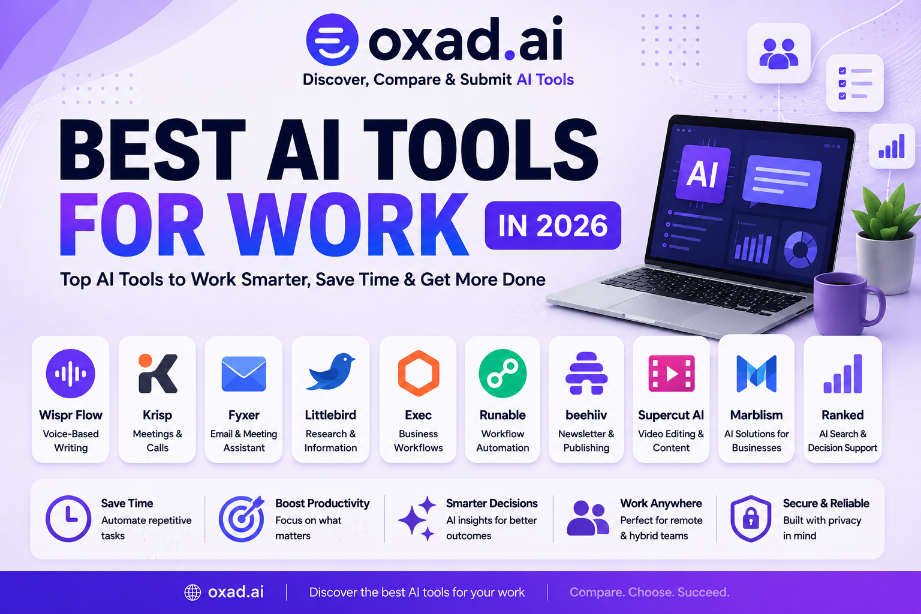
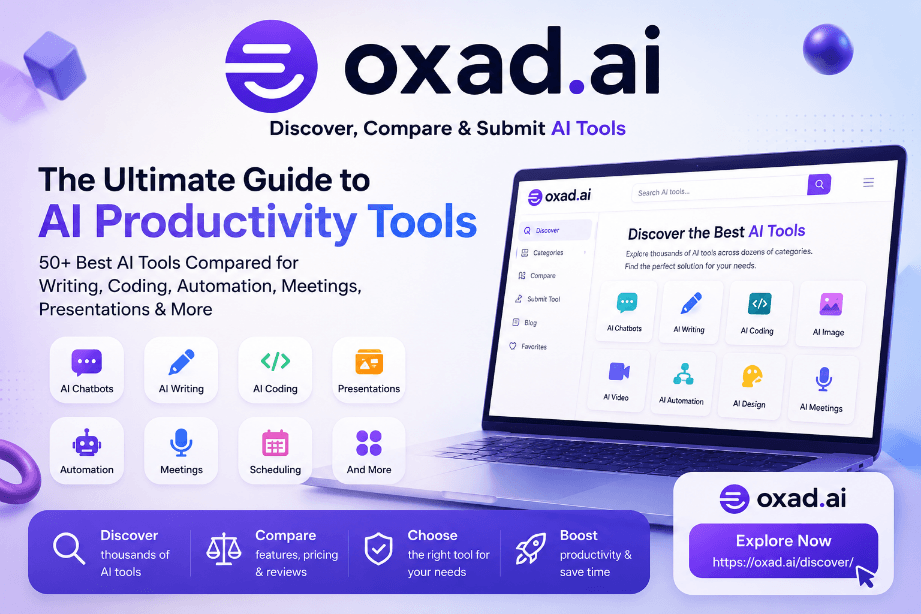
This guide explores the best AI tools for work, covering communication, meetings, email, research, content creation, video, publishing, business tasks, and workflow automation.
Editorial Trust
Independent editorial review
Focused on practical workplace use cases
No sponsored rankings
Based on publicly available product information and real-world workflows
Product capabilities and pricing may change over time
Artificial intelligence is becoming part of everyday professional work. AI tools can now help employees, freelancers, entrepreneurs, managers, creators, and business teams handle tasks that previously required significant amounts of manual effort.
From writing emails and preparing meetings to researching information, creating content, processing video, and automating repetitive workflows, AI can assist with many different parts of the working day.
However, finding the right AI tool for work is not always straightforward. Some applications are designed for communication, while others focus on research, automation, content production, business operations, or specialized professional tasks.
The best choice therefore depends on what you actually need to accomplish, rather than simply choosing the AI platform with the largest feature list.
This guide examines practical AI tools for work and explains where each one can fit into modern professional workflows.
Littlebird can support research and information workflows.
Exec is relevant to business and executive workflows.
Runable can help connect AI capabilities with automated workflows.
beehiiv is useful for publishing and newsletter workflows.
Supercut AI can support video-related work and content workflows.
The most effective AI stack often combines several specialized tools.
What Are AI Tools for Work?
AI tools for work are software applications that use artificial intelligence to help professionals complete tasks, process information, communicate, create content, and automate repetitive activities.
Unlike traditional workplace software, AI-powered applications can understand natural-language instructions, summarize information, generate content, identify patterns, and assist users with decisions or repetitive processes.
AI tools can assist with:
Writing emails.
Summarizing meetings.
Researching information.
Preparing documents.
Creating presentations and content.
Editing video.
Managing communication.
Automating repetitive workflows.
Organizing information.
Supporting business operations.
The important distinction is that an AI tool should solve a real workplace problem. Adding software without a clear purpose can increase complexity instead of improving productivity.
Important:
AI-generated emails, summaries, reports, and other work outputs should be reviewed before they are shared or used for important business decisions.
How We Evaluated These AI Tools
There is no single metric that determines whether an AI tool is useful for work. Different professionals need different capabilities.
We therefore evaluated these tools according to practical workplace requirements.
Evaluation Area
Why It Matters
Time Savings
Useful tools should reduce unnecessary manual work.
Ease of Use
Professionals need tools that fit naturally into daily workflows.
Automation
Automation can eliminate repetitive processes.
Communication
Modern work depends heavily on email, meetings, and messaging.
Research
Finding and processing information is central to many jobs.
Content Creation
Many teams regularly create written, visual, and video content.
Integration
AI tools become more useful when they connect with existing workflows.
Reliability
Professional workflows require dependable outputs.
Value
The benefits should justify the cost and complexity.
Ratings are editorial assessments based on the criteria described in this guide and are not official product ratings.
Wispr Flow Review
Wispr Flow takes a voice-first approach to professional productivity.
Typing can become a bottleneck for people who spend large parts of their day writing emails, notes, documents, messages, or other text. Voice-based interaction can provide a faster alternative for capturing ideas and communicating information.
This makes Wispr Flow particularly interesting for professionals who want to reduce the amount of time spent typing while maintaining a natural workflow.
Potential Strengths
Voice-focused interaction.
Useful for rapid text input.
Can support hands-free workflows.
Useful for capturing ideas quickly.
Relevant to writing-heavy professionals.
Best For
Professionals
Writers
Entrepreneurs
Voice-first workflows
Users who want to reduce typing
Krisp Review
Krisp is focused on communication and meeting workflows.
Meetings are an essential part of professional work, but they can also create significant friction for remote teams and professionals who spend many hours on calls.
Tools that improve the quality and efficiency of online communication can therefore have a direct impact on the working experience.
Potential Strengths
Meeting-oriented functionality.
Useful for online calls.
Relevant to remote work.
Designed around professional communication.
Can reduce friction during virtual meetings.
Best For
Remote workers
Business meetings
Online calls
Distributed teams
Customer-facing professionals
Fyxer Review
Fyxer is designed around AI-assisted email and meeting workflows.
Email remains one of the most time-consuming administrative activities for many professionals. Managing messages, preparing responses, and keeping track of communication can become particularly difficult for executives, sales professionals, consultants, and managers.
AI assistance can help reduce some of this repetitive communication work.
Potential Strengths
Email-focused productivity.
Meeting assistance.
Useful for busy professionals.
Relevant to communication-heavy workflows.
Can reduce repetitive administrative tasks.
Best For
Executives
Managers
Sales professionals
Consultants
Email-heavy workflows
Littlebird Review
Littlebird is relevant to research and information-focused professional workflows.
Many modern jobs require employees to constantly gather information, monitor developments, identify relevant sources, and turn information into useful insights.
AI-powered research workflows can help reduce the time spent manually collecting and organizing information.
Potential Strengths
Research-oriented workflows.
Information discovery.
Useful for knowledge workers.
Relevant to business research.
Can support information gathering.
Best For
Researchers
Analysts
Business professionals
Knowledge workers
Information-heavy roles
Exec Review
Exec fits into the growing category of AI-powered business and executive workflows.
Business leaders often need to process large amounts of information while managing communication, planning, operations, and decision-making.
AI can assist by reducing administrative overhead and helping professionals focus more of their time on higher-value activities.
Potential Use Cases
Executive workflows.
Business information management.
Administrative assistance.
Decision-support activities.
Business operations.
Runable Review
Runable is relevant to AI-powered workflows and task automation.
Automation becomes particularly valuable when a professional performs the same sequence of actions repeatedly.
Instead of manually repeating every step, AI-powered workflows can help connect information, decisions, and actions into a more efficient process.
Potential Strengths
Workflow automation.
AI-powered task execution.
Useful for repetitive processes.
Relevant to business workflows.
Can complement other AI tools.
beehiiv Review
beehiiv is particularly relevant to professionals and businesses involved in newsletters and digital publishing.
Publishing requires more than writing. Creators and teams must also manage distribution, audience communication, content workflows, and long-term publishing operations.
A specialized publishing platform can become an important part of an AI-assisted content workflow.
Potential Strengths
Newsletter publishing.
Content distribution.
Audience-focused workflows.
Useful for digital publishers.
Relevant to content businesses.
Best For
Newsletter creators
Publishers
Content businesses
Marketing teams
Digital media projects
Supercut AI Review
Supercut AI is relevant to professional video workflows.
Video has become an important communication and marketing format for businesses. However, processing and editing video can require considerable manual effort.
AI-assisted video workflows can help professionals and creators reduce repetitive work and spend more time on content strategy and creative decisions.
Potential Strengths
Video-oriented workflows.
Useful for content production.
Relevant to marketers.
Can reduce repetitive video tasks.
Useful for digital communication.
Marblism for Business Workflows
Marblism can be considered within the broader ecosystem of AI-powered business tools.
Modern businesses increasingly use AI not only for content generation but also for creating applications, simplifying processes, and reducing manual operational work.
This makes AI business tools particularly relevant to startups, entrepreneurs, and small teams that need to accomplish more without adding unnecessary complexity.
Ranked for Information Workflows
Ranked can also fit into professional information and decision-support workflows.
Many workplace decisions depend on finding relevant information, comparing options, identifying priorities, and understanding what deserves attention.
AI-powered information tools can help professionals process these tasks more efficiently when used alongside human judgment.
AI Tools for Common Work Tasks
Writing and Communication
Writing emails, messages, documents, reports, and other professional communication can consume a significant amount of time.
Voice-based tools such as Wispr Flow can help users create text more naturally, while Fyxer is particularly relevant to email-focused workflows.
Meetings and Calls
Remote and hybrid work have made online meetings a central part of professional communication.
Krisp is designed around meeting and call workflows, while Fyxer can complement professionals who need assistance around email and meetings.
Research
Research-intensive jobs require professionals to collect information, identify useful sources, and transform findings into actionable knowledge.
Littlebird is relevant to this type of information-focused workflow.
Video Content
Marketing teams, creators, educators, and businesses increasingly use video to communicate with customers and audiences.
Supercut AI can be considered when evaluating AI-assisted video workflows.
Publishing
Professionals working with newsletters and digital publications need systems that support content production and distribution.
Repetitive administrative processes are strong candidates for automation.
Runable can be considered when building AI-powered workflows designed to reduce manual tasks.
AI Tools for Business
Businesses are increasingly using AI to improve individual tasks as well as entire workflows.
Common business applications include:
Customer communication.
Email management.
Research.
Content creation.
Marketing.
Video production.
Information management.
Business automation.
Executive assistance.
Publishing.
The biggest opportunity often comes from connecting multiple capabilities together.
For example, a business could combine Fyxer for communication, Littlebird for research, and Runable for automated workflows.
Content-focused organizations could combine Wispr Flow for capturing ideas, Supercut AI for video workflows, and beehiiv for publishing.
AI Tools for Remote Work
Remote work creates unique productivity challenges. Professionals must communicate digitally, attend virtual meetings, manage information across multiple applications, and remain organized without traditional office interactions.
AI can help reduce some of this friction.
Useful areas include:
Online meetings.
Voice communication.
Email management.
Information research.
Task automation.
Content creation.
Digital publishing.
Krisp and Fyxer are particularly relevant to communication-heavy remote workflows, while Wispr Flow can help users interact with their digital work environment through voice.
How to Choose the Right AI Tool for Work
The best way to choose an AI tool is to start with the problem rather than the technology.
Does it integrate with the applications you already use?
How accurate does the output need to be?
What information will the tool process?
Can automated actions be reviewed?
Will the time saved justify the cost?
Privacy and Security Considerations
Work-related AI tools can potentially process emails, documents, meetings, business information, customer data, or other sensitive material.
Before integrating an AI service into a professional workflow, organizations should understand what information the application can access and how that information is handled.
Consider the following:
Data access permissions.
Information retention.
Third-party integrations.
Account security.
Business confidentiality.
Access to customer information.
Automated actions.
Human review requirements.
Organizational policies.
Best Practice: Give AI tools only the permissions and information they need to perform their intended task.
Frequently Asked Questions
What are the best AI tools for work?
The best tools depend on the task, with different solutions focusing on communication, research, automation, publishing, and content.
What is the best AI tool for work?
There is no universal winner because professionals have different workflows and productivity requirements.
Can AI tools improve workplace productivity?
Yes. AI can reduce repetitive work, accelerate information processing, and assist with communication and content creation.
What is the best AI tool for email?
Fyxer is particularly relevant for professionals looking for AI-assisted email and communication workflows.
What is the best AI tool for meetings?
Krisp is particularly relevant to professionals who regularly participate in online meetings and calls.
Can AI help with business research?
Yes. AI-powered research tools can help professionals gather, process, organize, and understand information.
Can AI automate work tasks?
Yes. AI can be integrated with workflows to automate repetitive information-based and administrative tasks.
Are AI tools useful for remote workers?
Yes. Communication, meeting, research, voice, and automation tools can address several challenges of remote work.
Can AI replace workplace software?
AI usually complements existing software by adding intelligent assistance, automation, and natural-language interaction.
Should businesses use multiple AI tools?
Multiple specialized tools can work well when each solves a distinct problem without unnecessary overlap.
Are AI tools safe for business information?
Security depends on the service, configuration, data involved, and permissions granted to the application.
Final Verdict
The best AI tools for work are the ones that remove meaningful friction from your daily workflow.
There is no reason to use AI simply because a tool is available. The strongest results come from identifying repetitive or time-consuming tasks and selecting software that addresses those specific problems.
Wispr Flow is a strong option for voice-based workflows, while Krisp focuses on meetings and professional communication.
Fyxer is particularly relevant to email and meeting-heavy professionals, while Littlebird can support research and information workflows.
For business-oriented work, Exec and Marblism can be considered as part of a broader AI business technology stack.
When automation is the primary objective, Runable can become part of an AI-powered workflow. For publishing, beehiiv is relevant to newsletter and digital content operations.
Meanwhile, Supercut AI addresses video-oriented workflows, showing how AI productivity is expanding beyond traditional office applications.
The future of workplace AI is therefore unlikely to be based on one universal application. Instead, professionals will increasingly combine specialized AI tools that work together across communication, research, content, automation, and business operations.
This article was independently prepared using publicly available product information, practical workplace scenarios, professional workflows, communication requirements, research use cases, content workflows, and automation considerations.
Editorial rankings are not sponsored placements. Product capabilities, pricing, integrations, and availability can change over time, so readers should verify the latest information through each provider before making purchasing decisions.
Editorial Note: This article was independently researched and written for Oxad.ai. Our editorial approach focuses on practical usability, workplace applications, workflow efficiency, and long-term value rather than sponsored rankings. Product capabilities, pricing, and integrations may change over time, so readers should verify the latest information through each provider’s official documentation before making purchasing decisions.