What Are Computer-Using AI Agents and How Do They Work?
Computer-using AI agents are changing how people interact with software. Instead of only answering questions or generating text, these systems can observe digital interfaces, use tools, perform actions, and complete supported multi-step tasks.
This guide explains what computer-use agents are, how they work, what they can do, how they differ from browser agents and traditional automation, and what users should know about security, reliability, and human oversight.
Quick Answer: What Is a Computer-Using AI Agent?
A computer-using AI agent is an artificial intelligence system that can interact with a computer interface to complete a goal. Depending on its tools and permissions, it may read a screen, click buttons, type text, navigate websites, use applications, call tools, and verify results. Unlike a traditional chatbot, it can perform selected actions in a digital environment instead of only explaining what a person should do.
What Are Computer-Using AI Agents?
A computer-using AI agent is an AI system designed to operate software through interfaces such as web browsers, desktop applications, remote desktops, and virtual computers. It usually combines a language model or reasoning model with observation capabilities and tools that allow it to take actions.
For example, a traditional AI assistant may explain how to create a spreadsheet. A computer-use agent could potentially open a spreadsheet application, enter information, format cells, and save the document if it has the necessary access and the task is supported.
The main difference is that the system can move from generating instructions to carrying out selected steps on behalf of the user.
How Are Computer-Using Agents Different from Chatbots?
AI System
Main Function
Example
Traditional chatbot
Answers questions and generates content.
Explain how to book a flight.
Tool-calling AI agent
Uses APIs and connected services.
Retrieve information from a database.
Browser agent
Interacts with websites through a browser.
Search a website and collect information.
Computer-using agent
Interacts with supported interfaces and applications.
Navigate software, enter data, and complete a workflow.
These categories can overlap. A browser agent may also be considered a computer-use agent, while an API-based agent may complete a task without seeing or controlling a screen.
How Do Computer-Using AI Agents Work?
Most computer-use systems combine several components: a model, an observation method, an action interface, task context, and a way to verify results. The exact architecture varies between products, but the general process is similar.
Stage
What Happens
Understand
The agent interprets the user’s goal and available context.
Observe
The system reads the screen, page, application state, or tool output.
Plan
The model chooses the next action or creates a task plan.
Act
The agent clicks, types, scrolls, navigates, or calls a tool.
Verify
The system checks whether the action produced the expected result.
Recover
The agent adjusts its approach when a step fails or the interface changes.
Understanding the User’s Goal
The agent first interprets the task and separates the final objective from the individual steps needed to complete it.
For example, the request “organize these invoices into a spreadsheet” may involve locating files, opening a spreadsheet application, extracting information, entering data, and checking the final document.
Observing the Computer Environment
Before acting, the agent needs information about the environment. Depending on the system, this may include screenshots, page content, accessibility information, application state, structured tool results, or file information.
Some agents rely heavily on visual understanding. Others use structured browser data, APIs, terminal commands, or application integrations. The quality of this context directly affects the agent’s ability to act accurately.
Planning the Next Action
A reasoning model determines what should happen next. It may decide to open a document, search for an item, complete a form, or confirm a setting before continuing.
Planning can happen one action at a time or through a larger task plan. Longer plans may help with complex workflows, but they also create more opportunities for incorrect assumptions.
Performing Actions
Depending on the available tools, a computer-using AI agent may be able to:
Click buttons and links.
Type into text fields.
Scroll through pages.
Open applications or browser tabs.
Copy and paste information.
Read files and enter data into documents.
Call APIs and connected tools.
Navigate supported virtual or remote computers.
The available actions depend on the product, operating environment, integrations, and permissions granted by the user.
Verifying the Result
A reliable agent should not assume that every action succeeded. It should inspect the result and compare it with the intended outcome.
After submitting a form, for example, the agent may look for a confirmation message. After editing a file, it may check whether the correct content was saved.
Why Verification Matters
An AI agent can perform the wrong action while appearing confident. Verification helps detect failed clicks, incorrect inputs, missing permissions, unexpected interface changes, and incomplete workflows.
Computer-Using AI Agents vs Browser Agents
Browser agents and computer-use agents are closely related, but they do not always operate in the same environment. Browser agents focus mainly on websites and browser interactions, while computer-use agents may also work with desktop applications and virtual computers.
Feature
Browser Agent
Computer-Using Agent
Environment
Web browsers and websites.
Browsers, desktop applications, and virtual computers.
Interaction
Web navigation, forms, clicks, and page content.
Screen interaction, applications, and supported tools.
Common Uses
Web research and browser workflows.
Workflows that cross multiple applications.
Main Limitations
Website changes, browser access, and page complexity.
Screen interpretation, permissions, and application compatibility.
Browser agents may be more suitable for structured web tasks. Computer-use agents can potentially work across a wider range of software, but broader access does not automatically guarantee better accuracy or reliability.
What Can Computer-Using AI Agents Do?
Computer-use agents are generally most useful for repetitive digital tasks with clear goals, limited consequences, and results that can be checked easily.
Web Research and Information Gathering
An agent can help with research by opening websites, searching for information, collecting results, and organizing findings. Some systems use structured web data or APIs instead of controlling a browser visually.
This can be useful for marketers, researchers, content teams, and businesses that regularly collect information from multiple sources.
Productivity and Office Work
Organizing information in spreadsheets.
Drafting and formatting documents.
Moving information between supported applications.
Preparing reports from existing files.
Managing repetitive data-entry tasks.
Collecting information for a first draft.
Human review remains important for financial information, legal documents, confidential data, and other sensitive work.
Coding and Software Development
Computer-use agents can support coding workflows by interacting with development environments, reading documentation, running tests, and working with supported tools.
However, coding agents do not always need screen control. Many developer agents work more efficiently through terminals, repositories, APIs, code-editing tools, and automated testing systems.
OXAD.AI also covers tools such as CodeRabbit for AI-assisted code review and Context.dev for developer context workflows.
Business and Customer Operations
Businesses may use computer-use agents to assist with repetitive operations such as checking records, preparing information, navigating internal systems, and updating supported workflows.
Suitable tasks usually have clear rules, limited permissions, and reliable ways to verify the result.
Creative and Content Workflows
Computer-use agents can assist with creative workflows by opening editing applications, organizing assets, preparing drafts, and transferring information between tools.
Automating steps does not necessarily mean that the agent can produce original creative work at a professional level. The final quality depends on the model, the applications, the instructions, and human review.
What Technologies Power Computer-Using AI Agents?
Computer-use systems normally combine several technologies. No single component is sufficient for every workflow.
Technology
Role
Large language models
Interpret instructions, reason about tasks, and create plans.
Vision models
Interpret screenshots, layouts, and visual interface elements.
Tool calling
Allows the model to request actions from connected tools.
Browser automation
Provides structured or visual interaction with websites.
Computer control
Enables supported mouse, keyboard, and screen actions.
Context management
Provides relevant information about the task and environment.
Verification and evaluation
Checks whether actions produced the intended result.
What Is the Role of MCP?
Model Context Protocol, commonly called MCP, is an open protocol for connecting AI applications to external tools, data sources, and services.
An MCP server may provide access to files, databases, development tools, business applications, or other capabilities. This allows an AI application to discover and use supported tools through a common connection method.
MCP is not the same as computer-use technology. An MCP integration can provide structured tools without giving an agent control of a screen. Similarly, a computer-use system may interact with an application through its interface without using MCP.
For more information about connected AI tools and developer context, explore Context.dev.
Cloud-Based vs Local Computer-Using AI Agents
Computer-use agents can operate in cloud environments, on local computers, or through a hybrid setup. Each approach has different advantages and limitations.
Approach
Potential Advantages
Considerations
Cloud-based agent
Managed infrastructure and access to remote models.
Data transfer, service availability, and recurring costs.
Local agent
More local control over the execution environment.
Hardware requirements, setup, maintenance, and model capability.
Hybrid agent
Combines local applications with cloud reasoning or tools.
Integration complexity and permissions across systems.
Running an agent locally does not automatically guarantee privacy or security. The model, connected services, logging, permissions, and data-handling practices all affect how information is processed.
What Are the Main Risks of Computer-Using AI Agents?
Giving an AI system the ability to interact with software creates risks that are different from those of a chatbot that only generates text.
Incorrect Actions
An agent may click the wrong button, enter incorrect information, misunderstand a page, or follow an outdated plan. Small errors can become more serious when the system performs many actions without supervision.
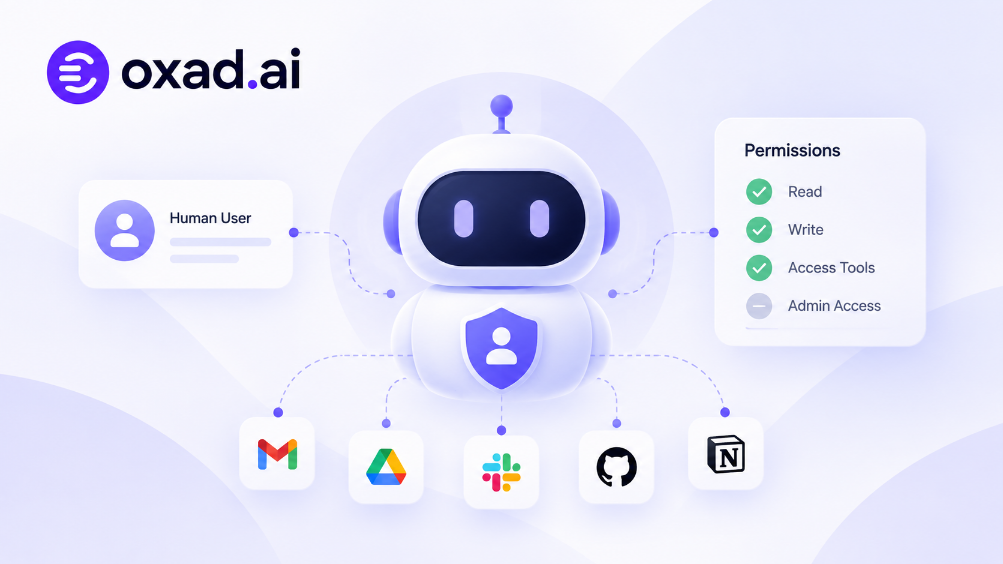
Excessive Permissions
An agent with access to email, files, payments, or administrative systems may be able to perform actions beyond what the user intended.
Access should be limited to the resources required for the task. High-impact actions should require explicit confirmation whenever possible.
Prompt Injection and Untrusted Content
Websites, documents, emails, and other content may contain instructions that conflict with the user’s goal. An agent must distinguish between information it should process and instructions it is authorized to follow.
This risk is especially important when agents browse the web or work with files from unknown sources.
Privacy and Data Exposure
Computer-use workflows may expose sensitive information to models, remote services, logs, or connected applications. Users should understand what data is sent, where it is processed, and how it is stored.
Unreliable Long Workflows
An agent may complete several steps successfully and then fail near the end. Longer workflows create more opportunities for changed interfaces, incorrect assumptions, missing context, and unexpected results.
Safety Rule for High-Impact Tasks
Use human approval before sending important emails, making purchases, changing account settings, deleting files, publishing content, or performing financial and administrative actions. Automation should support human control rather than remove it.
How Should You Evaluate a Computer-Using AI Agent?
A useful evaluation should measure more than whether an agent can complete a successful demonstration. Real-world performance depends on the task, the environment, the frequency of errors, and the consequences of failure.
Evaluation Factor
What to Measure
Task success
Can the agent complete the intended task correctly?
Reliability
Does it produce consistent results across repeated attempts?
Speed
How long does the workflow take compared with manual work?
Cost
What are the model, infrastructure, and service costs?
Context handling
Can the agent maintain relevant information throughout the task?
Recovery
Can it detect and recover from failures?
Security
Can permissions and sensitive actions be controlled?
Human oversight
Can users review or approve important actions?
Computer-Using AI Agents vs Traditional Automation
Traditional automation and AI agents solve different types of problems. Scripts and rule-based workflows are often more predictable when inputs and processes are stable. AI agents can be more flexible when tasks involve language, visual interfaces, or changing conditions.
Feature
Traditional Automation
AI Agent
Instructions
Usually predefined rules.
Can interpret natural-language goals.
Predictability
Often high for stable workflows.
May vary between attempts.
Flexibility
Depends on programmed rules.
Can adapt to some unexpected situations.
Interface changes
May require script updates.
May adapt, but can also misunderstand changes.
Best use
Repeatable and structured processes.
Tasks involving reasoning, context, and multiple tools.
In many real-world workflows, the most practical solution is a combination: traditional automation for predictable operations and AI agents for tasks that require interpretation or flexible planning.
How to Start Using Computer-Using AI Agents
Beginners do not need to automate an entire business or computer. Starting with a small, low-risk task makes it easier to evaluate the technology safely.
Choose a Repetitive Digital Task
Select a task with a clear objective that does not involve irreversible actions. Examples include organizing non-sensitive information, preparing a draft, or collecting public research.
Define the Expected Result
Explain what a successful outcome should look like. A clear target makes it easier to determine whether the agent completed the task correctly.
Limit Permissions
Give the agent access only to the applications and files required for the task. Avoid granting broad permissions at the beginning.
Start with Human Approval
Review important actions before they are executed. This is particularly important for emails, purchases, account changes, file deletion, and publishing.
Measure the Results
Compare the agent’s performance with manual work. Consider accuracy, time saved, cost, and the amount of correction required.
A Practical Starting Point
Ask an agent to gather public information and organize it into a draft table. Review the output before using it in a real business process. This type of task is easier to verify than an automated purchase, account change, or financial operation.
The Future of Computer-Using AI Agents
Computer-use technology is part of a wider shift toward AI systems that can reason, use tools, and execute tasks. As models, interfaces, and integrations improve, more workflows may become accessible through natural-language instructions.
However, the future of computer-use agents will depend on more than model intelligence. Reliable execution, secure permissions, clear interfaces, evaluation, and human oversight will determine whether these systems are useful in everyday work.
The most practical direction may not be full autonomy in every environment. In many workplaces, AI agents may handle repetitive steps while people make important decisions and approve high-impact actions.
Key Takeaways
Computer-using AI agents can interact with software instead of only generating answers.
They combine models, observation, planning, tools, and result verification.
Browser agents are a related category focused mainly on web interfaces.
Common use cases include research, productivity, coding, and business workflows.
MCP connects AI applications with tools and data, but it is not identical to computer-use technology.
Incorrect actions, excessive permissions, prompt injection, and data exposure are important risks.
Human approval is important for sensitive or irreversible tasks.
The most reliable approach combines AI flexibility with clear permissions and verification.
Frequently Asked Questions
What is a computer-using AI agent?
A computer-using AI agent is an AI system that can observe and interact with computer interfaces to complete supported tasks. It may click, type, navigate applications, and use connected tools.
How is a computer-use agent different from ChatGPT?
A chatbot primarily responds with text or other generated content. A computer-use agent can also perform actions in a supported digital environment, depending on its tools and permissions.
Can AI agents control a computer?
Some AI agents can control supported computers or virtual environments through mouse, keyboard, browser, or application tools. Capabilities differ between products, and access does not guarantee reliable execution.
What is the difference between a browser agent and a computer-use agent?
A browser agent focuses on websites and browser interactions. A computer-use agent may also work with desktop applications and broader computer environments.
Do computer-use agents need MCP?
No. Computer-use agents can operate through other interfaces and tools. MCP is one method for connecting AI applications with external tools and data.
Are computer-using AI agents safe?
Safety depends on the system, permissions, environment, and level of oversight. Limited access, human approval, and result verification can reduce risks.
Can computer-use agents replace traditional automation?
They can complement or replace some workflows, but traditional automation remains useful for predictable and structured tasks. The appropriate approach depends on reliability, cost, and task complexity.
What are the best tasks for computer-using AI agents?
Repetitive digital tasks with clear goals, limited permissions, and easy-to-check results are generally suitable starting points.
Can computer-use agents help with coding?
Yes. Depending on their tools, they can assist with development environments, documentation, testing, and other coding workflows. Many coding agents also use terminals and APIs instead of screen control.
What should beginners do first?
Start with a small, low-risk task, define the expected result, limit permissions, and review the output before relying on the agent.