What Are AI Voice Agents? How AI Receptionists Work and Which Tools to Use
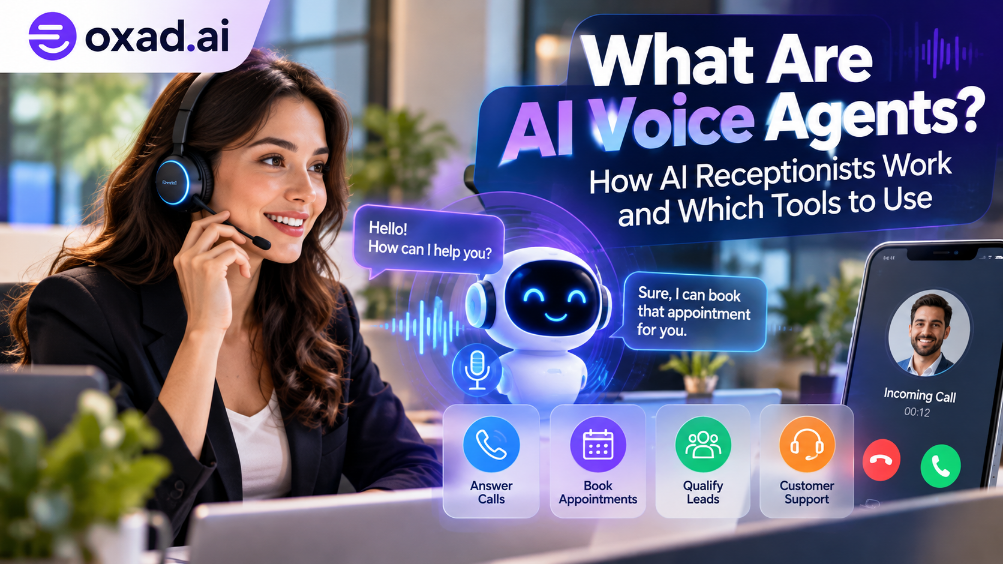
AI voice agents can answer phone calls, understand what callers need, respond in natural speech, and take useful actions such as booking appointments or routing a customer to the right team. Unlike a basic phone menu that asks callers to press a number, a voice agent can handle a more flexible conversation. But not every voice bot is a reliable virtual receptionist: accuracy, response time, integrations, privacy, and clear handoff rules all matter.
The short answer
An AI voice agent combines speech recognition, a language model, voice generation, and connections to business systems. An AI receptionist is one practical use: answering calls, handling routine questions, collecting details, and scheduling or routing requests within defined limits.
Businesses are exploring voice agents for customer service, appointment booking, lead qualification, after-hours calls, and repetitive outbound tasks. The technology can be useful for small businesses as well as larger contact centres, but the right solution depends on call volume, languages, phone-system requirements, and how much control a team needs.
This guide explains how AI voice agents work, what separates them from older phone bots, where they help, what they still struggle with, and how to evaluate tools—including options listed in the OXAD.AI directory and related tool pages.
What Are AI Voice Agents?
AI voice agents are software systems that hold spoken conversations with people and may perform tasks based on what they hear. A voice agent can answer an incoming call, ask follow-up questions, look up approved information, collect a caller’s details, and trigger an action through a connected service.
An AI receptionist is a voice agent configured for front-desk work. Typical duties include greeting callers, explaining opening hours, answering common questions, capturing a message, transferring a call, or requesting an appointment slot from a connected scheduling system.
The terms overlap, but they are not identical. Voice agents can also support sales qualification, technical support, surveys, reminders, and outbound notifications. A receptionist is a specific role with a narrower set of responsibilities.
How Do AI Voice Agents Work?
Most systems connect several components into a real-time conversation loop. Vendors may combine them in one platform or let developers choose separate providers.
1. Listen Speech recognition
→
2. Understand Intent + context
→
3. Decide Model + business rules
→
4. Respond Voice + action
The system listens again after responding, while integrations and guardrails determine which actions it is allowed to take.
1. Speech-to-text: turning speech into information
Automatic speech recognition (ASR) converts a caller’s voice into text or another machine-readable representation. Performance can vary with accents, background noise, microphone quality, names, and specialist vocabulary.
2. Understanding the request
The agent interprets what the caller wants and keeps track of the conversation. For example, “Could I come in next Tuesday afternoon?” may require the agent to clarify which service the caller needs and which date they mean.
3. Reasoning and business knowledge
A language model generates a response using instructions, conversation context, and approved information. A retrieval system can provide current business details from a knowledge base. Important facts—such as prices, availability, policies, or order status—should come from trusted sources, not from a model’s guess.
4. Tools and integrations
With permission, the agent can use connected systems to check a calendar, create a booking, open a support ticket, or transfer a call. These actions should be validated by the connected application and confirmed to the caller only after success is returned.
5. Text-to-speech and turn-taking
Text-to-speech (TTS) converts the response into spoken audio. Good voice systems also manage pauses, interruptions, and the moment when a caller starts speaking again. These details strongly affect whether the conversation feels natural.
What Can an AI Receptionist Actually Do?
Use case
What the agent can do
What needs checking
Appointment booking
Ask for a service, check available slots, request a booking
Calendar permissions, time zones, duplicate bookings
Frequently asked questions
Answer questions about hours, location, services, or policies
Knowledge accuracy and update frequency
Lead qualification
Collect needs, budget range, timing, and contact details
Consent, CRM fields, lead-routing rules
Call routing
Identify the reason for a call and direct it to a team
Reliable transfers and a human fallback
After-hours reception
Capture messages and handle routine requests outside office hours
Urgent-call escalation and emergency procedures
Outbound reminders
Make permitted reminder, confirmation, or follow-up calls
Local calling laws, consent, opt-outs, and caller identification
Start with a narrow, repetitive workflow. A receptionist that answers five common questions accurately and transfers unusual cases smoothly is usually more useful than an ambitious agent that promises to do everything but makes unreliable commitments.
AI Voice Agents vs. Traditional Phone Systems
Feature
Traditional IVR
AI voice agent
How callers interact
Menus and fixed options
Spoken requests and follow-up questions
Handling unexpected requests
Often routes to a predefined branch
May interpret flexible requests, within its limits
Business actions
Usually fixed integrations and workflows
Can call approved tools and APIs if configured
Predictability
High for known paths
Needs guardrails, testing, and monitoring
Typical trade-off
Less flexible, often simple to control
More conversational, but requires careful setup
AI Voice Agent Tools to Explore
There is no single best platform for every business. The options below are starting points from the OXAD.AI directory, not a universal ranking. Check each listing and the provider’s current documentation for supported countries, languages, phone integrations, pricing, data handling, and feature availability before choosing.
Bolna
Explore a voice-agent platform for building conversational call workflows and connecting speech, language-model, and telephony components.
For a broader shortlist, browse the Voice AI tools category. For more general automation platforms, see the AI agents directory if available in your region and site taxonomy.
Example: Bolna’s voice-agent workflow
Bolna’s official materials describe a platform for building voice-first conversational applications, including phone calls, speech transcription, language-model responses, synthesized speech, and post-call tasks. Its documentation includes walkthroughs for creating agents and assigning tasks. Review the provider’s current documentation for supported integrations and availability.
Video: ElevenLabs introduces conversational agents and the components behind real-time voice interaction. Watch on YouTube.
Another look at conversational AI
Video: ElevenLabs Conversational AI 2.0, including turn-taking, knowledge grounding, and language support. Watch on YouTube.
How to Choose the Right AI Receptionist
Before signing up, test the platform against real calls and your operational requirements. Use this checklist as a practical evaluation framework.
Call handling: Can it answer inbound calls, place permitted outbound calls, transfer calls, and handle voicemail or missed transfers?
Languages and accents: Test the actual languages, dialects, names, and speech patterns your callers use. Do not rely only on a marketing list of languages.
Latency and interruptions: Does it respond quickly and stop speaking when a caller interrupts?
Knowledge sources: Can you update approved answers, and can the agent avoid inventing policies or prices?
Integrations: Confirm that it connects to your phone provider, calendar, CRM, help desk, or booking system—not merely that an integration is planned.
Action safety: Are bookings, cancellations, payments, and record changes confirmed by the connected system before the agent claims success?
Human handoff: Can a caller reach a person when the request is urgent, sensitive, complex, or misunderstood?
Privacy and compliance: Check call recording notices, consent, data retention, deletion, access controls, and the rules that apply in the countries where you operate.
Pricing: Calculate the total cost, including telephony, minutes, model usage, integrations, setup, and human escalation—not just the advertised starting plan.
What Does an AI Voice Agent Cost?
Costs vary substantially by provider and deployment. A service may charge a subscription, usage by call minute, telephony charges, model usage, or a combination. Some developer platforms also require engineering time to configure, test, and maintain integrations.
Estimate your expected monthly call minutes and test several realistic conversations before committing. Ask vendors how they charge for transfers, failed calls, silence, retries, recording, and additional languages. Compare the total cost with the value of calls answered, appointments successfully booked, or staff time genuinely saved.
Limitations and Risks You Should Understand
Misunderstanding callers
Speech recognition can fail with noise, accents, names, and poor connections. The agent should ask a short clarification question instead of pretending it understood.
Incorrect answers or bookings
Language models can produce plausible but false information. Ground answers in approved business content and use real system checks for bookings, availability, order status, and other operational facts.
Escalation failures
A system that cannot reach a human when needed can frustrate callers. Design and test a fallback for transfers, outages, emergency requests, and low-confidence conversations.
Privacy and caller trust
Callers may share personal or financial details. Be transparent about AI use where required, minimise data collection, secure recordings, and review the rules for consent and automated calling in each market.
Not every conversation should be automated
Complaints, vulnerable callers, high-impact decisions, complex negotiations, and urgent cases may need a person. The goal should be to automate suitable work while making human assistance easy to reach.
A Simple Implementation Plan for a Small Business
Choose one workflow: for example, answering opening-hours questions and capturing appointment requests.
Prepare approved information: hours, location, services, policies, and escalation contacts.
Define boundaries: list what the agent can answer, which actions it can request, and when it must transfer or take a message.
Connect one system at a time: start with the phone line, then add the calendar or CRM after basic calls work reliably.
Run test calls: include noisy audio, interruptions, ambiguous dates, unavailable appointments, angry callers, and requests outside the agent’s role.
Launch with monitoring: review failures, caller feedback, transfer rates, successful bookings, and total cost. Update prompts and knowledge based on evidence.
Frequently Asked Questions
Are AI voice agents the same as AI chatbots?
They share conversational AI technology, but voice agents handle spoken audio and must manage speech recognition, generated speech, interruptions, and call or device integrations. Some products support both voice and text.
Can an AI receptionist book appointments automatically?
Yes, when the product supports the required integration and has permission to check availability and create bookings. The system should confirm a booking only after the calendar or booking service returns success.
Can AI voice agents speak multiple languages?
Some platforms support multiple languages, but quality differs by language, accent, and voice. Test your actual caller population before deployment.
Do AI voice agents work 24/7?
They can be configured to operate outside normal business hours, subject to the provider’s uptime, telephony setup, usage limits, and fallback arrangements.
Will an AI voice agent replace a human receptionist?
It can handle some repetitive tasks, but it may not be suitable for sensitive, complex, or unusual situations. Many businesses use AI for routine calls and keep people available for exceptions and higher-value interactions.
What is the best AI voice agent tool?
There is no universal winner. Compare the tools in the OXAD.AI Voice AI category based on call quality, supported languages, integrations, security, pricing, and the human handoff experience.
Final Verdict
AI voice agents are evolving from scripted phone bots into systems that can understand flexible requests, speak naturally, and perform selected business tasks. An AI receptionist is a useful place to start because its job can be defined clearly and measured: answer routine calls, capture accurate details, book only confirmed slots, and route complex requests to a person.
Choose a tool based on verified capabilities rather than a polished demo. Test it with real-world call scenarios, check integration and privacy requirements, and begin with a narrow workflow. Explore Bolna, VoiceOS, Voiceglow, and VatchAI in the OXAD.AI directory, then compare their current features and suitability for your business.