What Are Always-On AI Agents and How Do They Work?
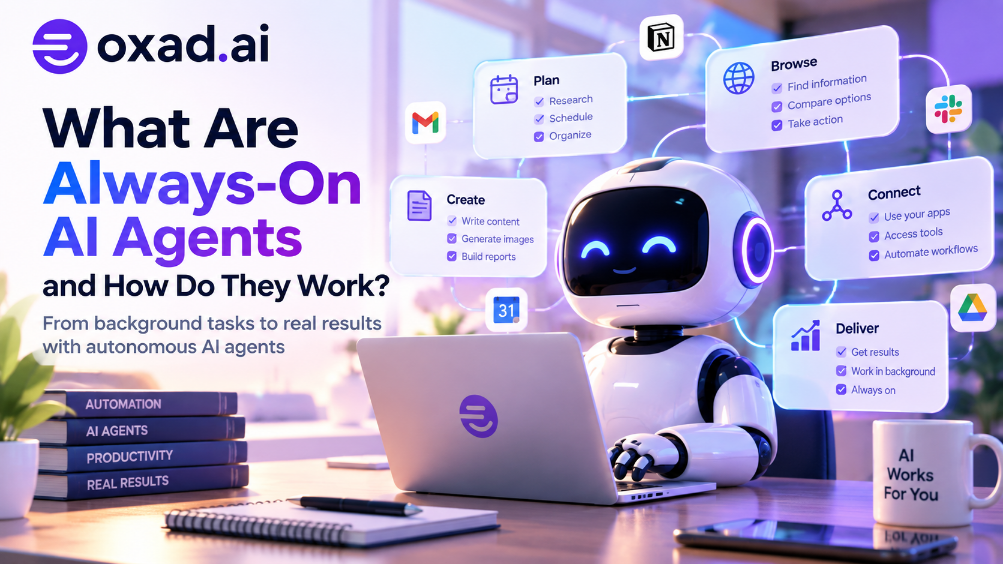
AI agents are moving from “wait for my prompt” to “keep working until the task is done.” Always-on AI agents are designed to remain available, preserve state, react to events, run scheduled work, use tools, and follow up without requiring a new chat message for every step.
An always-on AI agent is a persistent AI system that can continue operating after a user closes the chat window. Instead of behaving like a conventional chatbot that waits for a question, it can maintain memory and task state, respond to triggers, interact with connected applications, and return when something requires attention.
What Are Always-On AI Agents?
Always-on AI agents are AI agents designed to remain operational or available as a persistent process rather than starting from zero each time a person sends a prompt.
A traditional chatbot usually follows:
User → Prompt → AI → Answer
An always-on agent can follow a longer loop:
Goal → State → Trigger → Plan → Tools → Action → Observe → Update State → Follow Up
The important difference is persistence. The agent can retain relevant state and continue a workflow across time rather than treating every interaction as an isolated session.
Why Are Always-On AI Agents Becoming Important?
AI agents are increasingly being asked to handle tasks that naturally unfold over hours or days: monitoring a project, following up on messages, researching a topic, checking a website, preparing reports, managing a workflow, or continuing software work.
These tasks do not fit neatly into a single prompt-and-answer interaction. A persistent agent can wait for the next event, preserve the work already completed, and resume from the current state.
The concept has gained renewed attention after OpenAI introduced Dots in September 2026 and described them as always-on agents with their own cloud computers and browsers. The broader industry is also exploring persistent agent workspaces and always-on collaborators.
How Do Always-On AI Agents Work?
Layer
Purpose
Model
Reasons about the current task and chooses actions.
Memory
Stores relevant information across sessions and tasks.
Task state
Records what has been completed, what remains, and what failed.
Triggers
Start work from schedules, events, messages, webhooks, or conditions.
Tools
Allow the agent to browse, code, search, communicate, and manipulate connected systems.
Computer
Provides a persistent browser, files, terminal, applications, and execution environment.
Security
Controls permissions, credentials, approvals, monitoring, and potentially destructive actions.
What Does “Always-On” Actually Mean?
Always-on does not necessarily mean that a model continuously generates tokens. In a practical system, the agent can remain available while spending most of its time waiting for an event, scheduled task, message, or condition.
9:00 AM: Agent checks the project dashboard.
11:30 AM: A new issue triggers analysis.
1:00 PM: Agent prepares a draft response.
3:00 PM: A human approves the proposed action.
4:00 PM: Agent completes the approved task.
The agent is persistent, but it does not need to run expensive reasoning every second.
How Are Always-On Agents Different From AI Assistants?
Capability
AI Assistant
Always-On AI Agent
Waits for prompt
Usually
Not necessarily
Persistent state
May be limited
Central to the design
Scheduled work
Sometimes
Core capability
Event-driven actions
Limited
Core capability
Independent follow-up
Limited
Designed for it
Own execution environment
Not required
Often useful or required
Why Does an Always-On Agent Need Memory?
Persistence without memory would provide limited value. If an agent forgets what it already researched, which files it changed, which people it contacted, and what the user approved, it cannot reliably continue long-running work.
Memory can include preferences, previous decisions, project information, task history, and other state that the system is authorized to retain.
This connects directly to AI agent memory. For always-on systems, memory can become part of the operational state of the agent.
What Is the Role of an AI Agent Computer?
A persistent agent becomes much more useful when it has an environment where it can actually work.
An AI agent computer can provide a browser, filesystem, applications, terminal, credentials, and other tools while separating the agent’s working environment from the user’s primary computer.
This architecture changes the question from “Can AI answer this?” to “Can AI continue doing this task safely?”
How Do Always-On AI Agents Use Triggers?
Schedules: Run a task at a specified time.
Messages: React when a new message arrives.
Webhooks: Start work when another service sends an event.
File changes: Process new or modified documents.
Application events: React to changes in connected systems.
Conditions: Act when a monitored state crosses a defined threshold.
This event-driven model is one reason persistent agents resemble distributed software systems as much as conventional chat applications.
What Can Always-On AI Agents Do?
Use Case
Example
Research
Monitor sources and prepare a research brief.
Software
Continue coding, testing, and debugging while preserving project state.
Operations
Watch dashboards and surface anomalies.
Content
Collect information and prepare drafts on a schedule.
Personal tasks
Organize recurring activities and follow up on tasks.
Customer operations
Classify requests and prepare responses for human approval.
What Are OpenAI Dots and Why Do They Matter?
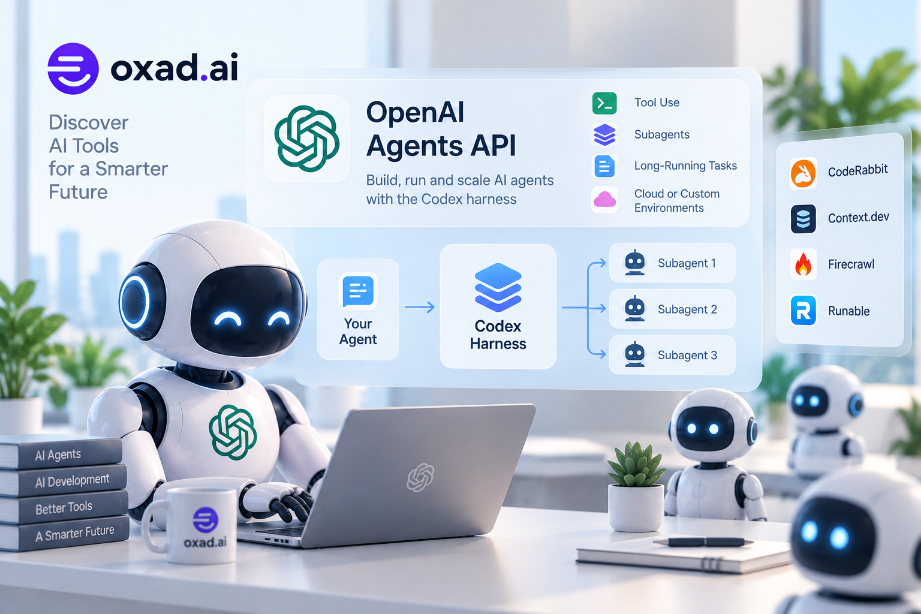
OpenAI introduced Dots at DevDay on September 29, 2026. OpenAI’s safety documentation describes them as always-on agents powered by GPT-6 Astra, with their own cloud computer and browser. It also describes connected tools, recurring work, follow-up across services, and delegation to subagents.
The significance is architectural: the agent is not simply a model inside a chat window. It has persistent infrastructure around the model, including a computer and connected tools.
Are Always-On AI Agents the Same as AI Teammates?
They overlap, but they describe different ideas.
An AI teammate emphasizes the relationship between humans and an AI system that works alongside them. An always-on agent emphasizes persistence and the ability to continue operating over time.
An AI teammate can be always-on, but an always-on agent does not necessarily need to behave like a teammate.
What About AI Agent Harnesses?
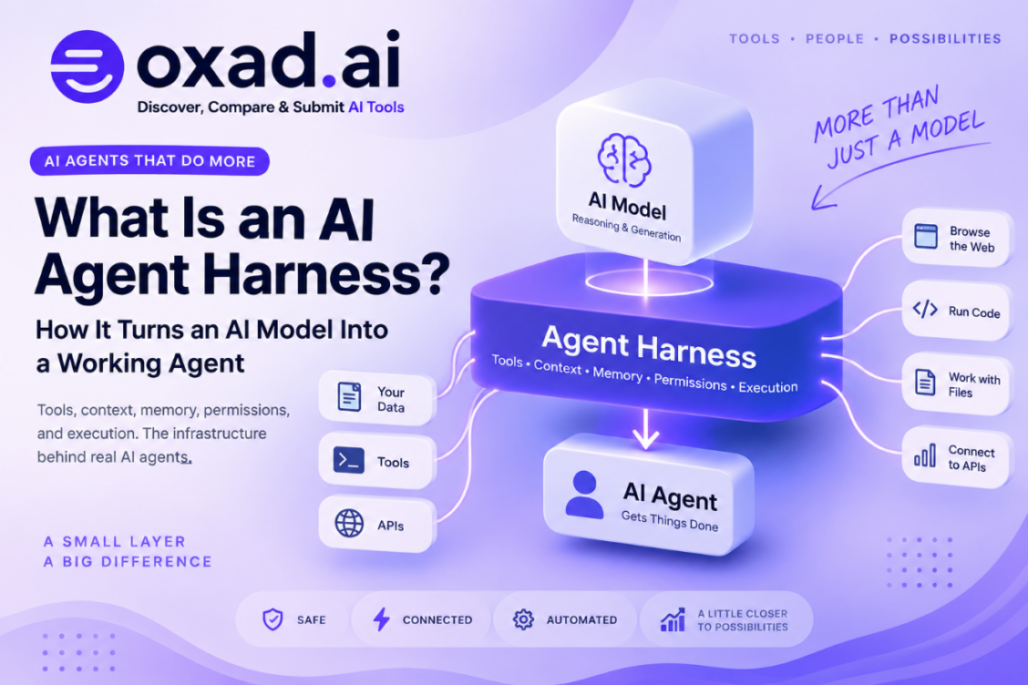
An AI agent harness provides the surrounding runtime, tools, permissions, context, loops, and controls that allow an AI model to function as an agent.
For always-on systems, the harness becomes especially important because the agent may operate for longer periods and encounter more states, tools, inputs, and failure modes.
Why Is Security More Important for Always-On Agents?
Persistence increases the consequences of mistakes. An always-on agent may retain credentials, receive untrusted inputs, execute scheduled jobs, access applications, and continue acting after the original user interaction has ended.
Research published in 2026 has examined persistent prompt-injection risks in always-on agents, including situations where untrusted input can persist through memory, skills, scheduled jobs, or files and later influence another action.
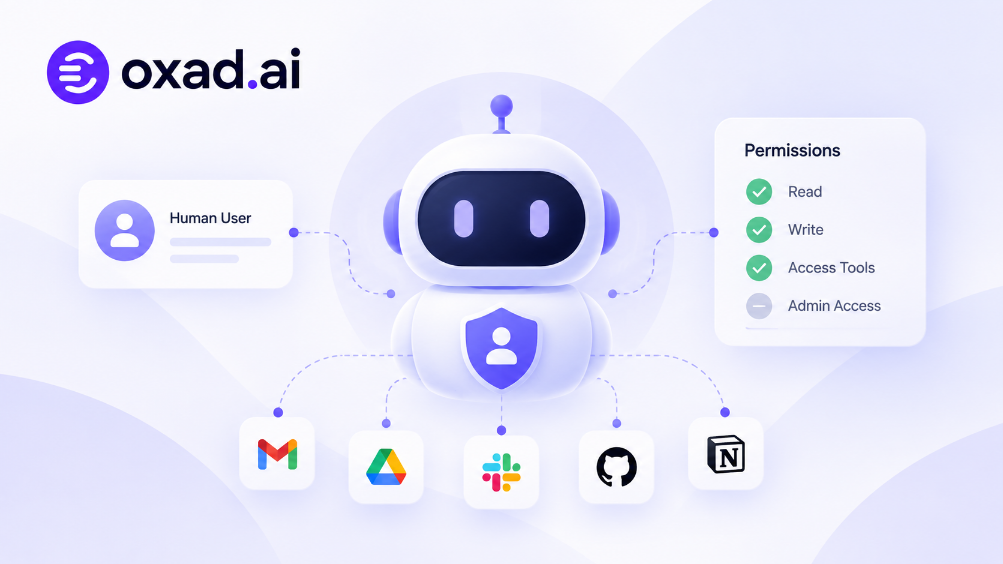
What Permissions Should an Always-On AI Agent Have?
The practical principle is least privilege: give the agent only the permissions required for its defined job.
Read: What information can the agent see?
Write: What can it change?
Execute: What code or commands can it run?
Communicate: Who can it contact?
Spend: Can it make purchases or financial commitments?
Approve: Which actions require human confirmation?
Audit: Can every important action be traced?
Always-On AI Agents vs Scheduled Automation
A scheduled script can run at 9 AM every day. That does not automatically make it an AI agent.
The distinction is that an agent can interpret state, make decisions, use tools, adapt its plan, and potentially decide what action should happen next. A simple automation usually follows predefined instructions.
In practice, the boundary is not absolute. Many useful systems combine conventional automation with AI reasoning.
Can Always-On AI Agents Work While You Sleep?
Technically, yes, if the agent has a persistent execution environment, the required credentials and tools, appropriate triggers, and permissions that allow it to operate without direct interaction.
But “can work while you sleep” should not be confused with “should be allowed to do anything while you sleep.” High-impact actions should have explicit limits, approval gates, monitoring, or reversible workflows.
Watch OpenAI’s Dots Demonstration
OpenAI published a dedicated video introducing Dots shortly after DevDay 2026. It shows the practical idea behind an always-on agent, including persistent work, connected tools, and a dedicated computer environment.
Watch the Full OpenAI DevDay 2026 Keynote
The full keynote provides additional context around Dots, ChatGPT Space, Codex, and the broader move toward agents that can operate continuously across software and workflows.
What Are the Main Problems With Always-On AI Agents?
Persistent mistakes
A mistake can be repeated if the agent continues operating without adequate checks.
Prompt injection
Untrusted information can attempt to influence an agent that has access to tools and persistent state.
Credential exposure
Long-running agents may need access to accounts, tokens, or services. Those credentials need strong isolation and least-privilege controls.
State corruption
If incorrect information becomes part of persistent memory or task state, later actions can inherit the mistake.
Runaway actions
A poorly designed loop can repeatedly create tasks, messages, files, or API requests.
Observability
Long-running agents require logs, action histories, alerts, and ways to understand why an action occurred.
What Is the Future of Always-On AI Agents?
The emerging architecture looks increasingly like a persistent digital workspace rather than a chatbot.
Model → Memory → Agent Harness → Tools → Computer → Triggers → Security → Human Oversight
The model provides reasoning, but the surrounding infrastructure determines whether that reasoning can persist, act, recover from errors, and operate safely over time.
This connects the broader movement toward AI agent computers, persistent memory, cloud workspaces, agent security, and AI teammates. The categories are converging around a common idea: AI is becoming a system that can continue working, not merely a system that can answer.
Frequently Asked Questions
What is an always-on AI agent?
An always-on AI agent is a persistent AI system that can remain available, preserve state, respond to triggers, and perform tasks without a new prompt for every action.
How is an always-on AI agent different from a chatbot?
A chatbot primarily responds to user messages, while an always-on agent can continue workflows, react to events, and follow up independently within its permissions.
Do always-on AI agents need memory?
Persistent memory or task state is usually important because the agent needs to know what happened previously and what remains to be done.
Do always-on AI agents need their own computer?
Not always, but a persistent computer or cloud workspace can provide the files, browser, applications, and execution environment needed for complex workflows.
Are always-on AI agents safe?
Safety depends on permissions, isolation, monitoring, approval controls, credential handling, and the design of the agent’s tools and memory.
Can an always-on AI agent work offline?
Some local agents can operate offline, but cloud services, online applications, and remote APIs require network access.
What are examples of always-on AI agents?
OpenAI Dots is a current example of the always-on agent model, while other persistent-agent projects use cloud or self-hosted computers and long-running workflows.
Conclusion
Always-on AI agents represent a shift from conversational AI to persistent AI systems. Instead of waiting for every prompt, these agents can maintain state, respond to triggers, use tools, operate on computers, and continue workflows over time.
The key challenge is therefore no longer only how intelligent the model is. It is how memory, tools, computers, permissions, security, observability, and human oversight are combined around that model.